
Introduction
You're finishing up an install, hands covered in drywall dust. Your phone rings. You can't answer—you're 15 feet up a ladder. By the time you check your voicemail two hours later, that potential customer already hired your competitor.
This isn't a one-time problem. Research shows 78% of buyers go with the first business that responds. If you're not capturing leads instantly, you're watching them walk out the door.
And it gets worse. Our analysis of 130,175 customer calls from 45 home services contractors found that 25.4% of callers explicitly requested callbacks. That's one in four customers saying "please call me back." But industry data shows 42% of callback requests never get returned. Those aren't just missed calls—they're lost customers who wanted to hire you.
This guide shows you how to set up lead capture automation that works around the clock. You'll learn how to capture leads from every channel—phone, web, chat, and email—integrate them into a single system, and ensure you never lose another potential customer to slow response time. Whether you're a solo contractor or running a small team, the principles here will help you compete with businesses twice your size.
The Lead Capture Problem: Why You're Losing Leads
Before we fix the problem, let's understand how big it actually is.
The Missed Call Problem
When we analyzed 130,175 customer calls from 45 home services contractors, the data was brutal: 74.1% of calls went completely unanswered. That's three out of every four customers calling and getting voicemail.
But you already know this. You're not missing calls because you're lazy. You're missing them because you're doing your actual job:
- On a roof in the middle of an install
- Under a sink with a wrench in hand
- In someone's crawlspace without cell signal
- With a customer who's right in front of you
- After hours, trying to have dinner with your family
The phone rings at the worst possible times. And every unanswered call is potentially a lead going straight to your competitor.
The Speed Problem
Even when you do call back, timing matters more than you think.
Research from Harvard Business Review found that a 5-minute delay in responding to a lead drops your qualification rate by 80%. Not 8%—eighty percent. The difference between calling back in 2 minutes versus 7 minutes is the difference between winning and losing the job.
And it's not just about qualification. Studies show that 78% of buyers go with the first business to respond. Not the cheapest. Not the best reviews. The first one to pick up the phone.
The average B2B response time is 42 hours. If you can respond in 5 minutes, you're not just fast—you're in a different league.
The Fragmentation Problem
Leads come from everywhere:
- Phone calls from Google searches
- Web forms from your website
- Facebook messages
- Email inquiries
- Chat widgets
- Referrals via text
Without a system, these leads end up in different places. Phone messages on sticky notes. Web forms in your email. Facebook messages forgotten until Sunday night.
Fragmented lead capture means fragmented follow-up. And fragmented follow-up means lost leads.
What Is Lead Capture Automation?
Lead capture automation is technology that automatically captures, records, and organizes leads from all your channels—without requiring you to manually enter anything.
The Simple Definition
Think of it as a net that catches every inquiry, no matter where it comes from or when it happens.
When a customer calls and you can't answer, lead capture automation answers for you, records their information, and puts it in your system. When someone fills out your web form at 2 AM, automation captures the details and sends you a notification. When a chat widget captures an inquiry, it goes straight to your lead list with all the relevant details.
The key word is "automatic." You're not copying phone numbers from voicemails. You're not manually adding web form submissions to a spreadsheet. The system does it for you. 76% of companies now use marketing automation, and CRM automation increases lead conversion up to 300%.
What Lead Capture Automation Does
A good lead capture system handles:
Instant capture: Every inquiry recorded immediately, whether you're available or not
Contact information: Name, phone number, email, address—whatever the lead provides
Request details: What they need, when they need it, any specifics mentioned
Source tracking: Where the lead came from (Google, Facebook, referral, etc.)
Automatic notifications: You get alerted via text or email when a new lead comes in
Follow-up reminders: System tracks which leads need callbacks and when
CRM integration: Leads flow into your customer management system automatically
According to Gartner research, 85% of customer service leaders will explore AI-powered solutions in 2025. The businesses that implement lead capture automation now will have a significant advantage as the technology becomes standard.
Multi-Channel Lead Capture: Phone, Web, Chat, Email
Leads don't just come from one place. Your automation needs to cover all the channels where customers reach out.
Phone Lead Capture (The Channel Others Ignore)
Here's what most lead capture guides miss: for home services businesses, phone calls are the primary channel. Customers don't want to fill out a form when their pipe is leaking. They want to call someone.
Our data shows exactly what customers do when they call:
- 25.4% explicitly request callbacks - That's one in four callers saying "please call me back"
- 6.9% are quote/estimate requests - High-value leads asking about projects
- 7.7% are scheduling requests - People ready to book appointments
- 6.2% are emergencies - Time-sensitive leads that can't wait
One real call from our data: "Wants to discuss a roof estimate and has questions; please call them back." That's a potential $15,000 project, and if you don't have a system capturing callback requests, it might slip through the cracks.
How to capture phone leads:
Traditional options include voicemail (poor capture rate, customers often hang up), answering services ($300-800/month with per-minute charges), or hiring staff ($35,000+/year). AI chatbots now capture leads 24/7 with higher engagement than traditional forms.
AI-powered phone answering changes this equation. Systems like NextPhone answer every call, capture the caller's information, run AI lead qualification in real-time, and route emergencies immediately—all automatically. The lead is in your system before you even know the call happened.
Web Form Lead Capture
Lead generation forms average 9.09% conversion rate, while application form completion hits 74.5% once started. Typeform achieves 47% average completion rate vs 21% industry average. Web forms are the easiest channel to automate. When someone submits your contact form:
- Capture all submitted fields
- Send automatic confirmation email to the customer
- Push lead data to your CRM
- Notify you via text or email
- Set follow-up reminder
Most website builders have built-in automation for this. Wordpress, Squarespace, and Wix all offer form integrations with common CRMs.
The key is ensuring your form asks for the right information: name, phone number (required—most customers prefer calls), email, brief description of what they need. Don't make it too long or you'll get fewer submissions.
Chat and Messaging Lead Capture
Chat widgets let customers reach out without making a phone call. Good for after-hours inquiries when people want to ask a quick question.
AI-powered chat can capture leads 24/7:
- Answer frequently asked questions automatically
- Capture contact info when AI can't fully help
- Route to you when human attention is needed
- Log all conversations for follow-up
Social media messaging (Facebook, Instagram) works similarly. The key is having all messages feed into one central system so you're not checking five different apps.
Email Lead Capture
Emails to your business address should be:
- Automatically tagged as leads
- Parsed for contact information
- Added to your CRM or lead list
- Flagged for follow-up
Many email systems can do this automatically. Gmail filters, for example, can route specific emails to labels and trigger notifications.
Unifying All Channels
The goal is one place to see all leads:
Phone call at 9 AM -> captured Web form at 2 PM -> captured Chat message at 8 PM -> captured Email at 11 PM -> captured
When you check your system in the morning, every lead is there with contact info, source, and request details. No sticky notes. No voicemails to transcribe. No missed messages.
Speed to Lead: Why Response Time Is Everything
You've heard "the early bird gets the worm." In lead capture, the fast responder gets the customer.
The Statistics That Should Scare You
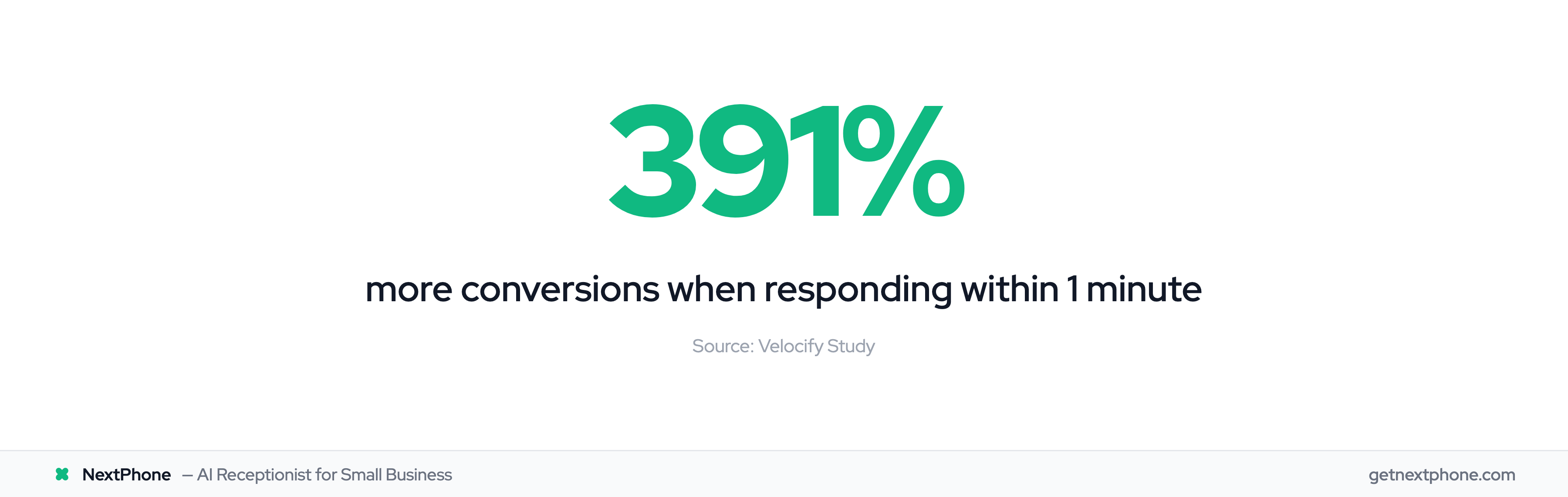
Let's look at what the research actually says about response time:
1-minute response: 391% more conversions compared to waiting longer (Velocify study)
5-minute response: 21x more likely to qualify the lead compared to 30+ minutes (MIT Lead Response Management Study)
5-minute delay: 80% drop in qualification rate compared to immediate response (Harvard Business Review)
10-minute delay: Lead qualification odds drop 4x compared to 5-minute response
78% of buyers: Go with the first company to respond
That last stat is critical. It's not about being cheap or having the best reviews. When a customer needs a plumber, they call three or four companies. Whoever calls back first gets the job.
The 5-Minute Rule
The practical takeaway: you have about 5 minutes before leads start going cold.
After 5 minutes, you're fighting an uphill battle. After 30 minutes, you've likely lost. After 2 hours (the average voicemail check for many businesses), the customer has already hired someone else.
But here's the reality: if you're on a job site, you're not checking your phone every 5 minutes. That's why automation matters. You need something responding to leads instantly while you do the actual work that pays your bills.
What Fast Response Actually Looks Like
Fast response doesn't mean you personally answer every inquiry within 60 seconds. That's impossible when you're running a business.
Fast response means:
Immediate acknowledgment: Customer knows their inquiry was received Captured information: Lead is recorded with all details Set expectations: Customer knows when they'll hear back Priority routing: Emergencies get immediate attention, routine requests queued for callback
An AI answering system can do this in under 30 seconds. Customer calls, AI answers, captures their information, confirms you'll call back soon, and the lead is in your system. The customer feels heard (not sent to voicemail), and you have all the details when you're ready to follow up.
Compare that to: Phone rings, voicemail picks up after 4 rings, customer leaves message (maybe), you check voicemail in 3 hours, try to call back, customer doesn't answer, phone tag begins, lead goes cold.
The Callback Request Crisis
Here's a lead capture problem that almost nobody talks about: callback requests.
One in Four Calls Asks for a Callback
Our analysis of 130,175 customer calls found that 25.4% explicitly requested callbacks. Not "I'll call back later." The customer is saying, "Please call ME back."
Some industries are even higher:
- Painters: 48.1% callback request rate—nearly half of all calls
- General contractors: 24.9% callback request rate
- Landscapers: 30% callback request rate
Real examples from our data:
"Requested you call back at 888-568-0296."
"Wants your call back about an estimate for pigtailing 30 outlets and 28 switches."
"Wants to schedule service for a leaky toilet, asking about your availability for tomorrow."
These are hot leads. They want to hire you. They just need you to call them back.
Why 42% of Callbacks Never Happen
Industry data shows that 42% of callback requests never get returned. Almost half.
Why does this happen?
No tracking system: Voicemail messages scribbled on paper that gets lost Overwhelmed schedules: Good intentions to call back, but days slip by Forgotten voicemails: Checked once, meant to call later, forgot Vague messages: "Call me back" with no phone number repeated End of day exhaustion: Too tired to make another call after a long job
It's not that contractors don't care. It's that there's no system ensuring every callback request gets followed up.
The Solution: Automated Callback Tracking
Lead capture automation solves this:
Every request logged: Customer's callback request is captured with phone number, name, and reason
Automatic reminders: You get notification to call back, with reminder if you don't
Status tracking: See which callbacks are pending, which are complete
No lost information: Digital record, not a scribbled note on an envelope
Calendar integration: Schedule callback for specific time, get reminded
With automated tracking, that 42% number goes to near-zero. 80% of marketers say automation brings more leads/conversions, with 77% higher lead conversion. Marketing automation delivers 451% more leads and 9x more conversions with 5-minute follow-up. Every callback request is captured, reminded, and trackable. No more "I meant to call them back but forgot."
CRM Integration: Making It All Work Together
Lead capture is only as good as what happens after capture. That's where CRM integration comes in.
Why CRM Integration Matters
CRM (Customer Relationship Management) is just a fancy term for a system that tracks your customers and leads. CRM increases sales up to 29%, and lead capture software is a $2.69B market projected to reach $4.55B by 2029.
Without integration, lead capture automation creates a pile of leads in one place and you still have to manually move them somewhere useful. With integration, leads flow directly into your tracking system, tagged and organized.
Benefits of integration:
No manual data entry: Lead info goes straight to CRM—no retyping phone numbers
Automatic tagging: Leads tagged by source (phone, web, Facebook) and type (emergency, quote, question)
Follow-up workflows: CRM triggers reminders based on lead status
History tracking: See all interactions with a customer in one place
Reporting: Which lead sources are producing customers? Which are wasted time?
What Gets Captured Automatically
A good integration captures:
- Contact information (name, phone, email, address)
- Lead source (where they came from)
- Request details (what they need, when, any specifics)
- Urgency level (emergency vs. routine)
- Timestamp (when they contacted)
- Conversation transcript (for phone/chat leads)
When you open your CRM, you see everything you need to call back without hunting through voicemails.
Simple Integration for Small Businesses
You don't need Salesforce. Most small businesses do fine with:
Google Contacts + Calendar: Free, simple, syncs everywhere Basic CRM: Hubspot free tier, Pipedrive, Monday.com—Freshsales offers robust automation for growing teams, and only 27% of teams fully utilize their CRM Email marketing: Constant Contact reports email marketing has 4,200% ROI Spreadsheet: Google Sheets with lead tracking template Built-in system: Many AI phone tools include lead tracking
The key isn't complexity—it's consistency. Pick one system and make sure all leads flow into it automatically.
How to Implement Lead Capture Automation
Ready to set this up? Here's the step-by-step approach.
Step 1: Audit Your Current Lead Sources
List everywhere leads come from:
- Main business phone line
- Website contact form
- Facebook page messages
- Email (which address?)
- Google Business Profile calls
- Referral texts
- Any other channels
For each source, ask: "Where does this lead end up right now?" If the answer is "voicemail" or "my inbox somewhere," that's a gap to fix.
Step 2: Choose Your Capture Method
For phone leads (most important for service businesses):
- AI phone answering (NextPhone, etc.) - Answers every call, captures info, $199/month range
- Traditional answering service - Live humans, $300-800/month with per-minute charges
- Voicemail with transcription - Better than nothing, but customers hate voicemail
For web leads:
- Form builder with CRM integration (most website platforms have this)
- Zapier connections to automate from form to CRM
- Direct integrations if using common tools
For chat leads:
- Chat widget with AI or lead capture (Drift, Intercom, many others)
- Facebook Messenger integration
- SMS/text capture system
Step 3: Set Up CRM Integration
Pick your CRM (or lead tracking system) and connect everything:
- Set up CRM with lead fields you need (name, phone, source, request, status)
- Connect phone capture system to CRM
- Connect web forms to CRM
- Connect chat/messaging to CRM
- Test each connection—submit a test lead through each channel
Step 4: Configure Follow-up Automation
Set up automatic reminders and workflows:
- New lead captured -> notification sent to you
- Lead not contacted within 4 hours -> reminder
- Callback scheduled -> calendar event + reminder
- Lead not converted within 7 days -> follow-up prompt
Don't over-automate. You still need to make the calls. But automation ensures nothing falls through the cracks.
Step 5: Test and Refine
Before going live:
- Submit test leads through every channel
- Verify each captures correctly in CRM
- Check that notifications arrive
- Make sure reminders trigger properly
Then go live and monitor for the first week. Adjust any issues you find.
Timeline: Most small businesses can implement basic lead capture automation in 1-2 days. Phone automation like NextPhone takes 1-2 hours to set up. Web form integration usually takes an afternoon.
AI-Powered Lead Capture: The Modern Solution
AI has changed what's possible for small businesses. You can now have capabilities that previously required a full-time receptionist or expensive call center.
How AI Changes Lead Capture
Traditional lead capture has gaps:
- Voicemail: Customers hang up, information is incomplete
- Answering service: Expensive, per-minute charges add up, still might miss details
- Part-time help: Limited hours, training required, turnover
AI-powered systems work differently. When a customer calls:
- AI answers immediately (no rings to voicemail)
- Natural conversation extracts their information
- AI captures name, phone number, request details
- Emergency detection routes urgent calls to you immediately
- Routine requests are queued for callback with full details
- Lead goes directly to your CRM or tracking system
All of this happens in under a minute, 24/7, without you lifting a finger.
24/7 Capture Without Hiring Staff
The math on hiring staff for lead capture:
- Full-time receptionist: $35,000/year salary + benefits = $45,000+/year
- Part-time receptionist: $15/hour × 20 hours/week = $15,600/year (still only covers 20 hours)
- Answering service: $300-800/month = $3,600-9,600/year (with per-minute charges often more)
AI-powered capture: $199/month = $2,388/year, and it works 24/7/365.
For the cost of one week of a full-time receptionist's salary, you get a full year of AI-powered lead capture. And the AI never calls in sick, never has a bad day, and answers every call the same way.
What NextPhone Captures Automatically
NextPhone was built specifically for businesses where phone calls are the primary lead channel—contractors, plumbers, HVAC, electricians, roofers, home services.
When a call comes in:
Immediate answer: No rings to voicemail, customer talks to AI immediately
Information capture: Name, phone number, address (if relevant), detailed request
Urgency detection: Emergency language triggers immediate routing to you
Appointment booking: If enabled, AI can book directly into your calendar
CRM sync: Lead info goes straight to your system
Transcription: Full transcript of conversation available
Notification: You get text/email with lead summary
Real scenario: You're on a roof at 2 PM. Customer calls needing a quote for gutter replacement. AI answers, captures their info, confirms you'll call back by end of day, and books a tentative callback window. You finish your job, check your phone, see the lead summary with all details, and call back at 5 PM. Lead captured, customer happy, no voicemail involved.
At $199/month unlimited, the ROI is clear. Capture one additional job per month that you would have missed, and the system pays for itself many times over.
Frequently Asked Questions
How fast should I respond to a new lead?
Ideally within 1 minute—research shows this increases conversions by 391%. At minimum, respond within 5 minutes; after that, your qualification rate drops by 80%. With lead capture automation, you can ensure instant acknowledgment even when you're busy, and follow up with a personal call as soon as possible.
What's the difference between lead capture and lead generation?
Lead generation is about getting leads to contact you—marketing, advertising, SEO, referrals. Lead capture is what happens after they reach out—making sure every contact is recorded, organized, and followed up. You can have excellent lead generation but still lose customers if you don't capture leads properly.
Do I need an expensive CRM for lead capture automation?
No. Small businesses can start with simple tools: Google Contacts, a basic spreadsheet, or free CRM tiers from Hubspot or Pipedrive. The key is having a consistent system that captures leads automatically from all channels. Many AI phone solutions like NextPhone include built-in lead tracking without requiring separate CRM software.
How do I capture leads from phone calls?
Traditional options include voicemail (low capture rate since customers often hang up), answering services ($300-800/month with per-minute charges), or hiring staff ($35,000+/year). AI-powered phone answering captures every call automatically—answering, recording caller info, transcribing requests, and routing emergencies—for a fraction of the cost. This is especially important since 25.4% of callers explicitly request callbacks.
What happens to leads captured after hours?
With automation, after-hours leads are captured just like daytime leads. AI systems answer calls 24/7, send automatic confirmations to customers, and queue leads for your next-day follow-up. Emergency calls can be routed to you immediately regardless of time—so the midnight pipe burst still reaches you, but the routine quote request waits until morning.
How do I know if lead capture automation is working?
Track key metrics: response time (how fast leads get acknowledged), callback completion rate (what percentage of callback requests get returned), lead-to-customer conversion rate, and which channels produce the most leads. Good automation platforms provide dashboards showing all captured leads, actions taken, and follow-up status. Compare your conversion rates before and after implementing automation to measure improvement.
Stop Losing Leads to Slow Response
Lead capture automation isn't a nice-to-have anymore. When 78% of buyers go with the first responder and a 5-minute delay cuts your conversion rate by 80%, slow response costs real money.
The businesses winning today have systems that capture every lead from every channel—phone, web, chat, email—and route them for immediate follow-up. They're not personally answering every call. They have automation doing the capturing while they do the work that actually pays the bills.
You don't need enterprise software or a dedicated receptionist. AI-powered solutions give you 24/7 lead capture for less than what you'd pay a part-time employee for one week. Every callback request tracked. Every web form captured. Every inquiry logged with full details.
The leads are already coming. The question is whether you're capturing them or letting them go to your competitors.