
Introduction
"For sales, press 1. For support, press 2. For billing, press 3. To hear these options again, press 9."
If reading that made you slightly irritated, you're not alone. According to Vonage research, 61% of consumers feel that IVR systems make for a poor customer experience. And 51% have abandoned a business entirely after getting stuck in a menu maze.
But here's the thing: your business still needs some way to handle calls when you can't answer. You're not going to stop working mid-job to grab every ring.
The good news? "Automated phone responses" doesn't have to mean frustrating menus anymore. In 2025, the options range from basic call routing to AI that actually converses with your callers. This guide walks you through the entire spectrum so you can pick the right level for your business - without over-spending or under-serving your customers.
What Are Automated Phone Responses?
The Basic Definition
Automated phone responses are any systems that answer and handle incoming calls without requiring a human to pick up. They range from simple recorded greetings that route callers to different extensions, all the way to AI-powered conversations that can answer questions, schedule appointments, and take detailed messages.
The core purpose is the same across all levels: make sure callers aren't ignored when you or your team can't answer live.
Why Businesses Need Them
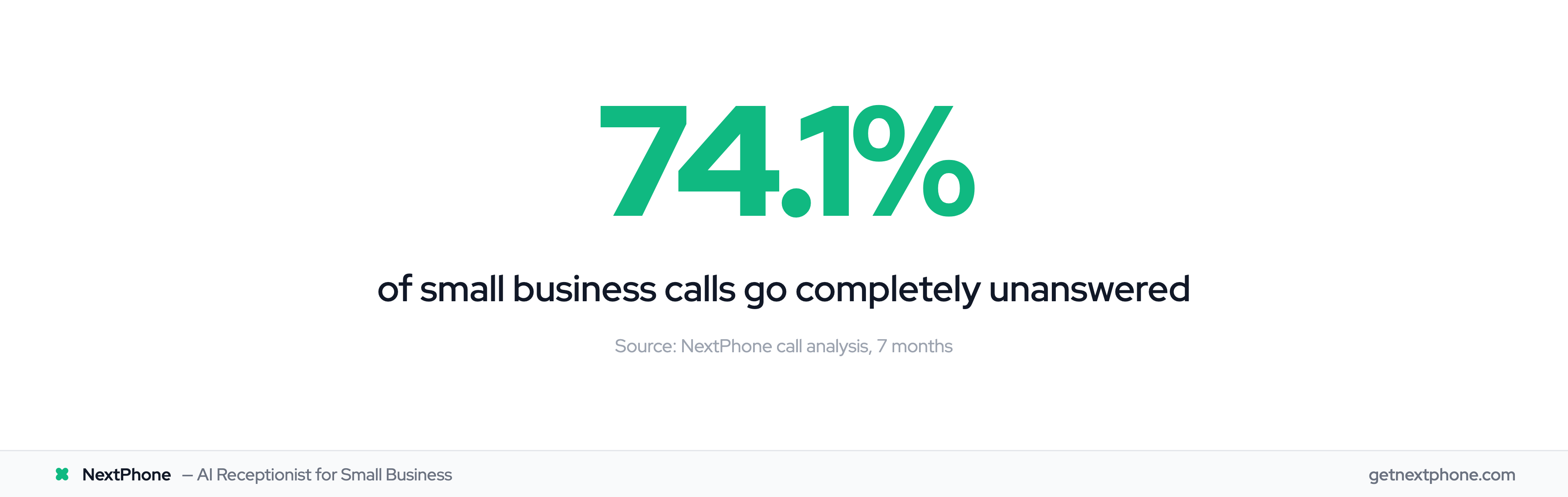
Industry benchmarks show 74.1% of calls to home services businesses go completely unanswered. That's three out of every four potential customers reaching voicemail - and industry research shows 85% of those callers won't call back.
You can't answer the phone when you're on a roof with a nail gun. You can't take a call while driving between job sites. And you definitely can't pick up at 9 PM when a homeowner discovers their AC died during a heat wave.
Automated phone responses solve this gap between when calls come in and when you can actually talk.
The Automation Spectrum: From Basic to Intelligent
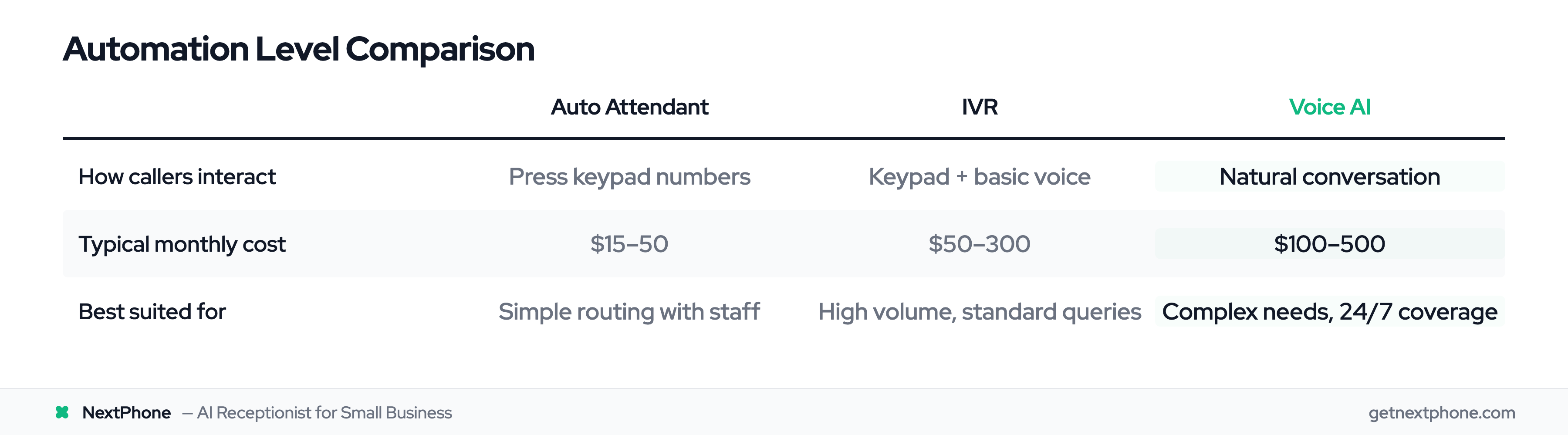
Not all phone automation is created equal. Think of it as a spectrum with three distinct levels, each building on the capabilities of the previous one.
| Feature | Auto Attendant | IVR | Voice AI |
|---|---|---|---|
| How callers interact | Press keypad numbers | Keypad + basic voice commands | Natural conversation |
| What it can do | Route calls to extensions | Route + self-service transactions | Full conversations + actions |
| Typical cost | $15-50/month | $50-300/month | $100-500/month |
| Best suited for | Simple routing with staff ready | High volume with standard queries | Complex needs, 24/7 coverage |
The key question isn't which one is "best" - it's which level matches your actual needs. A dental office with a full-time receptionist needs different capabilities than a solo electrician working job sites all day.
Let's break down each level.
Auto Attendant: The Basics of Business Phone Automation
What Auto Attendant Does
An auto attendant is the simplest form of phone automation. When someone calls, they hear a professional greeting and menu: "Thanks for calling ABC Plumbing. For appointments, press 1. For billing questions, press 2. To leave a message, press 3."
Callers press a number, and the system routes them to the appropriate extension, department, or voicemail box. That's it. No databases, no AI, no conversation - just routing.
Most VoIP business phone systems include basic auto attendant features for $15-50 per month, often bundled with your phone service.
Limitations of Auto Attendant
Auto attendant has one job: get the caller to the right place. It can't answer questions, take detailed messages, schedule appointments, or handle anything that requires actual interaction.
If the extension it routes to doesn't answer, the call still ends up in voicemail. You've just added a step before reaching the same dead end.
When Auto Attendant Is Enough
Auto attendant works well when you have staff ready to answer at each extension. A medical practice with a receptionist, billing department, and nurse line benefits from routing callers efficiently. A law firm with multiple attorneys can direct calls to the right person.
But for a solo contractor or small team that's frequently unavailable? Auto attendant just delays the inevitable voicemail.
IVR Systems: Why Customers Hate "Press 1 for Sales"
What IVR Can Do
Interactive Voice Response (IVR) is a smarter auto attendant. Beyond simple routing, IVR systems can access databases, process basic voice commands, and complete self-service transactions.
Think of the systems banks use: "Say or enter your account number. What would you like to do? You can say 'check balance,' 'make a payment,' or 'speak to a representative.'"
IVR represented a genuine step forward. Customers could check order status, make payments, and get information without waiting for a human. For call centers handling thousands of identical queries, IVR dramatically reduced costs.
The Customer Frustration Problem
But something went wrong. IVR menus grew longer. Options multiplied. And customers started feeling like they were stuck in a maze designed to prevent them from reaching a human.
The Vonage survey of 4,000 consumers revealed the damage:
- 64% report negative feelings (frustration, anger, stress) when they reach an IVR
- 51% have abandoned a business entirely because of a bad IVR experience
- 89% of revenue lost to IVR frustration goes directly to competitors
- The top complaints: "The reason I'm calling isn't listed" (65%), "Forced to listen to irrelevant options" (63%), and "Keeps me from reaching a live person" (54%)
The average IVR abandonment rate sits around 15%. And each abandoned call represents roughly $50 in lost value - before counting the $262 long-term cost of losing a customer entirely.
The Real Cost of Bad IVR
Here's what happens in practice: A homeowner discovers water damage at 8 PM. They call a restoration company, get an IVR menu, press 1 for emergencies, get transferred, have to re-explain the situation, get put on hold, and eventually hang up to call the next company on Google.
That's not a failure of automation. That's a failure of making automation feel automated.
Looking for alternatives to frustrating menu systems? See our guide on IVR alternatives that actually work.
Voice AI: Automated Responses That Actually Respond
How Voice AI Works Differently
Voice AI takes a fundamentally different approach. Instead of menus and keypad presses, callers just talk naturally - and the AI understands.
Modern voice AI uses natural language processing to interpret what callers actually mean, not just which keyword they said. It can handle:
- "I need someone to look at my roof"
- "My AC stopped working and it's 95 degrees"
- "I'm calling to reschedule the appointment I booked last week"
- "How much do you charge for a basic inspection?"
No menu trees. No "I'm sorry, I didn't understand that." Just conversation.
What Voice AI Can Actually Do
The capability gap between IVR and voice AI is substantial. A well-configured voice AI receptionist can:
- Answer common questions about services, hours, and pricing
- Schedule and reschedule appointments by checking your calendar
- Collect detailed information about the caller's needs
- Route urgent calls to your cell phone immediately
- Send text confirmations and follow-up messages
- Provide consistent, accurate information 24/7
In studies comparing AI receptionists to traditional IVR, AI converts 35-50% more live booking requests. That's not incremental improvement - it's a different category of performance. For more on how modern systems manage calls, see our guide to automated call handling.
The Natural Conversation Difference
Here's what a voice AI conversation actually sounds like:
Caller: "I need someone to look at my roof."
AI: "I can help with that. Is this for a repair or are you looking for an estimate on a new roof?"
Caller: "There's a leak in my bedroom."
AI: "That sounds like it might be urgent. Can you tell me a bit more about when you noticed the leak and how severe it is?"
Caller: "I just noticed water dripping from the ceiling when I got home."
AI: "I understand - water damage can get worse quickly. I have availability tomorrow morning between 8 and 10 AM for an emergency inspection. Would that work for you?"
No menu navigation. No repeating information. Just a conversation that moves toward solving the problem.
The costs have dropped significantly too. Voice AI operating costs fell from $0.50-1.00 per minute to $0.05-0.15 per minute thanks to improvements in AI platforms. Small businesses typically spend $100-300 per month on voice AI - roughly what they'd pay for one day of a receptionist's time.