Your professional voicemail greeting — or, in 2026, the greeting your AI receptionist speaks — has two jobs: tell the caller they've reached the right business, and make clear they're about to get help. An AI greeting can go one step further and open with a specific question right away ("Are you a new or existing client?") instead of playing a menu. One more rule: if your callers are in an all-party-consent state — California, Florida, Illinois, Washington, and eight others — the greeting also needs a short recording disclosure. The full list is in our call recording laws by state guide.
Get those wrong and the caller hangs up; a bad greeting sends them straight to your competitor.
Below: 35+ scripts you can copy, customize, and record today, plus 13 real production greeting patterns from NextPhone customers — every one with playable phone-quality audio, graded by what actually moves caller experience. Skip ahead to the 13 real patterns or jump straight to the scripts.
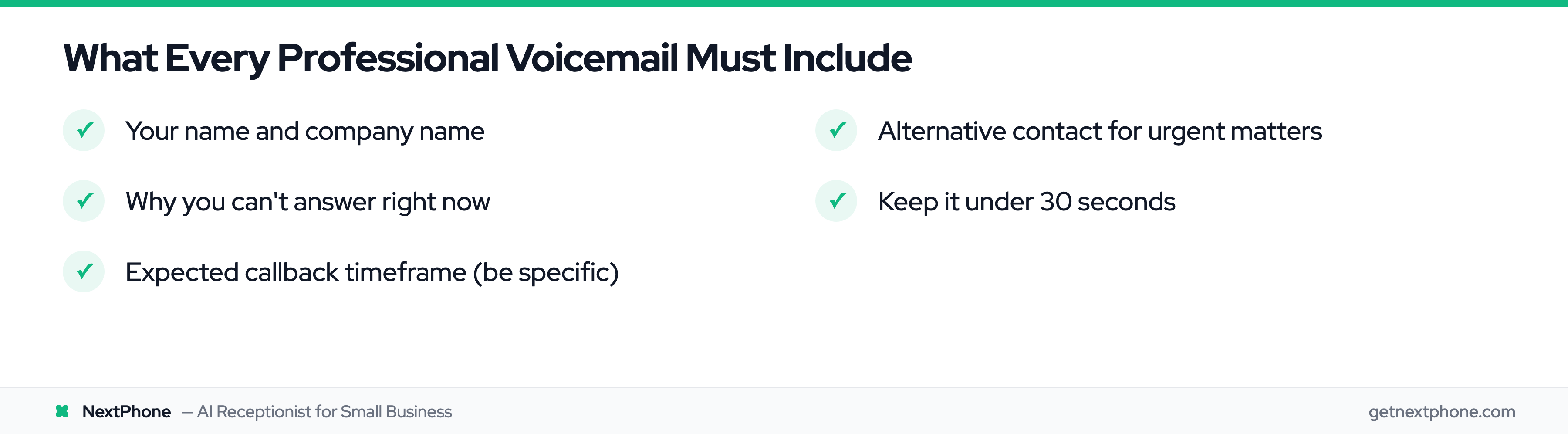
Quick answer: A great professional voicemail greeting is 10–30 seconds, names you and your business, gives a callback window, and offers an alternative for urgent matters. But not every greeting element is equal — a take-a-message option ("...or take a message for the team"), honest AI disclosure, and a native-language opener move the caller. Tagline brand fluff doesn't. Hear all 13 patterns below.
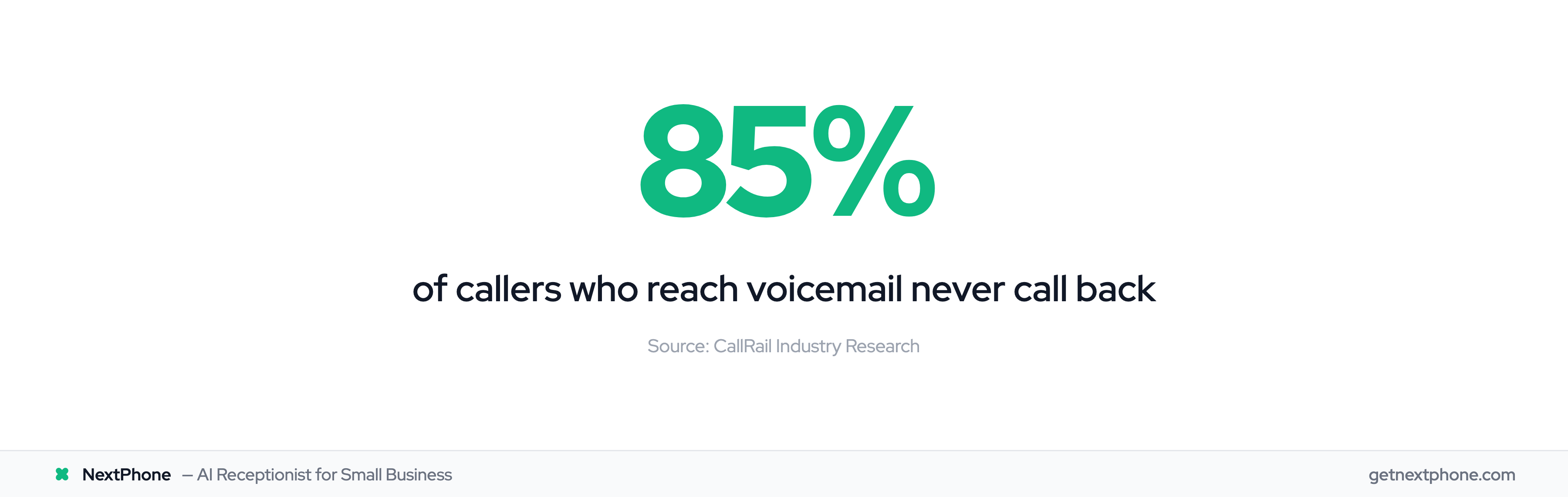
Before you record anything, one piece of math. Across the 1,446,980 inbound business calls in our production database, only 20.8% of calls end with a captured message — and that's with an AI politely asking for one. Plain voicemail runs closer to 15%, and 85% of callers who hit voicemail never call back. The perfect greeting is still a greeting on a missed call. If you're polishing one because calls go unanswered while you work, the stronger fix is making sure nobody reaches voicemail at all: NextPhone answers every call in under 5 seconds, 24/7, from $199/month flat — speaking with the same voices you're about to audition below.
13 real production greeting patterns, graded by caller value
Most voicemail-greeting guides give you scripts and call it done. We pulled real production greetings from our customer base, extracted the 13 distinct patterns that show up most across small businesses, and re-recorded each one with fake-but-industry-plausible business names so you can hear the structure honestly without revealing any customer.
Then — the more interesting part — we graded each pattern by what it actually does for the caller, not what it does for the business. Some elements that sound professional are pure brand fluff. Others quietly remove the biggest friction in AI phone interactions. Listen below.
Top tier — these move the caller
The four patterns that actually change whether a caller stays engaged, hangs up, or leaves a usable message.
Pattern 1 — Take-a-message option. The single most under-used element in production greetings. Removes the #1 caller anxiety around AI: "what if this doesn't work for what I need?" Giving the caller an explicit alternative ("...or take a message for the team") increases the share of callers who stick with the AI long enough to get qualified, because they know they have an out. Note the framing: "take a message for the team" is the 2026 version — "leave a voicemail" sounds antiquated and primes the caller to expect a dead-end. Smith.ai and Ruby don't offer either version in their default greetings.
Hayes Plumbing — take-a-message option
“
Thanks for calling Hayes Plumbing, this is Juniper. I can answer your questions or take a message for the team — just let me know how I can help.
”
0:00
0:00
Listen for the explicit alternative mid-greeting. The caller knows the AI is an option, not a trap — and there's a real human team behind it.
Pattern 2 — Honest AI disclosure. Names the AI up front. Disarms the "wait, am I talking to a real person?" moment that quietly kills trust 6 seconds into a call. Less seamless feel; more durable trust.
Cedar Lane Carpentry — AI-disclosed pattern
“
Hi, this is Juniper, the AI assistant for Cedar Lane Carpentry. How can I help with your project today?
”
0:00
0:00
Front-loads the disclosure. Best for trades and home-services where return calls matter more than perfect-illusion delivery.
Pattern 3 — Native-language opener. For non-English-speaking callers, this is binary — help vs. hang up, no middle ground. A Spanish-first greeting for Hispanic-majority verticals (immigration legal, family law in CA/FL/TX, certain HVAC and construction markets) measurably increases inbound retention.
Gracias por llamar a Vargas Immigration. Soy Enrique. ¿En qué puedo ayudarle hoy?
”
0:00
0:00
Full Spanish-native greeting, no language toggle, no menu. NextPhone supports 9 languages out of the box at $199/month flat — no per-Spanish-call surcharge like the human services charge.
Pattern 11 — Greets returning callers by name. The one pattern voicemail structurally cannot do. When a known number calls back, the AI opens with the caller's name — no "please state your name," no starting from zero. For a law firm, that's the difference between "you've reached our office" and a client feeling like the firm knows them. Callers who are greeted by name skip the wariest first ten seconds of the call entirely.
Keller Estate Law — returning caller greeted by name
“
Hi Marcus, welcome back — it's Juniper at Keller Estate Law. How can I help you today?
”
0:00
0:00
Recognized-number greeting. NextPhone's caller memory carries context between calls, so returning clients are greeted like returning clients — something no voicemail box or basic IVR can do.
Mid tier — useful but situational
These work when the situation calls for them. Don't over-engineer if they don't.
Pattern 4 — Triage opener. Saves the caller from re-explaining context. Existing clients especially appreciate not starting from zero.
Marchetti Roofing — triage opener
“
Thanks for calling Marchetti Roofing. Are you a new or existing client?
”
0:00
0:00
Routes new vs. existing before any other handling. Useful when your AI runs different intake scripts per caller type.
Pattern 5 — Standard formal opener. Plain, professional, gets the job done. Good default for legal, finance, and white-collar service businesses. Won't impress, won't offend.
Bennett Family Law — standard formal opener
“
Thank you for calling Bennett Family Law. This is Juniper. How can I help you today?
”
0:00
0:00
The most common opener in our customer base. Fast brand confirmation, clear call-to-action.
Pattern 6 — Casual service. Friendlier, shorter, matches the energy of trades and home-services. Wrong fit for legal or finance.
Riverstone HVAC — casual service opener
“
Hi, this is Juniper with Riverstone HVAC. How can I help you today?
”
0:00
0:00
Shorter, more conversational than the legal version. Better fit for trades where the caller is mid-problem.
Pattern 7 — Multilingual delivery, no menu. Skip the IVR "press 1 for English, press 2 for Spanish" antipattern. Modern AI receptionists signal multilingual capability by speaking both languages in the same greeting — the caller just keeps going in whatever language they want. This is what NextPhone does out of the box across 9 languages. Faster, friendlier, and Spanish-speaking callers don't have to navigate an English menu to find the Spanish option.
Vargas Immigration — multilingual no-menu opener
“
Hi, this is Juniper from Vargas Immigration. Hablo inglés y español — go ahead in whichever you're more comfortable with.
”
0:00
0:00
Note the "Hablo inglés y español" line mid-greeting — capability signal, no menu choice. The caller simply continues in their language of choice. Spanish-majority verticals should default to the full-Spanish greeting (Pattern 3 above) instead.
Pattern 12 — Capability menu. Front-loads what the caller can ask for — consultations, practice areas, hours, directions — without an IVR's "press 1" detour. Works when callers genuinely don't know what an AI line can handle; skip it if your call mix is dominated by one intent, where it just delays the conversation.
Harmon & Cole Family Law — capability menu
“
Thanks for calling Harmon & Cole Family Law. You can ask me about consultations, our practice areas, office hours, or directions — or leave a message for the team. How can I help you?
”
0:00
0:00
The spoken menu, no keypad. Callers hear their options and just ask — including the take-a-message escape from Pattern 1.
If your state requires all-party consent for call recording, the same greeting takes one short disclosure sentence right after the firm name. Keep it to a single line — a few production wordings:
"This call may be recorded for quality purposes."
"Calls are recorded for quality and training."
"This call is recorded so we get your details right."
Here's the identical greeting with the first one added:
Harmon & Cole Family Law — same greeting, with recording disclosure
“
Thanks for calling Harmon & Cole Family Law. This call may be recorded for quality purposes. You can ask me about consultations, our practice areas, office hours, or directions — or leave a message for the team. How can I help you?
”
0:00
0:00
One added sentence covers the consent requirement. Which states require it — and which don't — is in our guide to call recording laws by state.
Whether you need that line depends on where your callers are — see call recording laws by state for the one-party vs all-party consent breakdown.
Pattern 13 — Personal-assistant line. For solo attorneys and owners who run the business from their cell: the AI answers as a named person's assistant rather than a company front desk — same length as a standard greeting, but the caller knows they've reached the right person's line and gets help immediately instead of a personal-sounding voicemail box. This is the production version of the "personal voicemail greeting" most guides only give you a script for.
Attorney Dana Whitmore's line — personal-assistant opener
“
Hello, you've reached attorney Dana Whitmore. I'm Juniper, her assistant — how can I help you?
”
0:00
0:00
Solo-practitioner pattern: named assistant, honest availability, and the caller keeps momentum instead of hearing a beep.
Low tier — looks professional, doesn't move the caller
These get added because they "sound right" or are required. They're not nothing — they just don't change caller behavior the way the top tier does.
Pattern 8 — Recording disclosure. Legally required in the 12 all-party-consent states — see call recording laws by state for the full list and the interstate rules. Caller tolerates it; doesn't love it. Don't skip if your state requires it. Pattern 12 below plays the same greeting with and without this line.
Whitfield Estate Planning — with recording disclosure
“
Thank you for calling Whitfield Estate Planning. This call may be recorded for quality and training. This is Juniper. How can I help you?
”
0:00
0:00
Two-party-consent state pattern. Goes right after the firm name, before the call gets into substance.
Pattern 9 — Tagline brand. "...where every detail matters." Pure brand fluff. Adds 3-5 seconds the caller doesn't care about. Marketing teams love it. Callers don't notice. Skip unless brand mandate is binding.
Sterling Detail Co. — with brand tagline
“
Thanks for calling Sterling Detail, where every paint and panel gets the attention it deserves. This is Juniper. How can I help you?
”
0:00
0:00
Carries the brand tagline into the greeting. Higher-end shops use this; functionally redundant from the caller's perspective.
Pattern 10 — After-hours framing. "The team is currently unavailable, but I can help..." Slightly negative — primes the caller to think "ugh, being shunted to AI." Better to just answer naturally; the after-hours context becomes obvious from the lack of a transfer. Use only if your AI is a strict fallback (not a primary line).
Castillo Law — after-hours framing
“
Thanks for calling Castillo Law. The team is currently unavailable, but I can help with your question or take a message. How can I help?
”
0:00
0:00
Frames the AI as fallback. Use when explicitly running an after-hours backup, not as a primary line greeting.
What to take from this
If you implement nothing else: add Pattern 1 (the take-a-message option) to whatever greeting you're using now. It's one sentence. It removes more caller friction than every other improvement combined. The single highest-leverage edit you can make today.
If your customer base includes Spanish speakers: add Pattern 3 (native-Spanish opener). Either route Spanish callers to a separate line that opens in Spanish, or have your AI auto-detect and switch — NextPhone does this in 9 languages out of the box.
Everything else is style.
Professional Business Voicemail Greetings
Standard greetings for everyday use during business hours.
Basic Professional
“
Hi, you've reached [Your Name] at [Company Name]. I'm unable to take your call right now, but your call is important to me. Please leave your name, number, and a brief message, and I'll get back to you within 24 hours. Thanks for calling.
”
With Specific Callback Window
“
Hello, this is [Your Name] with [Company Name]. I'm currently assisting other customers but will return calls between 4 and 5 PM today. Please leave your details after the tone, and I'll call you back during that window.
”
With Email Alternative
“
You've reached [Your Name] at [Company Name]. I'm away from my phone, but if your matter is time-sensitive, please email me at [email] for a faster response. Otherwise, leave a message and I'll call you back within one business day.
”
With Website Mention
“
Hi, this is [Your Name]. I can't take your call right now. For quick answers to common questions, visit [website]. Or leave a message with your name and number, and I'll return your call soon.
”
Team Greeting
“
Thank you for calling [Company Name]. We're sorry we missed your call. Please leave your name, phone number, and a brief message, and a member of our team will get back to you as soon as possible.
”
Executive/Manager
“
You've reached the desk of [Your Name], [Title] at [Company Name]. I'm in meetings for most of the day but check messages hourly. Leave your name and number and I'll get back to you before end of business today.
”
Short and Simple Voicemail Greetings
When brevity matters — under 10 seconds each.
Minimal
“
Hi, it's [Your Name]. Leave a message and I'll call you back.
”
Name and Company Only
“
You've reached [Your Name] at [Company Name]. Please leave a message.
”
Quick Callback Promise
“
[Your Name] here. Can't talk right now — leave your number and I'll call you back within the hour.
”
Text-First
“
Hey, it's [Your Name]. I'm faster by text — shoot me a message. Otherwise, leave a voicemail and I'll get back to you.
”
Straight to the Point
“
This is [Your Name]. Leave your name, number, and what you need. I'll call you back today.
Hear it: NextPhone's AI handling an after-hours call live
0:00
0:00
A real after-hours intake recorded from our production system. Lead is captured, callback is promised, urgency is triaged — what a voicemail can't do.
Standard After-Hours
“
You've reached [Company Name]. Our office is currently closed. Our business hours are Monday through Friday, 8 AM to 5 PM. Please leave a message and we'll return your call on the next business day.
”
With Emergency Instructions
“
Hi, you've reached [Your Name] at [Company Name]. Our office is closed for the evening. For emergencies, please press 1 to reach our on-call technician. For all other matters, leave a message and we'll call you back first thing tomorrow.
”
Weekend-Specific
“
Thanks for calling [Company Name]. We're closed for the weekend and will reopen Monday at 8 AM. Leave a message with your name and number, and we'll return your call Monday morning.
”
With Online Booking
“
You've reached [Company Name] after business hours. You can book an appointment anytime at [website] or leave a message and we'll call you back when we open at [time]. Thanks for calling.
”
Out-of-Office and Vacation Greetings
For planned absences with backup contact info.
Short Vacation
“
Hi, this is [Your Name]. I'm out of the office until [Date] with limited access to messages. If you need immediate assistance, please contact [Backup Name] at [Number]. Otherwise, I'll return your call when I'm back.
”
Extended Leave
“
You've reached [Your Name] at [Company Name]. I'm currently on leave and will return on [Date]. During my absence, please contact [Backup Name] at [Number/Email] for assistance. Thank you for your patience.
”
Parental Leave
“
Hi, you've reached [Your Name]. I'm on parental leave through [Date]. For all inquiries, please contact [Backup Contact] at [Number/Email]. They'll be happy to help you. Thanks for understanding.
”
Conference or Travel
“
This is [Your Name]. I'm traveling for [event/conference] through [Date] and may be slow to return calls. For urgent matters, email me at [email]. I'll get back to everyone else when I return.
”
Holiday Voicemail Greetings
Seasonal greetings with clear return dates.
Christmas/New Year
“
Happy holidays from [Company Name]. Our office is closed from December 24th through January 2nd. Please leave a message and we'll call you back when we return on January 3rd. For emergencies, email [email].
”
Thanksgiving
“
Thanks for calling [Company Name]. We're closed for Thanksgiving from [Date] through [Date]. Leave a message and we'll get back to you when we return. Have a great holiday.
”
General Holiday
“
You've reached [Company Name]. We're closed today for [Holiday Name] and will reopen on [Date]. Leave your name and number and we'll return your call when we're back. Happy [Holiday].
”
Mobile and Personal Voicemail Greetings
Casual greetings for personal phones — no company name needed.
Casual and Friendly
“
Hey, it's [Your Name]. I missed your call — leave me a message or send a text and I'll get back to you.
”
Screening Calls
“
Hi, you've reached [Your Name]. If I didn't pick up, I'm either busy or don't recognize your number. Leave a message and I'll call you back if I know what it's about.
”
College Student
“
Hey, this is [Your Name]. Leave a message or just text me — I'll probably see that faster.
”
Side Hustle / Freelance
“
Hi, you've reached [Your Name]. I'm not available right now but leave your name, number, and what you're looking for, and I'll get back to you today.
”
Bilingual
“
Hi, you've reached [Your Name]. Please leave a message in English or Spanish and I'll return your call. / Hola, ha llamado a [Your Name]. Deje un mensaje en inglés o español y le devolveré la llamada.
”
Customer Support Voicemail Greetings
For support lines, help desks, and service departments.
Support Queue
“
Thanks for calling [Company Name] support. All of our agents are currently helping other customers. Please leave your name, number, and a brief description of your issue, and we'll call you back within [timeframe]. You can also email us at [email] or visit [website] for live chat.
”
With Ticket Reference
“
You've reached [Company Name] technical support. Leave your name, phone number, and your ticket or account number if you have one. A support specialist will call you back within [timeframe].
”
Callback Option
“
Thank you for calling [Company Name] customer service. We're experiencing higher than normal call volume. Leave your number and we'll call you back in the order your call was received — no need to wait on hold.
”
Self-Service First
“
Hi, you've reached [Company Name] support. Before leaving a message, check [website/help-center] — most common questions are answered there. If you still need help, leave your name, number, and issue details and we'll get back to you within one business day.
”
Industry-Specific Greetings
Tailored scripts for specific professions.
Contractor/Home Services
“
Hey, you've reached [Your Name] with [Company Name]. I'm probably on a job site right now. Leave your name, number, and a brief description of the work you need done, and I'll call you back today. For emergencies like flooding or no heat, text me at this number.
Thank you for calling [Property Name]. Our office is closed. If this is a maintenance emergency like flooding, fire, or a lockout, press 1 to reach our on-call team. For rent questions, press 2. To leave a message, press 3 — we'll return your call within one business day.
Hi, this is [Your Name] with [Brokerage]. I'm likely showing properties right now. Leave your name, number, and the address you're calling about, and I'll get back to you within the hour. You can also text me for a faster response.
”
Legal Office
“
You've reached the office of [Your Name] at [Firm Name]. I'm currently in a meeting. Please leave a detailed message including your name, phone number, and the nature of your inquiry, and I'll return your call by end of business today.
”
Accounting Office
“
Thank you for calling [Firm Name]. We're with clients right now. For appointment scheduling, press 1 or visit [website]. For tax document questions, press 2. For all other inquiries, leave your name and number and we'll call you back before end of day.
”
Salon or Spa
“
Hi, thanks for calling [Business Name]. We're with clients right now. To book an appointment, visit [website] or leave your name, number, and the service you're interested in, and we'll call you back today.
”
Voice selection — use the 10 patterns above as the audition
When picking the voice for your own AI line, listen to the 10 production patterns above instead of an isolated voice library. The patterns let you hear voice + structure + delivery together, which is what callers actually experience.
If you're using NextPhone as your AI receptionist, the assistant configuration lets you pick from a library of native English and Spanish voices (Juniper, Enrique, Hannah, Chris, Mary, Oliver, and more) — pair the voice with one of the 10 patterns and you have a production-ready setup in under 5 minutes. Most customers start with Pattern 1 (escape hatch) or Pattern 2 (AI-disclosed) and adjust from there based on call feedback.
Funny and Creative Voicemail Greetings
Humor works if your brand is playful. Skip these for healthcare, legal, or finance.
Light-Hearted Professional
“
Hi, you've reached [Your Name] at [Company Name]. I'm either helping another customer, grabbing coffee, or pretending I didn't hear my phone ring. Leave a message and I'll call you back soon.
”
Personality-Forward
“
Hello! You've reached [Name] at [Company]. I'm currently unavailable because I'm doing something more important than answering phones. Just kidding. Leave a message and I'll prove you're a priority.
”
Self-Deprecating
“
You've reached [Your Name]. I'm currently away from my phone, which is ironic since you've clearly found it. Leave a message with your name and number, and I'll call you back when I locate mine.
”
The Overachiever
“
Hey, it's [Your Name]. I'm either closing a deal, on a call, or reorganizing my desk for the third time today. Leave a message and I'll get back to you between tasks.
”
Robot Parody
“
Greetings, human. You have reached [Your Name] at [Company]. The human is temporarily unavailable. Please state your name, contact frequency, and purpose of communication after the tone. Your message will be relayed to the human unit.
”
How to Record Your Voicemail Greeting
A great script poorly recorded still sounds bad. Quick tips:
Find a quiet space. Background noise kills credibility — traffic, coworkers, HVAC hum. Close the door.
Write your script first. Don't wing it. Having words in front of you prevents rambling.
Smile while recording. Changes your vocal tone. Callers hear the difference.
Speak slowly and clearly. Especially your name and callback timeframe.
Record 3-4 takes. Your first attempt won't be your best. Listen back and pick the most natural one.
Test on multiple devices. Play it on your phone speaker, laptop, and headphones.
AI Voice Options
Don't want to record yourself? Modern AI voice tools can convert scripts into realistic audio in seconds — best for automated after-hours systems or multi-option menus. For personal voicemail, most callers still prefer your actual voice. (Or skip recording altogether: NextPhone ships 30+ pre-recorded production voices in the library above and answers live instead of routing to voicemail.)
Frequently Asked Questions
What should a professional voicemail greeting say?
Three things: who the caller reached (your name and business), that they'll get help (when you'll call back, or an alternative for urgent matters), and what to leave (name, number, brief message). If an AI receptionist answers instead, the same first two rules apply — confirm the business, offer help — and it can open with a specific question right away. In all-party-consent states, add one line: "This call may be recorded for quality purposes."
How long should a professional voicemail greeting be?
10-30 seconds. Include your name, company, expected callback timeframe, and alternative contact for urgent matters. Most phone systems cut off after 30-60 seconds anyway.
What should I avoid saying in my voicemail greeting?
Avoid these:
"I'll call you back at my earliest convenience" (sounds dismissive)
Long explanations of why you can't answer
Outdated information (old hours, past promotions)
Complex menu options for a personal voicemail
"Your call is very important to us" (nobody believes this anymore)
Should I use an AI voice for my voicemail greeting?
AI voices work for large company automated systems, after-hours greetings, and multi-language options. For personal or small business voicemail, record your own voice — it builds trust.
How often should I update my voicemail greeting?
Update before and after vacations, holiday closures, new business hours, and job changes. Review quarterly at minimum. An outdated greeting makes your business look neglected.
Why do callers hang up instead of leaving voicemails?
85% of callers won't call back if their call goes unanswered. They want immediate help, assume you won't call back promptly, and calling a competitor takes seconds. This is why live answering — human or AI — converts better than voicemail. Learn more about the cost of missed calls. And if you're paying per-user for a phone system that still sends callers to voicemail, our RingCentral alternatives guide compares the flat-rate options that answer instead.
Can I have different voicemail greetings for different situations?
Yes. Most phone systems let you set multiple greetings — standard (business hours), after-hours (evenings/weekends), vacation (extended absences), and holiday (specific closure dates). Rotating between them sets accurate expectations.
What is a good voicemail greeting for a cell phone?
Keep it casual and short. Something like: "Hey, it's [Your Name]. Leave a message or text me and I'll get back to you." No need for company name or business hours on a personal phone.
How do I set up a voicemail greeting?
On iPhone: call your voicemail (hold 1), tap Greeting > Custom > Record. On Android: open Phone app > Voicemail > Settings > Greeting. For business phones, check your provider's admin panel — most let you upload a recorded audio file directly.
What should a business voicemail say?
At minimum: your name, company name, reason you can't answer, when you'll call back, and an alternative contact for urgent matters. See the professional business greetings section above for ready-to-use scripts.
Beyond Voicemail
The scripts above will help you make a strong impression when you can't answer. But the math is brutal: in our own 1,446,980-call production database, 20.8% of inbound calls ended in a captured message through an AI receptionist. Industry benchmarks for plain voicemail run around 15% leave-a-message rate — and 85% of those callers never call back when no one answers. That's roughly 1 leaveable lead per 8 inbound calls — and 1 returned call per 50.
If missed calls are costing you leads, NextPhone answers every call in under 3 seconds, 24/7, for a flat monthly rate, uses the same voice library you just listened to, and learns your business from every call so it gets sharper over time. No per-minute billing surprises. Learn more about AI receptionists for small business or compare answering services vs voicemail and missed-call text-back. Not ready to replace voicemail yet? See how the best business voicemail apps compare on CRM delivery, compliance, and after-hours coverage.
Try NextPhone AI answering service
AI answering service that answers, qualifies, and books — 24/7.