Your phone rings. The caller starts speaking Spanish. You don't speak Spanish. There's an awkward pause. "Uh... sorry, no hablo español." Click.
That customer just called your competitor, the one with the bilingual receptionist.
This happens constantly. There are 43 million Spanish speakers in the United States. They need HVAC service. They need plumbers. They need lawyers and contractors and accountants. When they call a business that can't communicate with them, they hang up and find one that can.
The good news: you don't need to hire a full-time bilingual receptionist to serve these customers. 60% of UCaaS platforms will integrate AI features like transcription and translation by 2025. Modern AI can handle multiple languages automatically, from the first greeting through appointment confirmation and follow-up.
Here's how to set up multi-language call handling that captures every lead, regardless of which language they speak.
The Business Case for Bilingual Call Handling

According to the US Census Bureau, 41+ million Spanish speakers live in the US, making it the 2nd largest Spanish-speaking country globally. 21% of American adults speak a language other than English at home.
These are your neighbors, colleagues, and community members who need the same services as everyone else. And they're remarkably loyal to businesses that can communicate with them in their preferred language.
Research from companies offering bilingual services shows a 25-35% increase in lead capture when they can handle calls in both English and Spanish. That's not surprising: if you're the only HVAC company in town that can actually understand what a Spanish-speaking customer is describing, you win the job by default.
The math is simple. If 10-15% of your service area speaks Spanish at home, and you can't communicate with them, you're automatically excluding 10-15% of potential customers. Your competitor who can speak Spanish gets them all.
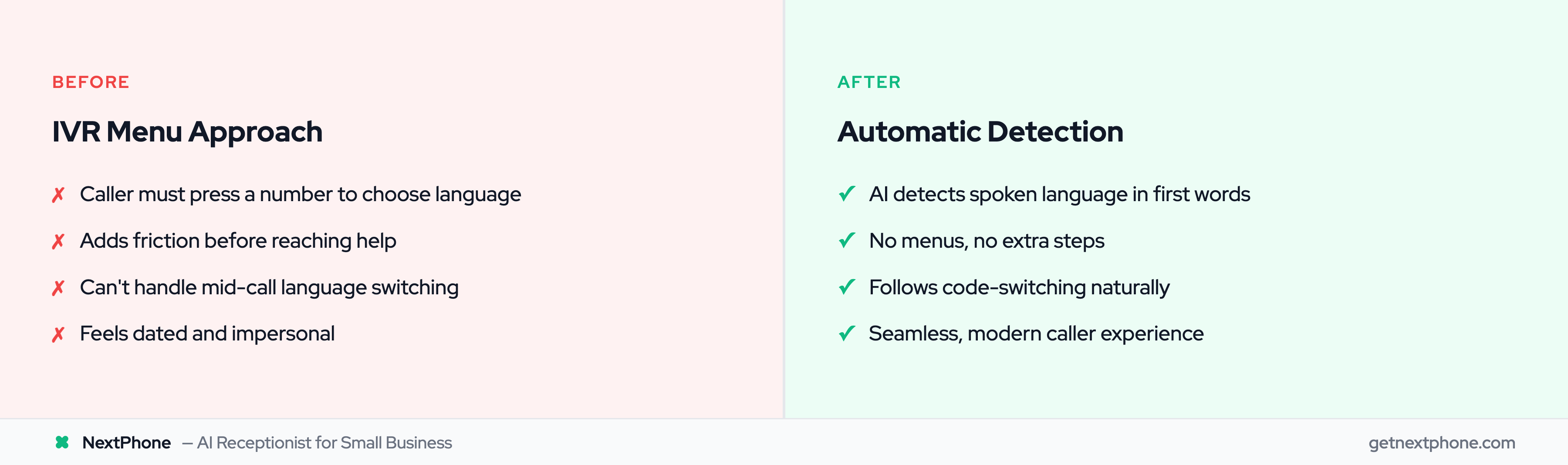
There are two main approaches to handling multi-language calls: the traditional IVR (Interactive Voice Response) menu, and automatic language detection.
The Traditional IVR Approach
This is what most people think of:
"Thank you for calling [Business]. Press 1 for English. Oprima el dos para Español."
Pros:
- Clear and predictable
- Caller explicitly chooses their preference
- Simple to set up
Cons:
- Adds a step before reaching a human (or AI)
- Many callers default to "Press 1" even if they'd prefer Spanish
- Doesn't handle mid-call language switching
- Feels dated compared to modern experiences
The Automatic Detection Approach
With AI-powered call handling, the system listens to the caller's first few words and detects the language automatically.
Caller says: "Hola, necesito ayuda con mi aire acondicionado..."
AI responds: "Hola, gracias por llamar. ¿Cómo puedo ayudarle hoy?"
No menu. No extra steps. The caller speaks their preferred language, and the AI responds in kind.
Pros:
- Seamless experience: feels natural
- Works for callers who start in one language and switch to another
- No extra button presses
- More sophisticated and modern
Cons:
- Requires AI capability (traditional answering services can't do this)
- May occasionally need correction for ambiguous openings
For most businesses, automatic detection provides a better caller experience. It removes friction and handles mixed-language scenarios gracefully.
Configuring Your Bilingual Greeting
Your greeting sets the tone. There are several approaches depending on your market and preference.
Option 1: IVR-Style Dual Greeting
If you prefer explicit choice:
"Thank you for calling [Business]. For English, press 1 or stay on the line. Para Español, oprima el dos."
This works if you want clear routing and your phone system supports IVR.
Option 2: Dual Opening with Detection
Start with both languages, then let detection take over:
"Thank you for calling [Business]. Gracias por llamar. How can I help you?"
The caller responds in their preferred language. The AI continues in that language.
Option 3: Primary Language with Detection Fallback
If your market is 90% English with 10% Spanish, start in English:
"Thank you for calling [Business]. How can I help you?"
If the caller responds in Spanish, the AI switches automatically and continues the conversation in Spanish. No awkwardness, no asking them to repeat themselves.
This approach works well for businesses where English is dominant but Spanish capability is important for serving the full community.
Bilingual Vocabulary by Industry
One challenge with bilingual call handling is industry-specific terminology. Your receptionist (human or AI) needs to understand terms that don't appear in everyday conversation.
HVAC Terminology
| English | Spanish |
|---|
| Air conditioning | Aire acondicionado |
| Heating | Calefacción |
| Furnace | Calentador / Horno |
| Thermostat | Termostato |
| Duct / Ductwork | Conducto |
| Compressor | Compresor |
| Refrigerant | Refrigerante |
| Maintenance | Mantenimiento |
Plumbing Terminology
| English | Spanish |
|---|
| Pipe | Tubería |
| Leak | Fuga / Goteo |
| Drain | Desagüe |
| Water heater | Calentador de agua |
| Faucet | Grifo / Llave |
| Toilet | Inodoro / Baño |
| Clogged | Tapado / Obstruido |
Legal Terminology
| English | Spanish |
|---|
| Lawyer / Attorney | Abogado |
| Divorce | Divorcio |
| Consultation | Consulta |
| Contract | Contrato |
| Court | Tribunal / Corte |
| Immigration | Inmigración |
AI systems can be trained on this vocabulary. When setting up bilingual call handling, providing a glossary of your most common industry terms helps ensure accurate understanding and response.
When Callers Switch Languages Mid-Call
Real conversations aren't always in one language. Many bilingual speakers code-switch, using English for some things, Spanish for others, sometimes within the same sentence.
A caller might ask about scheduling in English but describe their problem in Spanish because they know the technical vocabulary better in their native language.
AI handles this naturally. There's no need to say "please speak only in English" or "please repeat that in Spanish." The system follows the conversation wherever it goes.
After the call, the language preference is stored. The next time this caller reaches you, the system remembers they prefer Spanish and can greet them accordingly.
Call to Follow-Up in One Language
Bilingual call handling means a consistent experience across every touchpoint.
The Complete Bilingual Workflow
Step 1: The Call
Caller speaks Spanish. AI conducts entire conversation in Spanish: scheduling the appointment, confirming details, answering questions.
Step 2: SMS Confirmation
Immediately after booking: "Su cita está confirmada para el jueves a las 10 de la mañana. Responda a este mensaje si necesita cambiar la hora."
Step 3: Email Follow-Up
Same day: Email with appointment details, what to expect, and contact information, all in Spanish.
Step 4: Day-Before Reminder
SMS: "Recordatorio: Mañana tenemos su cita programada a las 10 AM. ¡Hasta entonces!"
Step 5: Post-Service Follow-Up
After the job: "Gracias por elegir [Business]. ¿Cómo fue su experiencia? Responda con cualquier comentario."
The jarring experience happens when a business handles the call in Spanish but sends an English confirmation email. That inconsistency signals "we made an effort on the phone, but you're not really set up for us."
Consistency across every touchpoint shows genuine commitment to serving Spanish-speaking customers.
Connecting Callers to Bilingual Technicians
Sometimes the conversation needs a human. When you have bilingual staff, routing can connect Spanish-speaking callers to technicians who speak Spanish.
Routing Logic
If Spanish is detected AND bilingual technician is available → route to that technician
If Spanish is detected AND bilingual technician unavailable → AI handles full call
For field service → note in CRM: "Spanish preferred"
When your technician arrives for the appointment, they see the language preference in the job notes and can greet the customer appropriately.
This isn't always possible: you may not have bilingual technicians on every shift. That's where AI fills the gap. The call is handled professionally in Spanish even when no bilingual human is available.
Bilingual Call Handling with NextPhone
NextPhone provides bilingual call handling as a standard feature, not an add-on.
Automatic language detection: AI recognizes spoken language and responds accordingly. No IVR menus required.
Spanish and beyond: Primary support for Spanish, with capabilities for other languages depending on configuration.
Consistent follow-up: SMS and email templates in the caller's preferred language. No switching between languages mid-workflow.
Language preference stored: Contact records remember language preference for future calls. Returning Spanish-speaking customers get Spanish greetings from the start.
No additional cost: Bilingual capability is included in the standard $199/month, no per-language fees or surcharges.
For businesses in markets with significant Spanish-speaking populations, this is competitive advantage built in from day one.
Frequently Asked Questions
How much does bilingual answering service typically cost?
Traditional bilingual answering service providers often charge premium rates: $0.50-1.00 more per call, or a separate bilingual tier with higher monthly fees. AI platforms like NextPhone include bilingual support at no additional cost because the AI naturally handles multiple languages.
What languages beyond Spanish are supported?
It depends on the platform. Spanish is the priority for US businesses given the 43 million speaker market. Many AI systems also support French, Mandarin, Vietnamese, and other languages common in US communities. Check your specific provider's language capabilities.
Can AI understand regional accents and dialects?
Modern AI handles various Spanish dialects well: Mexican Spanish, Caribbean Spanish, Central American Spanish. There may be occasional challenges with very strong accents or regional slang, but accuracy continues to improve. For most business calls, comprehension is reliable.
What about industry-specific jargon?
AI can be trained on your industry vocabulary. Provide a list of common terms ("compresor," "termostato," "calentador de agua") and the AI incorporates them into its understanding. This is especially helpful for technical industries like HVAC and plumbing.
Should I hire a bilingual receptionist instead?
Cost comparison: A bilingual employee costs $35,000-50,000/year plus benefits. AI at $199/month covers unlimited calls in both languages, 24/7. The AI never calls in sick, never goes on vacation, and provides consistent coverage. A bilingual employee is one person on one shift; AI is always available.
For businesses that can afford a bilingual employee AND need high-volume dedicated support, human staff may be appropriate. For most small businesses, AI provides better coverage at a fraction of the cost.
Stop Losing Customers You Don't Even Know About
Here's the thing about non-English speaking customers: when they call and can't communicate, they don't complain. They just hang up and call someone else. You never know the call happened. They never become a lead. It's invisible lost revenue.
Forty-three million Spanish speakers in the US. Twenty-one percent of adults speaking a language other than English at home. That's a substantial market segment that many businesses simply can't serve.
If your competitor speaks Spanish and you don't, they're capturing customers you don't even know exist.
Multi-language call handling is about capturing revenue that's currently going to whoever in your market can actually communicate with these customers.
- Ready to serve Spanish-speaking customers in their preferred language? Start your free NextPhone trial.
