Your phone rings at 2 PM. A homeowner needs a quote for a $4,500 bathroom remodel. You're on a ladder installing drywall, hands covered in compound. The call goes to voicemail. They call the next three contractors. All three answer. You never hear from them.
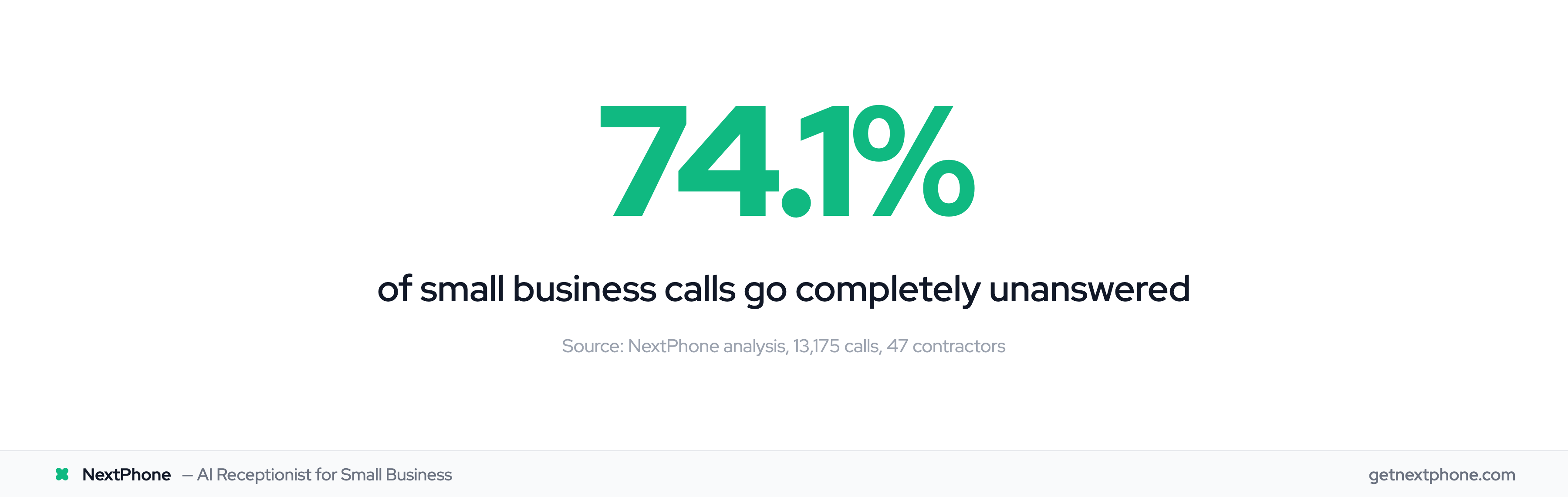
This happens more than you think. Industry research shows 74.1% of calls to home services contractors go completely unanswered. That's three out of every four potential customers calling someone else.
The solution? Zapier phone automation paired with an AI receptionist. No coding required, works with the tools you already use, and captures every single call automatically.
Why Phone Automation Matters (And What's At Stake)
The Cost of Missed Calls
Let's do the math on what you're actually losing.
The average home services contractor receives 42 calls per month. If 74.1% go unanswered, that's 31 missed calls every month. If just 20% of those calls would have converted (a conservative estimate), and your average job is $3,500, you're losing $21,700 per month. That's $260,400 per year in revenue walking out the door.
These aren't cold calls or spam. Approximately one in four callers explicitly asks for a callback. Urgent calls, with keywords like "emergency," "urgent," or "ASAP," rank among the top reasons people call, and true emergencies are a recurring reason too: pipe bursts, no power, AC out in 95-degree heat.
Emergency calls are worth more too. They average $4,200 versus $3,500 for routine work. Missing just one emergency call per week costs you $16,800 per month.
Why Manual Processes Fail
You can't answer your phone when you're under a house fixing a pipe, on a roof installing shingles, or in an attic running electrical. Even if you could, manually entering call details into your CRM takes time you don't have.
Research shows that over 52% of software licenses go unused by teams. Why? Because people forget to use them. That CRM you're paying for? Worthless if call data never makes it in there. Without automation, callback requests fall through the cracks, leads get forgotten, and you're left wondering why business feels slow.
The After-Hours Gap
Here's the kicker: plenty of calls to home services businesses land outside standard 9-5 hours. Customers call when they need help, not when you're open. That emergency HVAC repair at 8 PM? The water heater failure on Sunday morning? Traditional receptionists don't work those hours.
Zapier Phone Automation Explained: Turning Calls Into Workflows
How Zapier Works (The Basics)
Zapier is a no-code automation platform that connects over 8,000 apps. The concept is simple: If this happens (trigger), then do that (action). These automated workflows are called "Zaps."
For phone automation, a trigger might be "AI receptionist answers call" or "Missed call detected." The actions are what happen next: Create a contact in your CRM, send a Slack message to your team, schedule a callback, send an SMS follow-up.
The best part? You can chain multiple actions together. One phone call can trigger five different things across five different apps, all without you lifting a finger.
Since launch, Zapier users have automated over 81 billion tasks and created more than 25 million Zaps. Zapier's revenue grew from $310M in 2024 to projected $400M in 2025, with 2.2 million businesses using the platform.
The broader no-code automation market is projected to grow from $37.39 billion in 2025 to $264.40 billion by 2032; AI-related tasks on Zapier grew 760% in just 2 years, showing where this market is heading.
Phone System Integrations
Zapier integrates with most major phone systems: Twilio, Phone.com, CloudTalk, and AI receptionists like NextPhone. The integration happens through webhooks: when a call ends, your phone system sends the call data to a Zapier webhook URL, and your workflow kicks off instantly.
Real-time execution means actions happen immediately after calls. The moment your AI receptionist hangs up with a customer, their information is already in your CRM, your team got a Slack notification, and the customer received a confirmation SMS.
The Power of No-Code Automation
Here's what makes this accessible: You don't need to hire a developer. If you can use email, you can build Zapier workflows. Everything is point-and-click, drag-and-drop. Pre-built templates exist for common workflows; you can use them as-is or customize them.
Why AI Receptionist + Zapier Changes Everything
The Intelligence Layer Traditional Phone Systems Lack
Traditional VoIP + Zapier gives you basic triggers: "Call received," "Call missed," "Voicemail left."
AI receptionist + Zapier gives you intelligent triggers: "Emergency detected," "Quote request received," "Spam filtered out."
See the difference?
A regular phone system just knows a call happened. An AI receptionist understands what the caller wanted, extracts structured data from the conversation, and determines the appropriate response, all before Zapier even runs.
Data Extraction Before Automation
When an AI receptionist answers, it's having a real conversation. It asks questions: "What's your name? What project are you calling about? What's your budget range? When do you need this done?"
All those answers get captured as structured data: First name, last name, email, phone, project type, budget, timeline. When Zapier triggers, it has all this information ready to push into your CRM fields. No manual data entry. No forgotten details. Just clean, accurate lead data.
Here's a real comparison:
Traditional phone system trigger: "Missed call at 3:47 PM from (555) 123-4567"
AI receptionist trigger: "John Smith from ABC Corp called about bathroom remodel, budget $8,000, wants quote by Friday, prefers email contact, not urgent, email: john@abccorp.com"
Which one helps you close the deal?
Context-Aware Workflow Triggers
AI receptionists can detect urgency. Urgent calls rank among the top reasons people call, using keywords like "emergency," "urgent," "ASAP," or specific problems like "flooding," "no power," "95 degrees inside."
When the AI detects urgency, it triggers a different Zapier workflow than a routine quote request. Emergency calls get transferred to your phone immediately, create an urgent CRM task, send an instant Slack alert, and text you the caller's information.
Routine calls stay with the AI, get logged to CRM normally, and queue up for follow-up during business hours.
This is how you handle 60 calls a month without going insane.
The AI also filters spam before it ever rings you. It identifies robocalls and doesn't trigger Zapier at all, saving you tasks (which saves you money on Zapier's usage-based pricing).
According to CRM automation research, automation cuts lead response times by more than 60%. A Chicago law firm saw a 47% increase in qualified leads after implementing AI voice technology with their CRM integration.
5 Workflows Every Small Business Should Automate
Workflow #1: Automatic Call-to-CRM Sync
Trigger: AI receptionist answers call
AI collects: Name, email, phone, company, inquiry type, budget, timeline
Actions:
- Create or update contact in HubSpot (or Salesforce, Pipedrive, Zoho: your choice)
- Create a deal record with custom fields populated
- Tag the lead with source "Phone Call - AI Receptionist"
Result: Your sales team has a fully qualified lead in the CRM before the call even ends. No manual data entry. No forgotten leads.
Research shows that syncing your phone system with your CRM relieves agents of more than 50% of their workload. Contact records are created the moment calls end with no copy-paste, no missed details, and immediate triggers for follow-up tasks.
Workflow #2: Missed Call Slack Alerts
Trigger: Call goes unanswered or caller hangs up before AI finishes
AI provides: Caller ID, timestamp, any info gathered before disconnect
Action: Send formatted message to #sales Slack channel
Message includes:
- Caller name/number (click-to-call link)
- Time of call
- Detected intent (if known)
- Urgency level
Result: Your team sees missed calls in real-time and can respond within minutes instead of hours.
Remember, approximately one in four callers explicitly asks for a callback. This workflow ensures they actually get them.
Workflow #3: Emergency Call Routing
Trigger: AI detects urgency keywords ("emergency," "urgent," "no power," "flooding," "95 degrees")
AI determines: Emergency severity (routine urgent vs true emergency)
Actions:
- Transfer call to owner's cell phone immediately
- Create CRM task tagged "EMERGENCY - Priority 1"
- Send SMS to owner with caller info + detected issue
- Send Slack alert to team with "EMERGENCY CALL" prefix
Result: Emergency calls get instant human attention while routine calls stay automated.
Why does this matter? Emergency jobs average $4,200 versus $3,500 for routine work. They also convert at higher rates because customers are desperate for help. Missing one emergency call per week costs you $16,800 per month.
Here's a real scenario: Homeowner calls at 8 PM about AC failure, 95 degrees inside. AI detects "emergency" and "no cooling" keywords, immediately transfers to your phone, creates urgent CRM task, and texts you the caller's info. You take the call, book the $4,200 emergency repair.
Workflow #4: Callback Request Automation
Trigger: Caller says "call me back" or leaves voicemail
AI captures: Name, number, best time to call, reason for call
Actions:
- Create CRM task for callback assigned to appropriate team member
- Send confirmation SMS to caller: "We'll call you back by [time]"
- Add appointment to Google Calendar with caller info and notes
- Set Zapier delay, then send reminder Slack message 1 hour before callback time
Result: Zero forgotten callbacks, customer gets professional confirmation, team has scheduled reminder.
This workflow addresses a massive pain point. Without systematic tracking, most callback requests never happen. The customer gets frustrated, and you lose the sale.
Workflow #5: Appointment Booking Follow-Up
Trigger: AI books appointment via Calendly integration
AI captures: Appointment details, customer info, service requested
Actions:
- Create CRM event with all details
- Send SMS confirmation with appointment time + your business address
- Send email with prep instructions ("What to expect," "What to bring," "Parking info")
- Create task in Asana or Trello for team visibility
Result: Customer gets professional multi-channel follow-up, team is prepared and organized, no-shows decrease.
Alternatives to Zapier like Make.com support 2,000+ apps with 30,000+ actions. Airtable, used by 450,000+ organizations including half of the Fortune 1000, integrates seamlessly with both platforms for workflow automation.