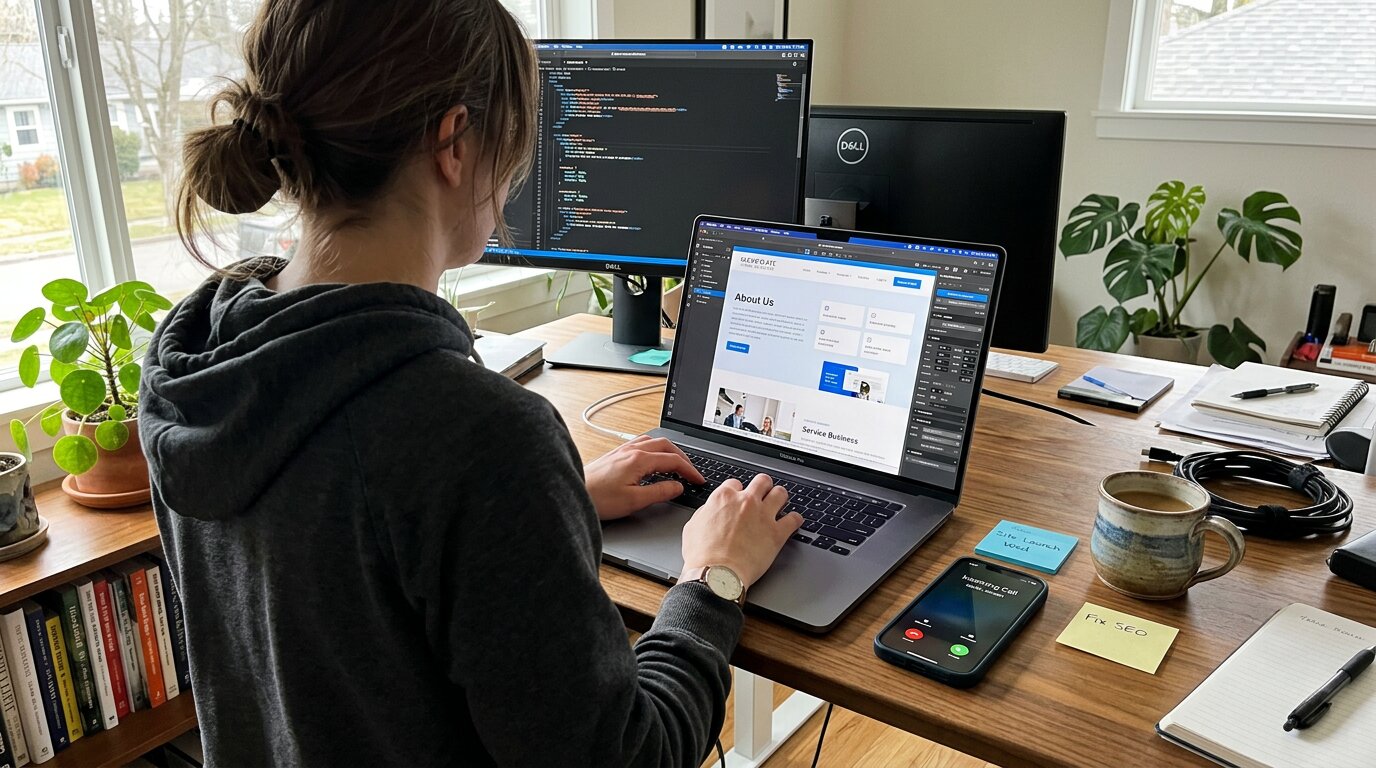
You're designing a beautiful Webflow site for a roofing contractor. Webflow has raised $537.5M in funding with a $4B valuation; it's the platform of choice for serious designers. The design is sharp. The copy converts. The mobile experience is flawless.
Then your client calls: "Site looks great, but my phone isn't ringing."
Here's the thing: the phone probably IS ringing. Your client just isn't there to answer it. They're on a roof installing shingles when a homeowner calls about storm damage. That call goes to voicemail. The homeowner calls the next contractor. Your client loses a $6,500 job and doesn't even know it happened.
70% of mobile searchers use click-to-call when looking for local services. Meanwhile, 85% of callers won't call back if their first call goes unanswered. A simple click-to-call widget on that Webflow site could capture those leads. But most widgets just dial a number. What if no one answers?
That's where AI-powered click-to-call changes everything.
Why Click-to-Call Matters for Service Businesses
When someone searches for "emergency plumber near me" at 10 PM, they're not filling out a contact form. They're tapping the phone icon and calling the first business that looks legitimate.
Mobile-First Customer Behavior
Your service business clients (contractors, plumbers, electricians, HVAC techs) get most of their leads from mobile searches. These aren't casual browsers. They're homeowners standing in a flooded basement or looking at a broken AC unit in 95-degree heat.
They need help now. Click-to-call removes every barrier between "I need this service" and "I'm talking to someone who can help me."
Conversion Rate Impact

The numbers tell the story. Studies show click-to-call conversion rates are 10-15 times higher than typical online conversions. Mobile conversions can increase by 200% when click-to-call is properly implemented.
Think about the friction in a web form: Name field, email field, phone field, message field, CAPTCHA, submit button, confirmation page. Each step loses potential customers.
Click-to-call is one tap. Instant connection.
Service Industry Specifics
For service businesses, every call represents a high-value transaction. The average job for a general contractor runs $3,500 to $8,000. A roofing job might be $12,000. An emergency plumbing call could be $2,500.
One missed call is thousands of dollars walking out the door.
The Real Cost of Missed Calls
Here's the brutal truth most service businesses don't realize.
The Missed Call Problem
Industry research shows 74.1% of calls to home services contractors go completely unanswered. That's three out of every four potential customers calling someone else.
Why? Because your clients are busy doing the work. They're under houses fixing pipes, in attics installing ductwork, on ladders replacing gutters. When the phone rings, they literally cannot answer it.
Without call tracking data, they assume business is slow.
Our data also shows approximately one in four callers explicitly asks for a callback. Without a systematic way to track and return those calls, most never get called back.
Revenue Impact Calculations
Let's do the math for a typical contractor:
- 42 calls per month (industry average)
- 74.1% missed = 31 unanswered calls
- 20% would have converted = 6.2 jobs lost
- $3,500 average job value = $21,700 per month lost
- Annual lost revenue: $260,400
That's a quarter million dollars in revenue walking away because the phone rang at the wrong time.
Adding click-to-call to your client's Webflow site helps, but only if someone actually answers.
Your Webflow Click-to-Call Options
Webflow gives you two main paths for adding click-to-call functionality. With over 493,000 active websites and 1.2% CMS market share, Webflow has proven itself as a serious platform for service business sites.
Webflow App Marketplace Solutions
The easiest route is installing an app from the Webflow marketplace. Options include:
- Webflow's official Click to Call app - Basic functionality with customizable design
- Flowstar - More advanced with flexible call triggers and targeting
- Elfsight and others - Various feature sets and pricing
These apps work well for basic needs. Install, configure, publish. The phone icon appears, users tap it, their phone dials. With 3.5M+ designers and 100K+ paying customers, Webflow's marketplace has solutions for most common needs.
But they all have the same limitation: they dial the number. If no one answers, the call is missed. You're right back where you started.
Custom Code Embed Method
The second path gives you more control: using Webflow's custom code embed element. While 43.4% of websites run on WordPress, Webflow's custom code approach offers cleaner integration without plugin conflicts. This approach lets you add any HTML-based widget, including more sophisticated AI-powered solutions.
The custom code method takes about the same time as installing an app, but unlocks capabilities that marketplace apps can't offer, like AI call answering, CRM integration, and complete workflow automation.
How to Add Basic Click-to-Call to Webflow
Let's start with the foundation. Here's how to add a simple click-to-call button using Webflow's custom code embed.
Using Webflow's Custom Code Embed Element
Webflow's custom code embed documentation makes this straightforward:
- Open your Webflow project in the Designer
- Navigate to the page where you want the click-to-call button
- Open the Add panel (A key or + icon)
- Drag a "Code Embed" element onto your canvas
- Paste your HTML code into the embed editor
For a basic click-to-call link, the HTML looks like this:
<a href="tel:+15555551234" class="call-button">
  Call Now
</a>
Replace the phone number with your client's number (include country code for best results).
Mobile vs Desktop Behavior
Here's how click-to-call behaves across devices:
Mobile: Tapping the button immediately initiates a phone call using the device's native dialer. Friction-free, instant connection.
Desktop: Clicking opens the user's default communication app: FaceTime, Skype, or another VoIP service. If no app is configured, it displays the phone number so users can manually dial.
This cross-device functionality is why the tel: protocol works so well. No special configuration needed.
Design Customization Basics
You can style the button with CSS to match your Webflow design:
<style>
  .call-button {
    background-color: #FF6B35;
    color: white;
    padding: 12px 24px;
    border-radius: 8px;
    text-decoration: none;
    font-weight: bold;
  }
</style>
Match your client's brand colors, adjust sizing, position it strategically. The design flexibility is complete.
But remember: this approach only dials the number. It doesn't solve the missed call problem.
AI-Powered Click-to-Call: Beyond the Basic Button
Here's where things get interesting.
Basic Buttons vs AI Receptionists
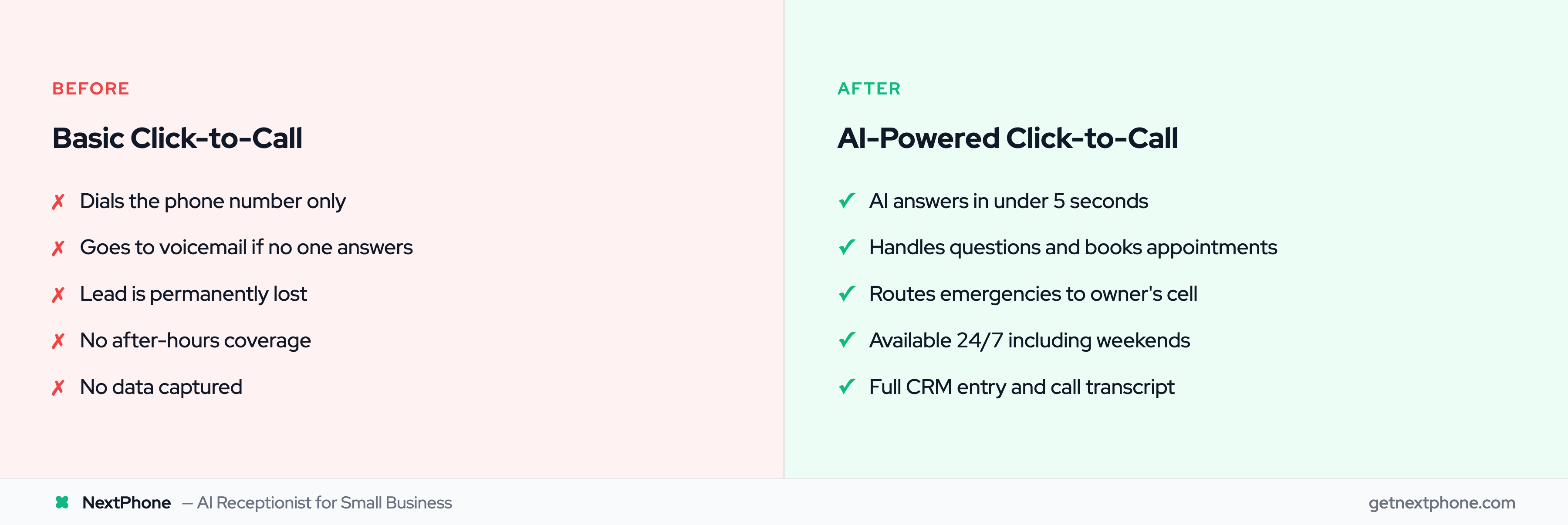
A basic click-to-call button dials a phone number. That's it. If your client is on a job site installing cabinets, the call goes to voicemail. The lead is lost.
An AI-powered click-to-call widget actually answers the call. The visitor clicks, the call connects, and an AI receptionist greets them by name, answers questions, collects information, and books appointments.
The difference isn't subtle. It's the difference between a doorbell (tells you someone knocked) and a receptionist (actually helps the visitor).
What Happens When AI Answers
When someone calls through an AI-powered widget:
- The AI answers in under 5 seconds (not 30+ seconds like traditional answering services)
- Natural conversation begins: "Hi, this is Sarah with ABC Plumbing. How can I help you today?"
- The AI collects essential information: name, phone number, email, nature of the problem
- For urgent issues (calls with words like "emergency," "urgent," or "ASAP" rank among the top reasons people call), the AI can immediately transfer to your client's mobile phone
- For routine inquiries, the AI provides answers based on your client's business information
- The AI books appointments directly into their calendar
- After the call, automated follow-up happens: CRM entry, email notification, SMS confirmation
The caller gets immediate help. Your client gets a qualified lead. Nobody is left waiting for a callback that might never come.
24/7 Coverage Without Hiring
Traditional receptionist: $35,000 per year. Works 9-5 Monday-Friday. Misses every evening call, weekend emergency, and holiday inquiry.
AI receptionist: Answers 24/7, never calls in sick, handles unlimited simultaneous calls, costs $199 per month.
The math isn't even close. More importantly, service emergencies don't happen on a 9-5 schedule. Pipes burst at 2 AM. AC units die during weekend heat waves. Roofs start leaking during storms.
Being available when your client's customers need help isn't optional anymore.