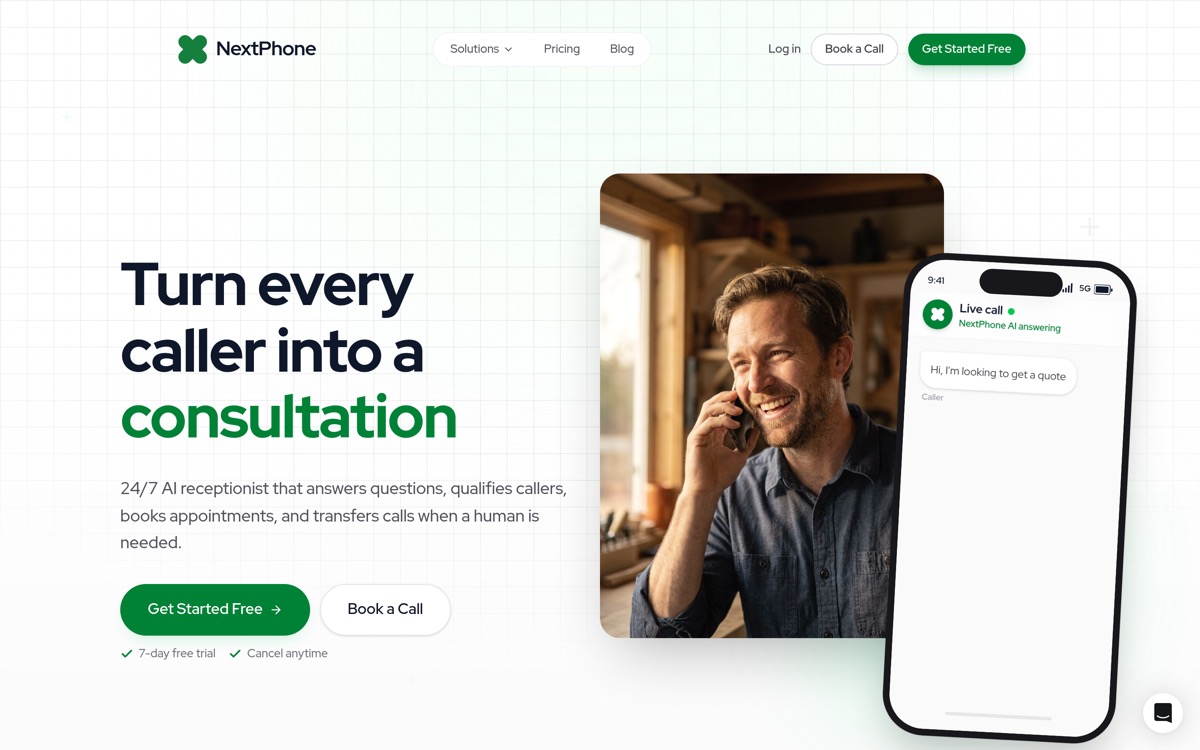
The Hidden Cost of Having a Phone System
Your phone rings. A homeowner needs emergency AC repair: their system died in 95-degree heat. You're on a ladder installing ductwork at another job site. Your phone is in the truck. The call goes to voicemail.
They call the next HVAC contractor. You just lost a $3,500 job.
Here's the frustrating part: You're paying Nextiva every month, per user, for a business phone system. But the call still went unanswered.
If you're looking for a Nextiva alternative, you're not alone. Maybe the per-user pricing is adding up. Maybe you're frustrated with limited features or customer support. Maybe you're dealing with dropped calls or a buggy mobile app.
But here's the real question most comparison articles miss: Does switching to a different VoIP system actually solve your problem?
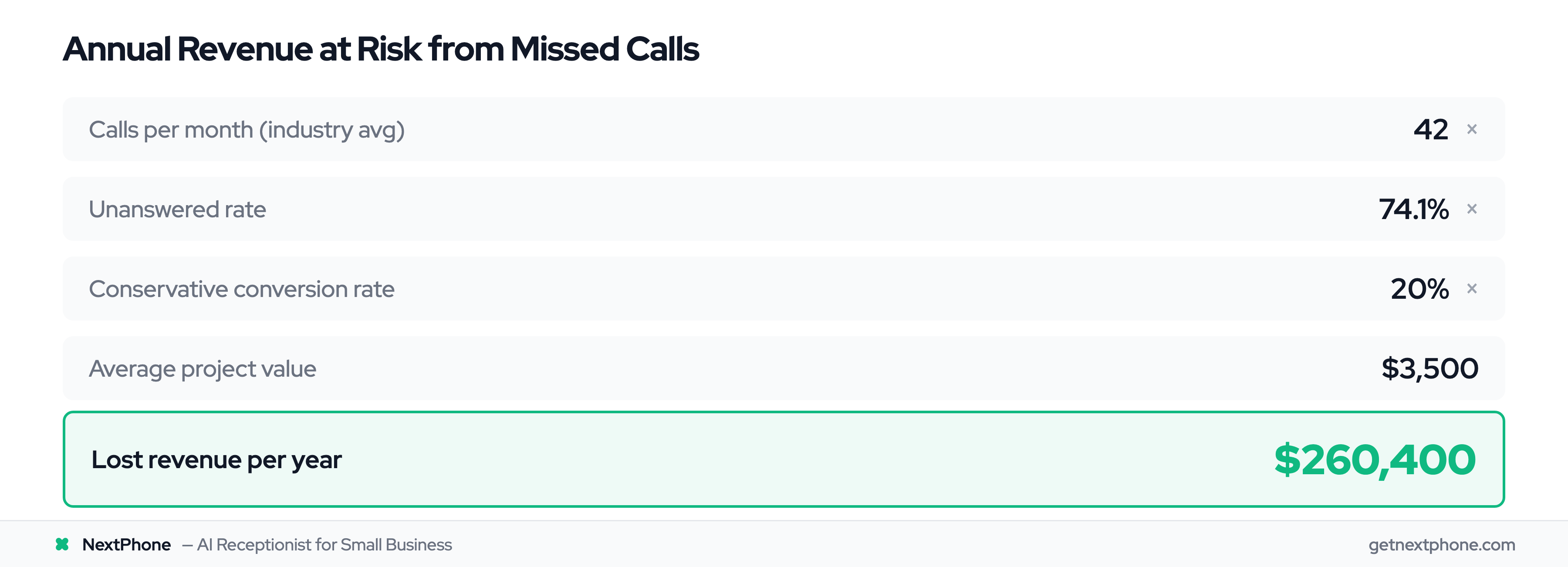
Industry research shows that 74.1% of calls to home services contractors go completely unanswered. That's three out of every four potential customers calling someone else. For a typical contractor receiving 42 calls per month, that's $260,400 per year in lost revenue.
This article covers the top VoIP alternatives to Nextiva. But we're also going to introduce a fundamentally different approach, one that might eliminate the need for a traditional phone system entirely.
What is Nextiva?
Nextiva's Core Offering
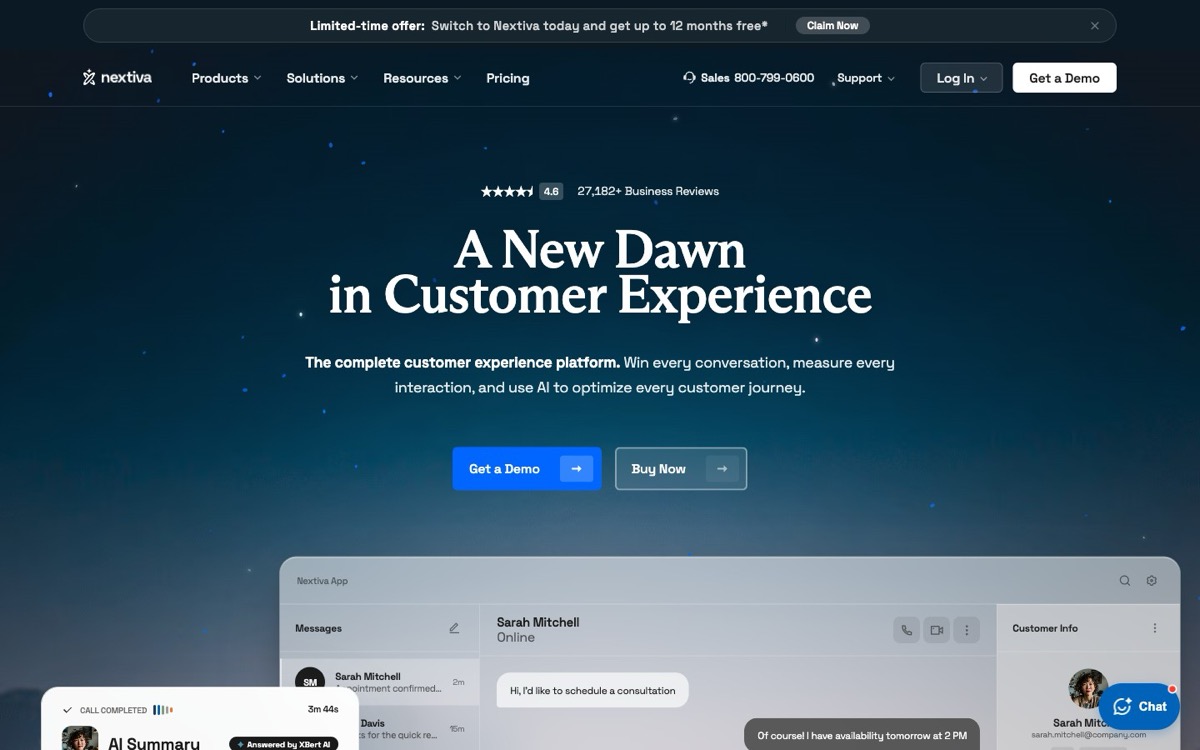
Nextiva is a unified communications platform (the #1 cloud VoIP serving 100,000+ businesses with 99.999% uptime) that combines VoIP phone service, video conferencing, team chat, and contact center capabilities into one system. Unlike basic VoIP providers, Nextiva positions itself as an all-in-one business communications hub.
The platform targets businesses of all sizes, from small teams to enterprise operations, with a particular focus on multisite retail and healthcare organizations.
Nextiva's Strengths
According to industry reviews, Nextiva offers several legitimate advantages:
- 99.999% uptime guarantee for reliable call quality
- 24/7 customer support with all subscription levels (at least in theory)
- Regulatory compliance for healthcare businesses
- Omnichannel capabilities for managing calls, texts, and social media in one inbox
Who Uses Nextiva
Nextiva works well for mid-sized to large organizations that need enterprise-grade features like multi-location management, advanced analytics, and department-level call routing.
But for small businesses and solo operators (especially those working in the field), Nextiva comes with some significant tradeoffs.
Why Businesses Look for Nextiva Alternatives
High Per-User Pricing
Prices read from each vendor's own pricing page in October 2026.
Nextiva pricing ranges from $15 to $75 per user monthly on annual billing, with contact center seats from $75 per agent. Here's the breakdown:
| Plan | Price/User/Month (billed yearly) | Voice Calling? | Key Features | Best For |
|---|---|---|---|---|
| Core | $15 | Yes | Voice, SMS, video, team chat, call routing | Small businesses |
| Engage | $25 | Yes | Core plus toll-free number, advanced reporting, live chat and chatbot | Growing teams |
| Scale | $75 | Yes | Customer experience platform: blended inbound and outbound, AI transcription, skills-based routing | Larger organizations |
| Contact Center | From $75 per agent (higher tiers quote only) | Yes | Omnichannel, skills-based routing, journey orchestration | Call centers |
The Core plan starts at $15 per user monthly, on a 12-month agreement. That might sound reasonable until you do the math (billed yearly):
- 3 users = $45/month ($540/year)
- 5 users = $75/month ($900/year)
- 10 users = $150/month ($1,800/year)
And that's the annual rate. Month to month, Core is $23 per user and Engage is $50. Need advanced features? You're looking at $25-$75 per user on annual billing.
Limited Features on Basic Plans
The $15 Core rate sounds affordable, but here's the catch: it requires a paid 12-month agreement. Month to month, the same plan is $23 per user. Live chat and chatbot are paid add-ons on Core, and Nextiva sells its XBert AI features in separate bundles from $99 a month.
For an actual business phone system, you're starting at $15 per user monthly on a yearly contract, or $23 without one.
Complex Sales Process
Unlike most modern SaaS tools, you can only sign up for Nextiva online on the Core plan. Engage and Scale require you to book a demo with a sales representative before purchasing.
You can't even see those plans in action without scheduling a one-on-one call.
For small business owners who value their time, this sales-heavy approach can be a dealbreaker.
Reliability and Support Issues
Despite Nextiva's marketing around 24/7 support and reliability, customer complaints paint a different picture:
- "Calls drop repeatedly or don't connect"
- "Lost business because I use Nextiva"
- "Mobile app is very problematic with echo at the beginning of calls"
- "Extremely difficult to get a customer service representative on the phone"
One reviewer noted that their phone is their "lifeline" for their small business, and when it doesn't work, they lose real money.
Research shows that 85% of callers who can't reach a company on the first try won't call back. For a small business, even a few dropped calls can mean thousands in lost revenue.
Top VoIP Alternatives to Nextiva
If you're looking for a VoIP-to-VoIP switch, here are the top alternatives:
RingCentral
RingCentral offers superior AI features, deeper third-party integrations, and advanced collaboration tools compared to Nextiva. Pricing is $20-$25 per user monthly billed yearly, or $30-$35 month to month (Core and Advanced).
Best for: Businesses that need extensive integrations with tools like Salesforce, HubSpot, and Microsoft Teams.
Dialpad
Dialpad is the top choice for businesses prioritizing AI capabilities. The platform includes built-in AI tools like real-time transcription, voicemail summaries, and AI-powered call coaching. Pricing is $15-$25 per user monthly billed yearly, or $27-$35 month to month (Standard and Pro).
Best for: Sales teams and support centers that want conversation intelligence features.
8x8
8x8 provides enterprise-grade functionality with global reach, making it ideal for businesses with international operations. 8x8 no longer publishes prices; every plan is by quote.
Best for: Large enterprises with multiple departments and complex routing needs.
Zoom Phone
If your team already uses Zoom for video meetings, Zoom Phone is a no-brainer. There's virtually no learning curve. Pricing starts at $10.50 per user monthly for metered calling, or $16 for unlimited US and Canada calling (billed yearly), making it one of the most budget-friendly options.
Best for: Small businesses and startups that want simple, familiar tools.
Vonage
Vonage leads in developer-friendly features with strong APIs for building custom communication experiences. Pricing is $19.99-$39.99 per line monthly for a single line, lower per line as you add lines; annual plans signed by the end of 2026 get 30% off.
Best for: Businesses with development teams wanting to build custom integrations.
| Provider | Price/User/Month (billed yearly) | Key Strength | Best For |
|---|---|---|---|
| RingCentral | $20-$25 | Deep integrations | CRM-heavy teams |
| Dialpad | $15-$25 | AI features | Sales & support |
| 8x8 | Quote only | Global reach | International teams |
| Zoom Phone | $10.50-$24.50 | Ease of use | Small businesses |
| Vonage | $13.99-$27.99 (30% annual-plan promo, 2026) | Developer APIs | Custom builds |
According to business phone system cost research, VoIP systems typically cost $15-$40 per user monthly, putting all these alternatives in the standard market range.
Feature & Pricing Comparison
Here's how Nextiva stacks up against alternatives across key features:
| Feature | Nextiva | RingCentral | Dialpad | Zoom Phone | NextPhone (AI) |
|---|---|---|---|---|---|
| Unlimited Calling | ✓ | ✓ | ✓ | ✓ | ✓ |
| Video Meetings | ✓ | ✓ | ✓ | ✓ | - |
| Team Chat | ✓ | ✓ | ✓ | ✓ | - |
| Mobile App | ✓ | ✓ | ✓ | ✓ | ✓ |
| Auto-Attendant | ✓ | ✓ | ✓ | ✓ | AI-powered |
| Call Recording | ✓ | ✓ | ✓ | ✓ | ✓ |
| CRM Integration | Add-on | ✓ | ✓ | ✓ | Native |
| AI Features | Limited | Advanced | Best-in-class | Basic | Core feature |
| 24/7 Availability | Voicemail only | Voicemail only | Voicemail only | Voicemail only | AI answers |
| Price/Month (VoIP billed yearly) | $15+/user | $20+/user | $15+/user | $10.50+/user | From $199, flat, month to month |
All the VoIP alternatives offer similar core features: unlimited calling, video meetings, team chat, and mobile apps. The main differentiators are AI capabilities (where Dialpad excels), integrations (RingCentral's strength), and ease of use (Zoom Phone's advantage).
The pricing is comparable across the board, with most falling in the $15-$25 per user monthly range on annual billing ($23-$35 month to month). If you have a team of five, you're looking at $75-$125 per month billed yearly, or $115-$175 month to month, regardless of which VoIP provider you choose.
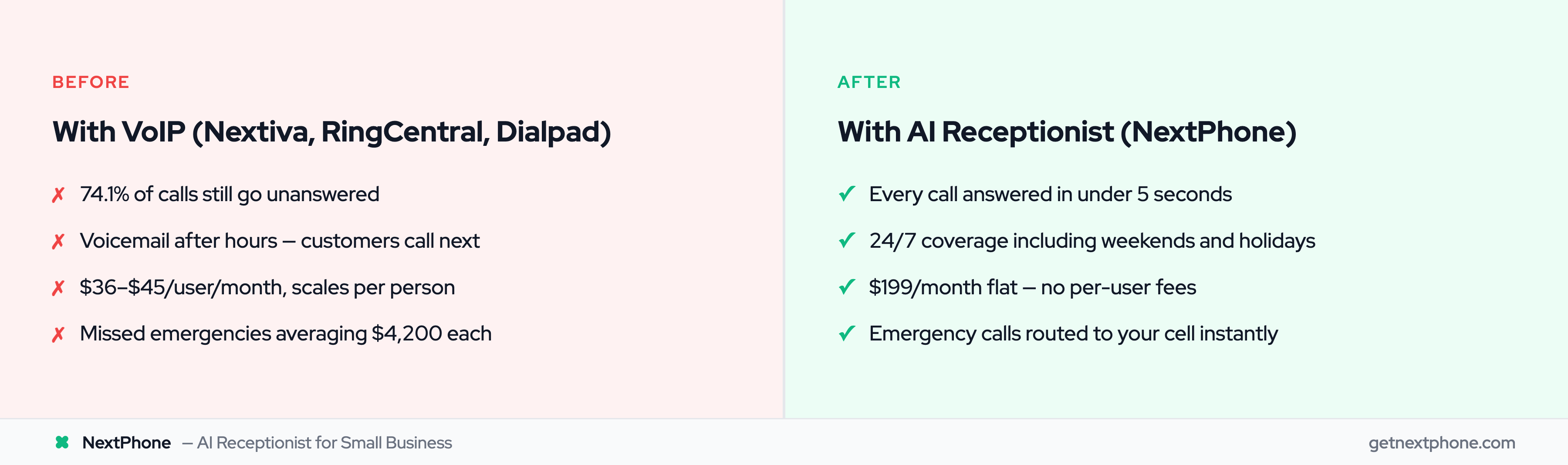
But there's something all these VoIP systems have in common: they still require a human being to actually answer the calls.
The Real Problem VoIP Systems Don't Solve
Having a Phone System ` Answering Calls
Here's the uncomfortable truth about business phone systems: VoIP gives you better technology, but it doesn't solve the fundamental problem of who's going to answer.
If you're a solo contractor installing a roof, you can't answer the phone. If you're a plumber under a sink with wet hands, you can't answer the phone. If you're a real estate agent showing a property, you can't answer the phone.
A VoIP system, no matter how advanced, still goes to voicemail when you're unavailable.
The Cost of Missed Calls
Industry research shows that 74.1% of calls to home services contractors go completely unanswered. These businesses had phone systems. They were busy doing the actual work.
The data gets worse:
- Approximately one in four callers explicitly asks for a callback
- Urgent calls rank among the top reasons people call, using language like "emergency," "urgent," or "ASAP"
- True emergencies are a recurring reason people call (pipe burst, no power, AC out in 95-degree heat)
Research on missed calls shows that over 80% of people whose calls are unanswered won't call back. They'll simply call the next contractor.
Let's do the math on what this costs:
For a typical contractor:
- 42 calls per month (typical volume for a small contractor)
- 74.1% unanswered = 31 missed calls per month
- If just 20% would have converted at $3,500 average project value
- That's $21,700 per month in lost revenue
- $260,400 per year
Most of that lost business comes down to one thing: nobody answered the phone.
Why VoIP Systems Still Miss Calls
VoIP systems work great for:
- Businesses with dedicated receptionists
- Larger teams with someone always available
- Office-based businesses where staff can answer
But for small businesses where the owner is also the technician, the salesperson, and the service provider? A VoIP system is just a more expensive version of the same problem.
You're on a ladder installing shingles. Your phone rings with an emergency leak call. The VoIP system routes it to your mobile phone. But you still can't answer: you're 20 feet up with a nail gun in your hand.
The call goes to voicemail. The customer calls the next roofer. You lose a $6,500 job.
Having the best VoIP technology doesn't matter if there's nobody there to pick up.
Beyond VoIP: The AI Receptionist Alternative
What is an AI Receptionist?
An AI receptionist is fundamentally different from a phone system. Instead of providing the technology for humans to make and receive calls, it actually answers the calls for you.
Think of it as hiring a receptionist who:
- Never takes a sick day
- Never goes on vacation
- Works 24/7, including weekends and holidays
- Answers in under 5 seconds, every single time
- Never puts a customer on hold
- Costs a fraction of a human receptionist or traditional answering service
The AI is trained on your specific business: your services, pricing, availability, and common questions. When a call comes in, the AI engages in a natural conversation with the caller.
How It's Different from VoIP Systems
VoIP systems provide the rails for communication. AI receptionists provide the solution.
VoIP System:
- Gives you a phone number and calling features
- Routes calls to your devices
- Still requires you to answer
- Per-user pricing model
- Calls go to voicemail when you're unavailable
AI Receptionist:
- Answers every call for you
- Handles routine questions immediately
- Routes urgent calls to your phone
- Flat monthly pricing
- Zero missed calls, ever
According to research on the evolution from VoIP to AI, traditional VoIP frameworks' limitations in automation, scalability, and intelligent response handling have led to the rise of AI phone agents.
The Hybrid Model: AI + Human Backup
The best approach is AI plus human.
Here's how it works:
For routine inquiries (95% of calls):
- "What are your hours?": AI answers immediately
- "How much do you charge for X?": AI provides pricing
- "Can you come Tuesday at 2 PM?": AI checks calendar and books appointment
- "I'd like a quote": AI collects details, schedules callback, creates CRM lead
For urgent or complex situations (5% of calls):
- "We have a pipe burst flooding the basement!": AI recognizes emergency, transfers immediately to your cell phone
- "I have a question about the estimate you sent": AI transfers to you for detailed discussion
The AI handles the volume. You handle the situations that actually need your expertise.
Workflow Integration (Closing the Loop)
Here's where AI receptionists really shine compared to VoIP systems: they don't just answer calls, they complete workflows.
When a VoIP system takes a message, someone needs to:
- Listen to voicemail
- Manually create a CRM lead
- Remember to call back
- Schedule a follow-up if needed
80% of the time, those callbacks never happen.
When an AI receptionist takes a call:
- Automatically logs all details to your CRM (HubSpot, Salesforce, etc.)
- Sends an SMS to the caller with next steps or booking link
- Schedules appointments directly in your calendar
- Routes emergency calls to your phone immediately
- Sends you an email summary with transcript and recording
The loop is closed automatically. Nothing falls through the cracks.
For example: A homeowner calls your plumbing business at 9 PM asking for an emergency visit. The AI determines it's not a true emergency (slow drain, not burst pipe), collects their information, schedules a callback for 8 AM the next morning, sends them a confirmation SMS, and creates a lead in your CRM, all while you're asleep.
You wake up to a perfectly qualified lead, ready to call back at the scheduled time.