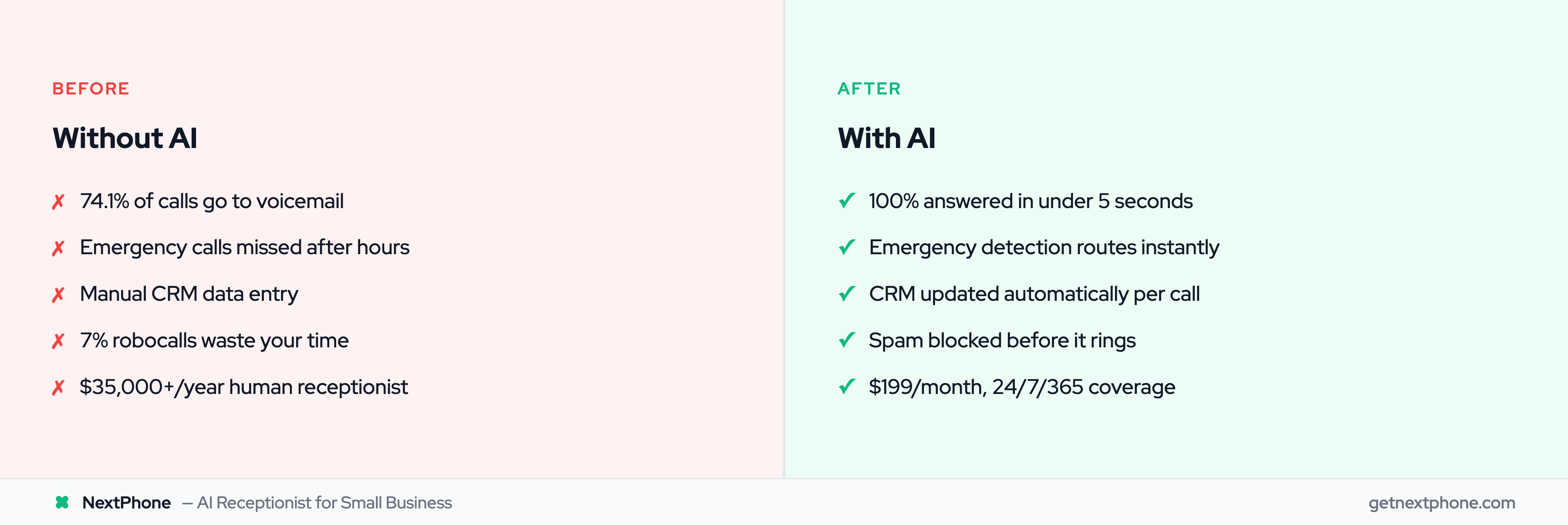
Your phone rings at 2 AM. A homeowner's basement is flooding. They need a plumber immediately and will pay whatever it costs to get help right now.
Do you answer professionally, collect their information, route the emergency to your on-call plumber, and book the $2,800 job?
Or does it go to voicemail, and they call the next plumber who captures the business?
The difference isn't luck. It's having the right AI receptionist features configured to handle every scenario your business faces: emergencies, routine inquiries, Spanish-speaking customers, appointment scheduling, spam calls, after-hours coverage, and more.
This comprehensive guide covers every major voice AI receptionist feature available in 2026, what they do, why they matter, and how to use them effectively. 85% of customer service leaders will explore or pilot conversational generative AI in 2025, and 65% of businesses are already using AI. Whether you're evaluating AI receptionists for the first time or optimizing an existing system, you'll understand exactly which features deliver ROI and which are nice-to-have extras.
Core Communication Features
These are the foundational capabilities that make AI receptionists viable alternatives to human staff. For a side-by-side breakdown, see our AI receptionist vs answering service comparison.
24/7 Availability
What it is: AI answers every call, every hour of every day: nights, weekends, holidays, no exceptions.
Why it matters: Across the 1,446,980 business calls in our analysis, a large share of calls to contractors arrive outside standard 9-5 business hours. Traditional receptionists working 40 hours/week provide coverage for only 24% of the time (40 hours out of 168 hours per week). AI provides 100% coverage at a fraction of the cost.
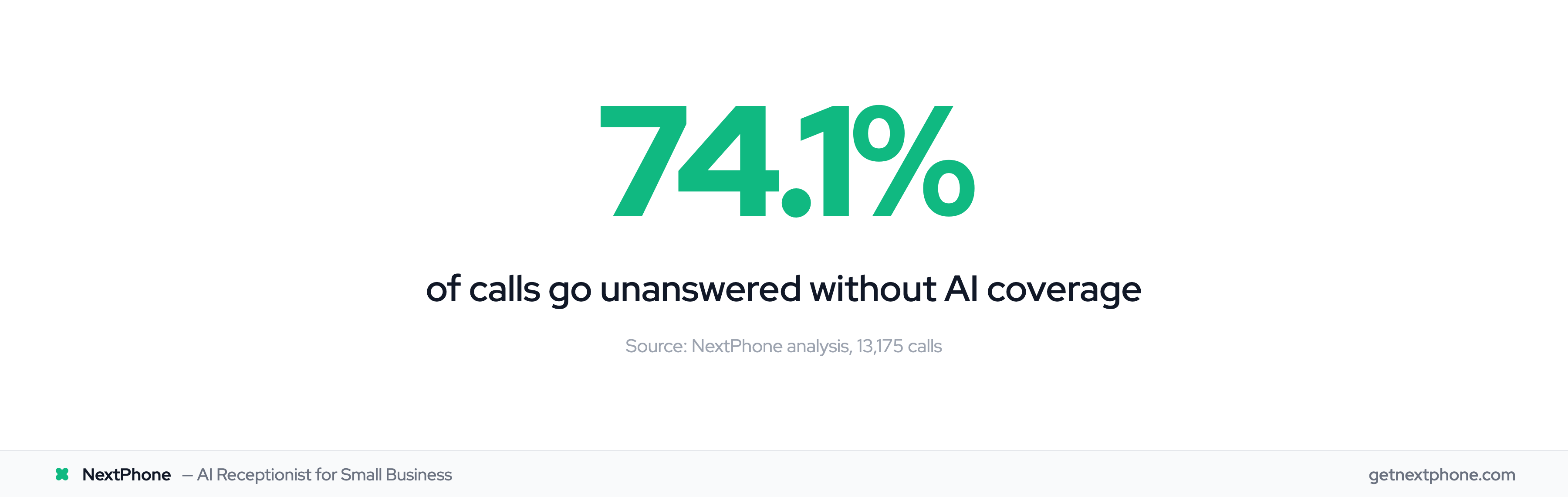
Real impact: A typical contractor receiving 42 calls/month with 74.1% going unanswered loses 31 potential customers monthly. At 20% conversion and $3,500 average project value, that's $21,700/month ($260,400/year) in lost revenue. 24/7 AI coverage captures these calls. For context, the receptionist median wage is $17.90/hr ($37,230/year). AI provides equivalent coverage at a fraction of the cost.
Setup difficulty: Easy (5 minutes to configure business hours and after-hours modes)
Natural Language Understanding
What it is: AI comprehends conversational speech, not just rigid commands. Callers speak naturally without following scripts or menu prompts.
Example conversation:
- Caller: "Yeah, hi, my AC stopped working and it's really hot in here."
- AI: "I'm sorry to hear that. I can help. How hot is it currently?"
- Caller: "Like 85 degrees inside."
- AI: "That's definitely too warm. Let me get you scheduled for service today. What's your address?"
The AI understands context ("AC stopped" = air conditioning not working, "really hot" = urgency indicator) without requiring the caller to say exact phrases.
Why it matters: Natural conversations reduce caller frustration and feel indistinguishable from talking to a competent human receptionist. McKinsey research shows AI can improve productivity 30-50% in customer service. Callers don't realize they're speaking with AI unless told.
Technology: Modern systems use large language models (LLMs) trained on millions of real customer service conversations, enabling them to handle unexpected questions, follow multi-turn dialogues, and adapt to each caller's communication style. The voice recognition market has grown to $26.79B, reflecting rapid advancement in speech-to-text and natural language processing capabilities.
Voice Quality & Human-Like Speech
What it is: AI voices sound natural with proper intonation, emotion, pacing, and pronunciation, not robotic or monotone.
Quality markers:
- Conversational flow with natural pauses
- Emotional tone appropriate to context (friendly for greetings, concerned for emergencies, professional for business)
- Regional accent support (US English, UK English, Spanish accents, etc.)
- No repetitive phrasing or obvious text-to-speech artifacts
Why it matters: Voice quality directly impacts caller trust and satisfaction. Robotic voices signal low-quality service and cause customers to hang up. Natural voices build confidence and professionalism.
Modern vs legacy AI: 2020-era AI voices were obviously synthetic. 2026 AI voices are virtually indistinguishable from humans in phone conversations due to advances in neural text-to-speech (TTS) technology.
Sub-5-Second Response Time
What it is: AI answers calls in under 5 seconds (typically 2-3 seconds) and responds to caller statements within 1-2 seconds throughout the conversation.
Comparison:
- AI receptionist: Answers in 2-3 seconds
- Live answering service: Answers in 30+ seconds during peak times
- In-house receptionist: Varies (immediate if available, voicemail if on another call or away from desk)
Why it matters: 82% of customers expect an immediate response. Speed signals professionalism and respect for the caller's time. Long hold times cause hang-ups. Industry research shows 60% of callers hang up after waiting more than one minute.
Emergency context: For emergency calls, a recurring reason people call, every second counts. A homeowner with a burst pipe flooding their basement won't wait 30 seconds for a live answering service to pick up.
Multi-Turn Conversations
What it is: AI maintains context throughout entire calls, remembering what was said earlier and building on it logically.
Example:
- Caller: "I need someone to look at my furnace."
- AI: "I can help with that. When did you first notice an issue?"
- Caller: "Yesterday it started making a weird noise."
- AI: "What kind of noise? Rattling, squealing, or something else?"
- Caller: "Like a rattling sound."
- AI: "Got it. And is the furnace still heating your home?"
- Caller: "Yeah, it's heating fine, just loud."
- AI: "Okay, so it's a rattling noise but still heating. I'd recommend scheduling a maintenance visit to prevent this from becoming a bigger issue. What's your address?"
The AI remembers "furnace," "rattling noise," "still heating" and uses that context to assess urgency (not critical emergency, but should be checked) and recommend appropriate action.
Why it matters: Multi-turn capability enables the AI to gather detailed information through natural back-and-forth dialogue, not just single-question data collection. This produces higher quality lead information and better customer experience.
Intelligent Call Routing & Triage
AI receptionists also route calls intelligently based on urgency, caller needs, and your business rules.
Emergency Detection & Routing
What it is: AI analyzes caller language for emergency keywords ("flood," "no power," "gas leak," "emergency") and urgency tone, then routes critical calls immediately to on-call staff while queuing routine inquiries.
How it works:
- Caller describes problem: "My basement is flooding from a burst pipe!"
- AI detects emergency keywords: "flooding" + "burst pipe"
- AI responds: "I understand this is an emergency. I'm connecting you to our emergency plumber now."
- Call transfers to on-call technician within 15 seconds
- Simultaneous SMS sent to tech: "EMERGENCY: Burst pipe flooding at [address]. Caller: [name/number]."
Why it matters: In our data, urgent calls rank among the top reasons people call, and emergencies are a recurring reason people call. Emergency calls average $4,200 in revenue vs $3,500 for routine work. Missing one emergency per week costs $16,800/month in lost high-value jobs.
Triage tiers:
- Critical emergency: Immediate transfer (flooding, no heat in winter, gas leak, electrical sparking)
- Urgent (non-critical): SMS alert, callback within 1-4 hours (AC not cooling well, toilet clogged, outlet not working)
- Routine: Queue for next business day (estimate requests, maintenance scheduling, general questions)
Trade-specific keywords: HVAC companies configure different emergency terms than plumbers. AI systems allow custom keyword lists per industry.
Business Hours vs After-Hours Modes
What it is: AI automatically switches between operating modes based on your configured schedule. See AI after-hours answering for a deeper look at how this works.
Business hours mode:
- Ring office line first
- Transfer calls to available staff
- Take messages if team is busy
- Route sales calls to sales team, support to support, etc.
After-hours mode:
- Custom after-hours greeting
- Emergency detection enabled
- Route critical calls to on-call staff
- Queue routine calls for next-day callback
- Send caller SMS confirmation with callback commitment
Configuration flexibility:
- Different hours each day of week (M-F 8-6, Sat 9-2, Sun closed)
- Break times (lunch hour 12-1 PM goes to after-hours mode)
- Holiday overrides (Thanksgiving, Christmas automatically switch to holiday mode)
- Timezone support for multi-location businesses (LA office 8-6 PT, NYC office 8-6 ET)
Why it matters: Proper mode switching ensures emergency calls reach you 24/7 while routine inquiries don't interrupt personal time unnecessarily.
Call Transfer & Live Escalation
What it is: Mid-conversation, the AI can transfer calls to human staff (you or your team) for situations requiring personal attention.
Transfer triggers:
- Caller requests: "Can I speak to someone?" "Transfer me to a person."
- Complexity threshold: AI determines question is too complex for automated handling
- VIP customers: Configured to always route specific callers to humans
- Emergency protocols: Critical situations transfer immediately
Transfer process:
- AI: "Let me transfer you to [Name/Title]. One moment please."
- AI briefs recipient via SMS: "Transferring call from [Name] - [Reason]. Caller info: [details]."
- Call connects seamlessly
- AI-collected data available in CRM for recipient to review during call
Why it matters: Provides escape hatch for situations AI can't handle while maintaining professional experience. Callers appreciate getting to a human when needed, but only when actually needed.
Priority Routing Rules
What it is: Advanced routing logic based on caller characteristics, not just what they say.
Rule types:
VIP routing: Customers on premium service plans always route to senior staff, skip queue
Repeat caller escalation: Customer called 3+ times in 24 hours → escalate to manager (indicates unresolved issue)
Service-specific routing:
- Residential calls → Residential team
- Commercial calls → Commercial specialists
- New customers → Sales team for upselling
- Existing customers → Support team
Geographic routing: Multi-location businesses route based on caller area code or address
Time-based routing: "It's 2 AM Sunday" → Route only true emergencies, queue everything else
Capacity-based routing: On-call tech already on emergency job → Route new emergency to backup on-call
Why it matters: Sophisticated routing ensures the right person handles each call, improving customer satisfaction and internal efficiency.
Language & Accessibility Features
AI receptionists break down communication barriers.
Bilingual Spanish-English Support
What it is: Automatic language detection identifies whether caller speaks Spanish or English and responds naturally in that language throughout the conversation.
How it works:
- AI greets with bilingual message: "Thank you for calling. Gracias por llamar."
- Caller speaks first sentence: "Hola, necesito ayuda con mi aire acondicionado."
- AI detects Spanish within 2-3 seconds
- AI continues entirely in Spanish: "¡Claro! Puedo ayudarle con eso. ¿Cuál es el problema?"
- Conversation proceeds in Spanish; data logged in English for staff
Market opportunity: 41 million Spanish speakers in US, $1.9 trillion Latino buying power. Many service businesses lose 15-30% of potential customers due to language barriers.
Cultural customization: Goes beyond literal translation:
- Formal vs informal "you" (usted vs tú)
- Culturally appropriate greetings
- Regional accent support (Mexican Spanish, Caribbean Spanish, etc.)
- Industry vocabulary (plomero vs fontanero for "plumber")
Why it matters: Serving Spanish-speaking customers without hiring bilingual staff expands addressable market by 25-35% in high-Latino areas (LA, Miami, Houston, Phoenix, San Antonio).
14-Language Support
What it is: Beyond Spanish-English, AI supports French, Portuguese, Italian, German, Dutch, Russian, Mandarin, Vietnamese, Korean, Japanese, Hindi, and Arabic with the same auto-detection (14 languages in total, up to 3 active per line).
Use cases:
- Miami: Spanish (Cuban) + Haitian Creole (French works) + English
- Los Angeles: Spanish (Mexican) + Korean + English
- New York: Spanish + Russian + English
Why it matters: Multicultural markets benefit from broad language coverage. Small but loyal immigrant communities (Korean, Vietnamese, etc.) reward businesses that serve them in native language.
Accent Handling
What it is: AI trained to understand diverse accents: regional US accents, non-native English speakers, international accents.
Challenges AI handles:
- Heavy Southern drawl
- Boston/New York accents
- Indian, Chinese, Eastern European accents when speaking English
- Spanish speakers with limited English
Why it matters: Poor accent recognition causes caller frustration and communication failures. Modern AI achieves 95%+ accuracy across accents vs 60-70% for older systems.
Integration & Automation Capabilities
AI receptionists integrate with your existing business systems.
CRM Integration (Webhooks, HubSpot, Salesforce)
What it is: Every call automatically creates or updates CRM records with caller information, no manual data entry.
Integration methods:
Webhooks (universal): Custom HTTP integration with any system. AI sends JSON data to your endpoint:
{
  "name": "John Smith",
  "phone": "+15551234567",
  "email": "john@email.com",
  "service_needed": "AC repair",
  "urgency": "high",
  "timestamp": "2026-01-03T14:30:00Z"
}
HubSpot native: Direct API integration creates contacts, logs calls, updates deal stages
Salesforce (via Zapier): Creates leads, logs activities, updates opportunity status
Zapier/Make: No-code connections to 6,000+ apps
Impact: Our data shows businesses with CRM auto-integration capture 3X more leads because information flows into systems within seconds of call ending, not when someone "gets around to it" hours or days later.
Template variables: Dynamic data substitution allows complex payloads:
- [caller_number]: Actual phone number
- [first_name]: AI-collected first name
- [email]: AI-collected email
- Custom parameters for any data AI collects
Appointment Scheduling & Calendar Integration
What it is: AI checks your calendar availability and books appointments during calls without human involvement.
How it works:
- Caller: "I'd like to schedule a furnace tune-up."
- AI: (Checks synced calendar) "I have Tuesday at 2 PM or Thursday at 10 AM available. Which works better?"
- Caller: "Tuesday at 2 works."
- AI: "Perfect. I've scheduled your furnace tune-up for Tuesday, January 7th at 2 PM. You'll receive a confirmation text shortly."
- Appointment created in Google Calendar/Outlook/Calendly
- SMS confirmation sent to customer
- CRM updated with scheduled appointment
Supported calendars:
- Google Calendar
- Microsoft Outlook/Office 365
- Calendly
- Acuity Scheduling
- Custom calendar APIs
Conflict prevention: AI never double-books; real-time availability checking ensures accuracy.
Why it matters: Eliminates phone tag. Customer calls once, appointment is scheduled, both parties have confirmation, no back-and-forth callbacks needed. See how AI appointment scheduling works in practice.
SMS Notifications & Confirmations
What it is: Automated text messages sent to callers and your team triggered by call events.
SMS triggers:
To customers:
- Appointment confirmation: "Your AC tune-up is scheduled for Tuesday 1/7 at 2 PM. Reply CONFIRM or call to reschedule."
- Callback commitment: "Thank you for contacting Smith HVAC. We'll call you back tomorrow at 9 AM."
- Emergency acknowledgment: "We received your emergency call. Our technician will arrive within 60 minutes."
To your team:
- Emergency alert: "EMERGENCY CALL: Burst pipe at 123 Main St. Caller: John Smith (555-1234). Transferring now."
- Urgent callback request: "URGENT callback needed: Jane Doe needs AC repair, 85° inside, has newborn. Call within 1 hour."
- End-of-day summary: "Today: 12 calls, 3 emergencies handled, 5 appointments scheduled, 4 estimates requested."
Why it matters: SMS has 98% open rate vs 20% for email. Critical information reaches recipients immediately.
Email Summaries & Transcripts
What it is: After each call, automated email sent with full conversation transcript, caller details, and action items.
Email includes:
- Caller name and phone (tap-to-call)
- AI-generated conversation summary
- Full transcript (searchable)
- Call recording link (if enabled)
- Urgency assessment
- Recommended next steps
Why it matters: Creates permanent record of every customer interaction. No details lost, no miscommunication about what customer requested.
Use case: Contractor checks email in morning, sees overnight calls, knows exactly which are emergencies vs routine, prioritizes accordingly.
Call Management & Recording
Comprehensive call handling and documentation features.
Call Recording
What it is: Every call automatically recorded and stored securely for future reference.
Use cases:
- Training: Review calls to improve AI responses or train staff
- Dispute resolution: Verify what was said if customer claims miscommunication
- Quality assurance: Audit AI performance and caller satisfaction
- Compliance: Legal/regulatory requirements (some industries must record calls)
Storage: Calls stored encrypted for configurable retention period (30 days, 1 year, indefinite)
Legal note: Recording laws vary by state. Add "This call may be recorded" to your greeting and the AI says it at the start of every call, which covers callers in states requiring two-party consent.
A sample plumbing call with the notice in the greeting: 'This call may be recorded for quality' right after the business name. The AI then takes the caller's name, callback number and service address for a leaking water heater and promises a callback from the on-call tech.
Real-Time & Post-Call Transcription
What it is: Speech-to-text conversion of calls into searchable written transcripts.
Real-time transcription: Live text display as conversation happens (useful for monitoring or accessibility)
Post-call transcription: Full transcript available immediately after call ends
Accuracy: Modern transcription achieves 95%+ accuracy for clear audio with proper grammar and punctuation.
Search functionality: Full-text search across all transcripts. Example: Search "burst pipe" to find all emergency plumbing calls mentioning that issue.
Why it matters: Transcripts are faster to review than listening to recordings (scan 5-minute call transcript in 30 seconds). Searchability enables trend analysis.
Voicemail Transcription
What it is: If caller reaches voicemail (backup scenario if AI system is down), voicemail audio is transcribed to text automatically.
Workflow:
- Caller leaves voicemail
- Audio transcribed within 60 seconds
- Email/SMS sent with: "New voicemail from [number]: [transcript]"
- You read transcript, decide urgency, respond accordingly
Why it matters: Read voicemails instantly without listening to audio. Screen spam voicemails without wasting time listening.
Call History & Search
What it is: Searchable database of all calls with filtering, sorting, and analytics.
Search filters:
- Date range
- Caller phone number
- Urgency level (emergency, urgent, routine)
- Duration
- Outcome (appointment scheduled, estimate requested, spam, etc.)
- Keywords in transcript
- Staff member who handled call
Why it matters: Quickly find past calls. Example: "What did that customer from last Tuesday say about their furnace issue?" Search by date and keyword, pull up transcript instantly.
Spam Protection & Security
AI receptionists protect against robocalls and security threats.
Robocall Detection & Spam Filtering
What it is: AI identifies and blocks spam/robocalls automatically so they never waste your time.
Detection methods:
- Voice pattern analysis: Automated/recorded voices detected within 2-3 seconds
- Caller ID verification: Cross-reference against known spam databases
- Behavior patterns: Robocalls have predictable patterns (long pauses, scripted delivery, etc.)
- Content analysis: "Your car warranty is expiring" = spam
Our data: Spam and robocalls get filtered out before they ever ring you. AI blocks these automatically, saving hours of wasted time per business.
Action on spam:
- Hang up automatically
- Log as spam (visible in dashboard)
- Do NOT alert on-call staff
- Do NOT create CRM records
False positive protection: If uncertain, AI errs on the side of treating as real call to avoid missing customers.
Data Security
What it is: Features ensuring AI receptionist meets enterprise-grade privacy and security standards.
Security standards for all businesses:
Encryption: All call recordings, transcripts, and data encrypted in transit (TLS 1.2+) and at rest (AES-256)
Access controls: Role-based permissions (only authorized staff can access call data)
Audit logging: Every data access logged with timestamp and user ID
Data minimization: AI collects only necessary information
Why it matters: Customer data deserves protection regardless of industry. Enterprise-grade security should be the baseline for any AI receptionist handling sensitive business calls.
Secure Data Handling
What it is: Best practices for protecting caller information.
Security measures:
- No payment card data: AI never collects credit card numbers (PCI-DSS compliance issue)
- Password protection: Dashboard access requires strong passwords + optional 2FA
- IP restrictions: Limit dashboard access to specific IP addresses (office only)
- Session timeouts: Auto-logout after inactivity
- Data retention policies: Automatically delete old calls per configured schedule
- GDPR compliance: Right to deletion for EU customers