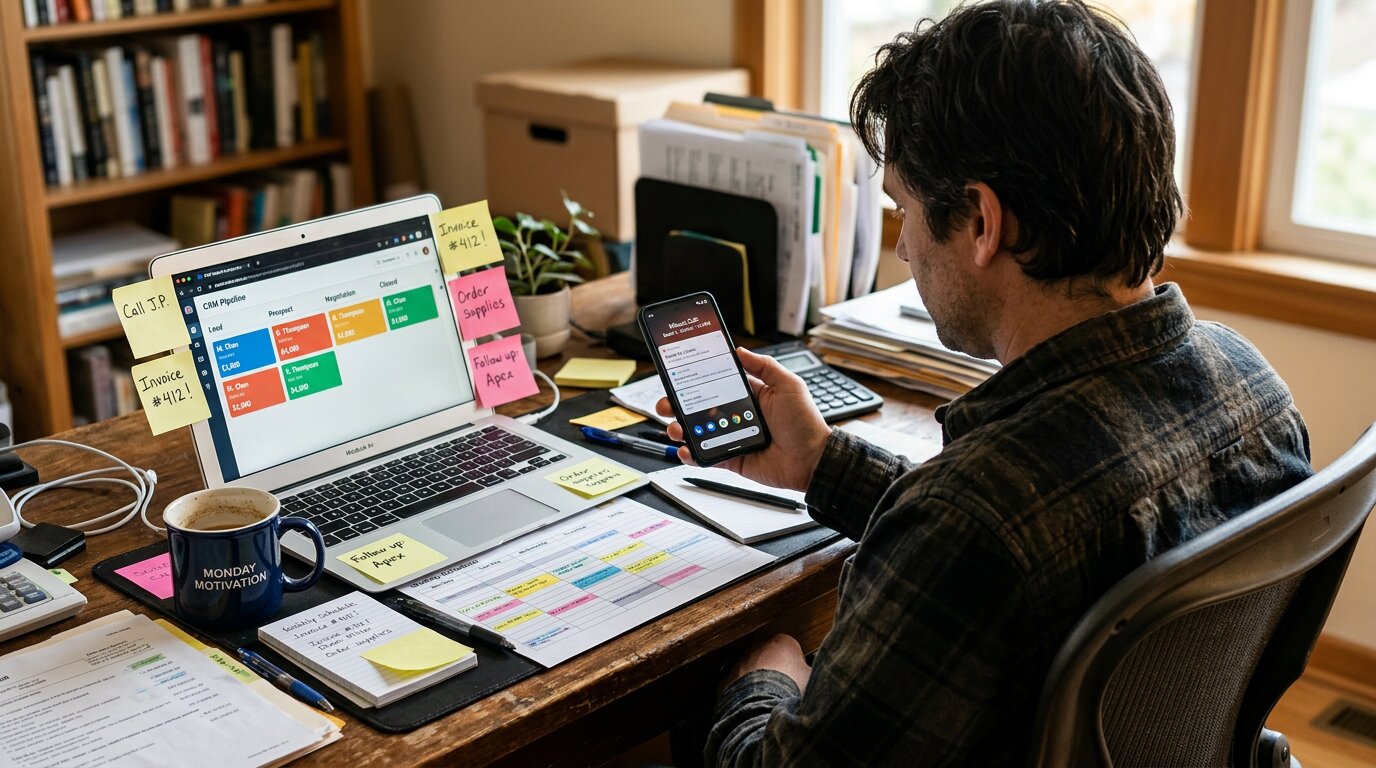
A customer calls. You schedule an estimate for Thursday. Thursday comes. They don't show. You're busy, so you don't follow up. Three months later, they call your competitor and book the same project you quoted.
This happens constantly. Not because customers are flaky, but because service businesses have no system between first call and completed job. Leads fall through cracks. No-shows disappear. Satisfied customers never become referral sources.
For service businesses, onboarding is the entire journey from first inquiry to fully delivered service, and beyond.
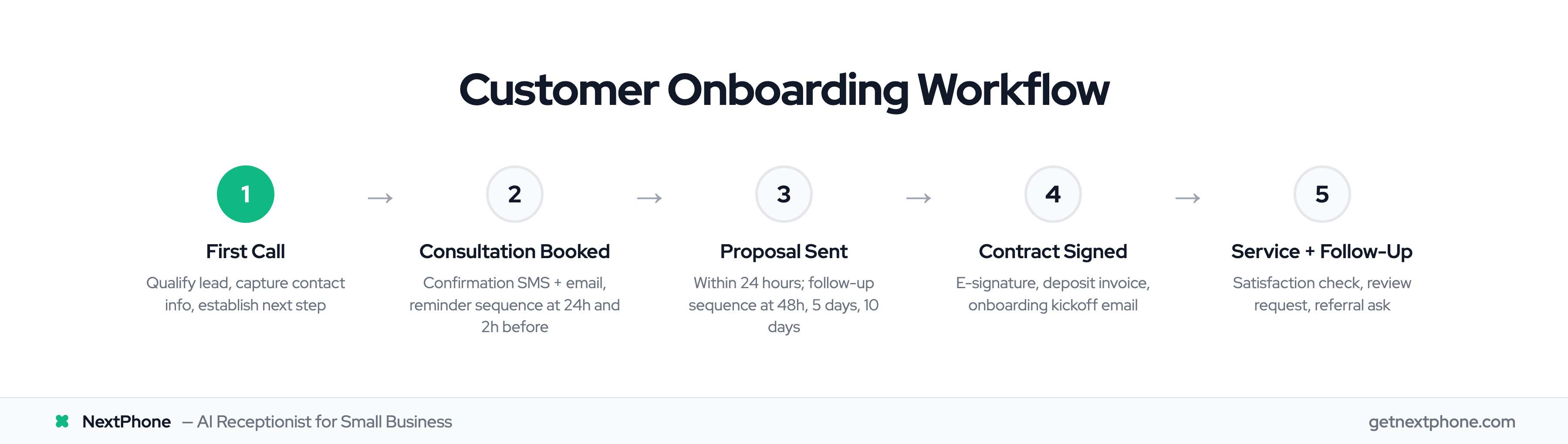
Here's the complete workflow, including automation triggers and drop-off prevention at every stage.
Onboarding Starts at "Hello"
Most businesses think onboarding begins when someone pays or signs a contract. Wrong. Onboarding begins the moment someone calls.
Why the First Call Matters
The first call is your first impression and your first data capture opportunity. A caller with a question becomes a lead with contact information. A lead with contact information becomes a consultation booking. A consultation becomes a job.
But only if you capture the data and move them to the next step.
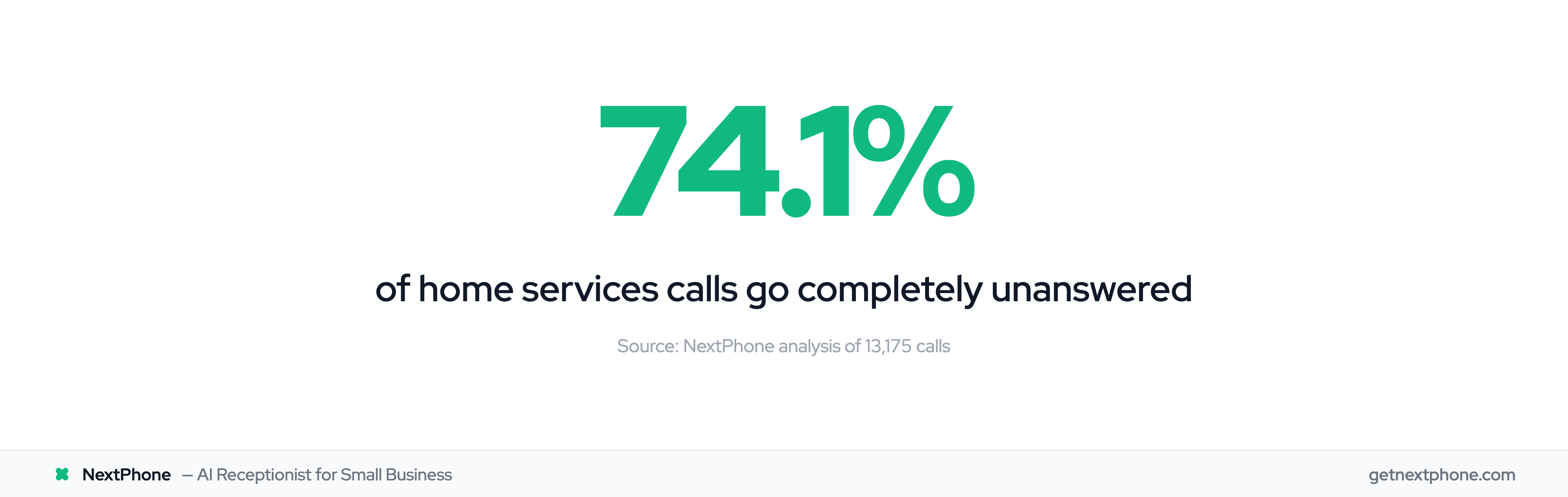
Industry research shows 74.1% of calls to home services businesses go completely unanswered. That's 74.1% of potential customers who never entered any onboarding workflow, because no one answered the phone.
What Should Happen During the Inquiry Call
The first call should accomplish three things:
-
Qualification: Is this a real lead? New customer or existing? What's the urgency? What's the approximate scope?
-
Lead capture: Name, phone number, email address, brief project description. Even if you can't quote immediately, you now have a lead to follow up with.
-
Next step: Book a consultation, schedule a callback, or provide information, but always establish what happens next.
An AI receptionist or professional answering service can handle all three automatically. Caller says they need a new AC unit: an HVAC answering service qualifies it as a new installation inquiry, captures contact info, and offers to schedule an in-home estimate.
No manual note-taking. No "I'll call you back later." The lead is in your system with a next step before the call ends.
From Inquiry to Scheduled Consultation
Once you've captured the lead, stage two is booking the consultation or estimate.
The Consultation Booking
For most service businesses, the next step after initial inquiry is an in-person estimate or consultation. This should be scheduled during the first call or immediately after via follow-up.
During the call: "I can schedule your estimate. Are you available Thursday at 10 AM or Friday at 2 PM?"
After the call (if they didn't book): SMS with booking link within 5 minutes: "Hi [Name], schedule your estimate here: [Link]"
Pre-Consultation Preparation
Between booking and the consultation, prepare your prospect for a productive meeting:
Immediately after booking:
- Confirmation SMS: "Your estimate with [Business] is confirmed for [Date] at [Time]"
- Confirmation email with details: address, what to expect, any prep needed
Within 24 hours:
- Pre-consultation email: intake form to collect project details, pricing guide so they know what to expect, FAQ document
Welcome emails have 86% higher open rates than standard emails. The window right after booking is when engagement is highest. Use it.
Reminder Sequence
No-shows kill conversion rates. A simple reminder sequence cuts them dramatically:
- 24 hours before: Email reminder with appointment details
- 2 hours before: SMS reminder: "Reminder: Your estimate is today at [Time]. See you soon!"
This sequence runs automatically. No manual tracking of who needs reminders.
Converting Consultations to Proposals
The consultation happened. Now what?
Proposal Speed Matters
Send your proposal within 24 hours of the consultation. Momentum matters: the longer you wait, the colder the lead gets.
Your proposal should include:
- Scope of work (exactly what you'll do)
- Timeline (when it starts, how long it takes)
- Pricing (clear, no surprises)
- Terms (payment schedule, warranty, etc.)
The Proposal Follow-Up Sequence
Not everyone responds immediately. An automated follow-up sequence keeps you top of mind:
48 hours after proposal: "Hi [Name], wanted to make sure you received our proposal. Any questions I can answer?"
5 days after proposal: "Checking in on the [project type] proposal. Happy to discuss any details."
10 days after proposal: "Still interested in moving forward? I'm here if you'd like to chat."
Three touches over 10 days. If they don't respond after that, move them to long-term nurture, but don't abandon them entirely.
From Yes to Signed Contract
They said yes. Now close it before they change their mind.
Streamline the Contract
Use e-signature tools (DocuSign, PandaDoc, HelloSign) so they can sign immediately. Don't mail paper contracts. Don't require fax. Make it one click.
Upon verbal approval:
- Send contract via e-signature (immediate)
- Send deposit invoice (upon signature)
- Schedule service date (same email or follow-up call)
The Onboarding Kickoff Email
Once they've signed and paid the deposit, send the welcome/kickoff email:
"Welcome to [Business]! Here's what happens next:
- Your [service] is scheduled for [date]
- [Technician name] will be your point of contact
- We'll send a reminder 24 hours before
- Payment balance due upon completion
- Questions? Call or text [number]"
This email sets expectations and reduces anxiety. They know exactly what's coming.
Preparing for Successful Service Delivery
The service is scheduled. Make sure it happens smoothly.
Pre-Service Reminders
Day before service: "Reminder: We're scheduled for [service] tomorrow at [time]. Please ensure [access instructions, pet info, etc.]."
Morning of service: "Good morning! [Technician] is on the way and should arrive around [time]. Call or text if you need anything."
These touchpoints reduce no-access issues and show professionalism.
Post-Service Summary
After the work is complete, send a summary:
"Your [service] is complete! Here's a summary:
- Work performed: [description]
- Warranty info: [terms]
- Maintenance tips: [if applicable]
- Invoice/receipt attached
- Thank you for choosing [Business]!"
This closes the loop on the service itself. But onboarding isn't over yet.