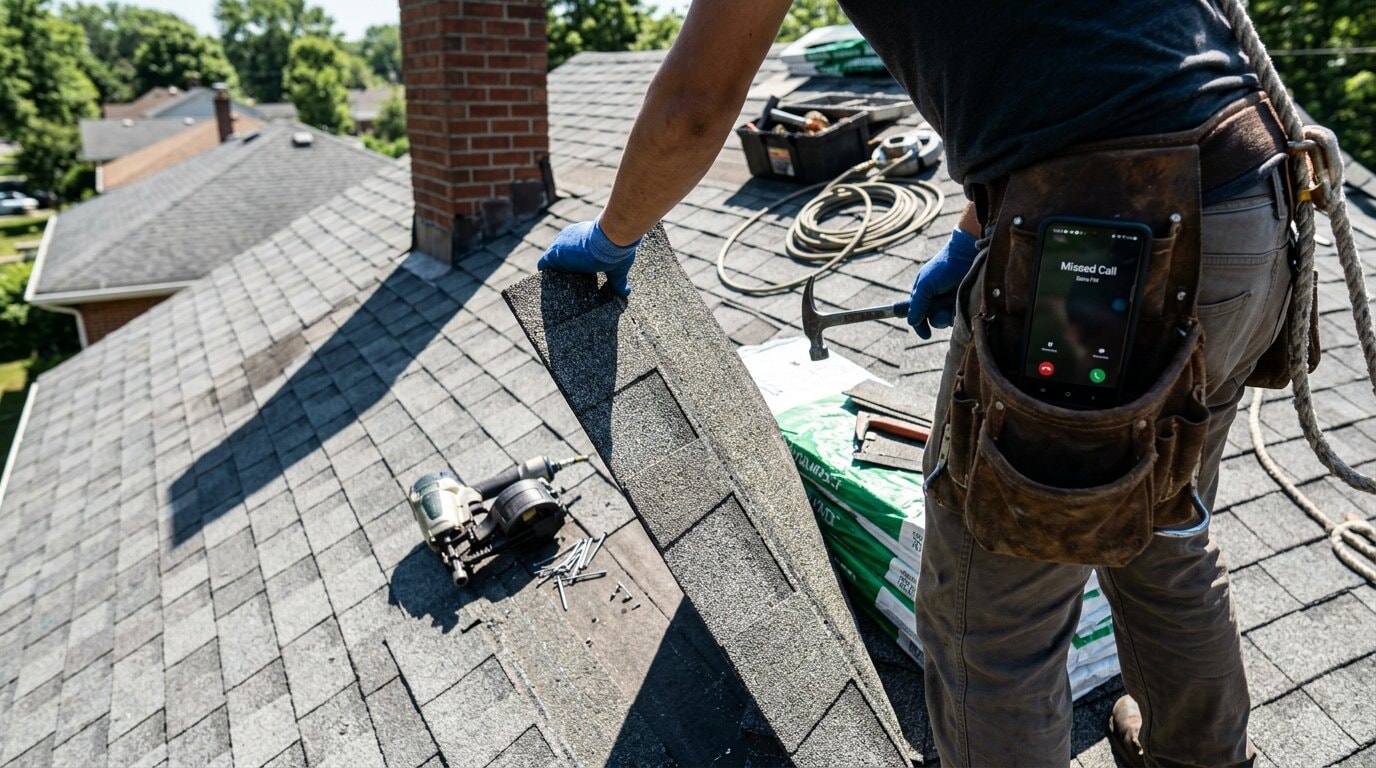
You're on a roof installing shingles. Your phone rings. It's 2 PM on a Tuesday, prime time for customer calls. But your hands are full, you're 20 feet up, and there's no way you're answering. The call goes to voicemail. The customer needs a quote by end of day. They call the next roofer. You just lost a $4,500 job.
Industry research shows 74.1% of calls to home services contractors go completely unanswered. That's three out of every four potential customers calling someone else.
The bigger problem? Most of these calls leave no trace in your project management system. They just disappear. You have no idea who called, what they needed, or how much revenue walked away.
What if every call automatically appeared in your Monday.com board, with the caller's name, phone number, service request, and urgency level already filled in? What if your whole team could see every call, track every follow-up, and never let another lead slip through?
That's exactly what happens when you connect an AI receptionist to Monday.com.
The $260,000 Problem Service Businesses Don't See
Most contractors don't track missed calls. There's no dashboard showing "31 calls went unanswered this month." The calls just... don't happen. From your perspective, the phone didn't ring.
But from the customer's perspective, they called and got voicemail. So they called your competitor.
How Many Calls You're Actually Missing
The average home services contractor receives 42 calls per month. Of those 42 calls, industry research says 31 go completely unanswered. That's 74.1%.
Why so high? You're on job sites. Under houses. On ladders. In attics. Your hands are dirty, covered in paint or grout or drywall mud. You physically cannot answer your phone during most of your working day.
The Revenue Impact (With Real Math)
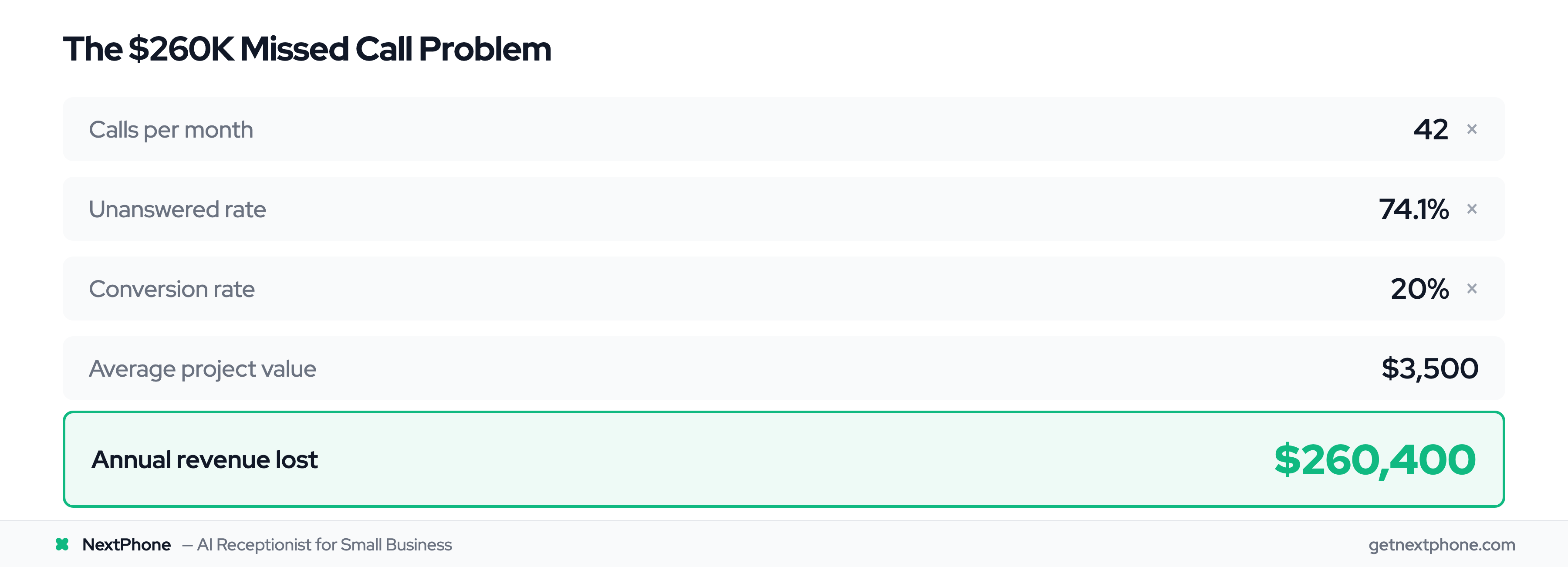
Here's where it gets painful. Let's do the math for a typical general contractor:
- 42 calls per month
- 74.1% unanswered = 31 missed calls
- At a conservative 20% conversion rate, that's 6 jobs you didn't get
- At $3,500 average project value = $21,700 per month in lost revenue
- Annualized: $260,400 per year
For the cost of a decent used truck, you're losing a quarter million dollars annually.
And that's using conservative numbers. If you're in HVAC or electrical work, your average job value is higher. If you work in a competitive market, your conversion rate is lower because customers don't wait. They call the next person immediately.
Why Missed Calls Hurt More Than You Think
According to our call analysis, urgent calls rank among the top reasons people call: "emergency," "urgent," "ASAP," "right now." These emergency calls are worth more: an average of $4,200 vs $3,500 for routine work.
Missing just one emergency call per week costs you $16,800 per month. That's $201,600 per year from emergency calls alone.
Monday.com: The Visual Work Operating System for Teams
If you're not familiar with Monday.com, here's what you need to know: it's a visual project management platform used by over 225,000 companies globally, holding 5.7% market share with 24,011+ companies using it. Monday.com was named a Leader in the 2025 Gartner Magic Quadrant for Adaptive Project Management. In 2026, Monday.com's revenue surged to $299 million with 27% year-over-year growth.
How Monday.com Works (Visual Boards)
Think of Monday.com as a digital whiteboard with superpowers. You create boards for different parts of your business: one for new leads, one for active jobs, one for quotes pending, etc.
Each board has items (like individual jobs or customers) displayed as rows. Columns show information about each item: client name, service type, status, priority, assigned team member, due date.
The magic is that everything is visual. You can see, at a glance, which jobs are "In Progress" (yellow), which are "Completed" (green), and which are "Stuck" (red). Your whole team sees the same board. Everyone knows what's happening.
Why Service Businesses Choose Monday.com
Research shows 82% of companies use project management software for efficiency, and the PM software market is growing from $9.76B to $23.09B by 2031. For service businesses, Monday.com works because:
- It's visual. Your field team isn't reading spreadsheets. They look at the board and immediately understand what needs to happen.
- It's flexible. Customize boards for how YOU work, not how some software company thinks you should work.
- It automates repetitive stuff. When a job moves to "Completed," Monday can automatically send a follow-up email requesting a review.
The Integration Ecosystem
Monday.com offers 200+ integrations with tools like Slack, Gmail, Google Drive, QuickBooks, and more, competing in a space where Trello has 50M+ registered users and 76.75M visits monthly and ClickUp boasts 20M+ users worldwide with a $4B valuation. This lets you connect your entire business workflow in one place.
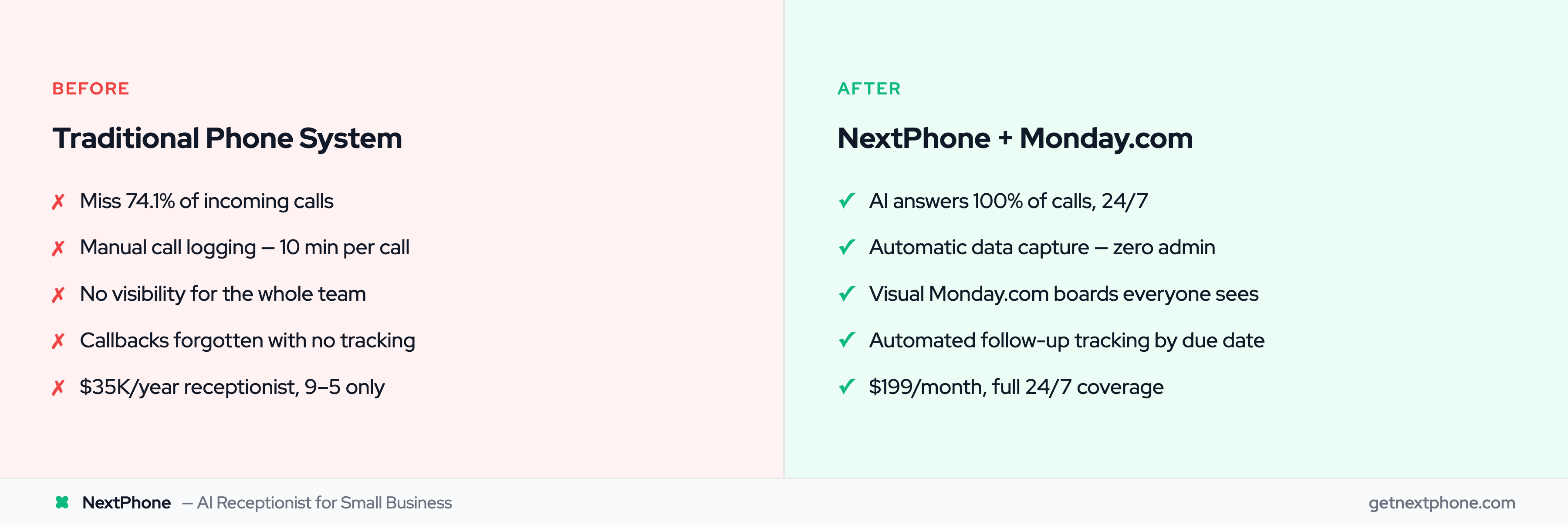
But here's the gap: Monday.com doesn't have native phone capabilities. You can't make calls from Monday. You can't automatically log incoming calls. There's no way to capture phone conversation details without manually typing them in.
That's where NextPhone integration comes in.
How AI + Monday.com Creates Your Call Command Center
Here's how the integration works from the customer's perspective and yours:
The AI Receptionist Layer
When a customer calls your business number, NextPhone's AI virtual receptionist answers in under 2 seconds. Not after 30+ seconds of ringing like traditional answering services. Under 2 seconds.
The AI knows your business. It's trained on your services, pricing, availability, and common customer questions. It sounds professional and helpful.
During the conversation, the AI collects structured information:
- Caller's name and phone number
- What service they need
- Address or location
- Description of the issue or project
- Timeline (urgent, this week, next month)
- How they heard about you
The customer has a helpful conversation. They feel heard. They get their questions answered.
HTTP Webhook Integration (No Coding Required)
While the AI is talking to the customer, here's what's happening behind the scenes:
All that structured data gets packaged up and sent to Monday.com via an HTTP webhook. Think of a webhook as a direct pipeline from the phone call into your Monday board.
You don't need to know how to code. You don't need to be technical. During setup, you simply map the data fields:
- [caller_number] goes to your "Phone" column
- [message] goes to your "Notes" column
- Urgency level goes to your "Priority" column
- Service type goes to your "Service" column
The webhook runs in the background. If something goes wrong (Monday.com is down, internet hiccup), the integration fails silently. The call continues normally. The customer never knows there's an integration happening.
What Data Gets Captured
You control what the AI asks and what data gets sent to Monday. Common fields for service businesses:
- Contact info: Name, phone (clickable to call back), email if provided
- Service type: Plumbing, electrical, HVAC, roofing, etc.
- Job description: "Kitchen sink is leaking under the cabinet"
- Address: Where the work needs to happen
- Urgency: Emergency, urgent, routine, planning ahead
- Budget/timeline: "Need it done this week" or "Getting quotes for spring"
- Source: How they found you (Google, referral, Facebook ad)
The AI can collect any information you define. There's no limit to custom fields.
Where It Goes in Monday.com
When the call ends, a new item appears in your Monday board. Let's say you have a "New Leads" board for incoming quote requests.
The item shows up with all columns populated:
| Name | Phone | Service | Status | Priority | Address | Notes | Source |
|---|---|---|---|---|---|---|---|
| Sarah Johnson | (555) 123-4567 | Roofing | New Lead | High | 123 Oak St | Shingles damaged after storm |
Your team sees it immediately. If you have automations set up, Monday can trigger notifications:
- Send Slack message to project manager: "New roofing lead from Sarah Johnson"
- Send email to estimator: "High-priority quote request ready"
- Auto-assign to team member based on service type
The call that would have gone to voicemail is now a trackable, visible, actionable item in your workflow.
Real-World Workflows: From Missed Calls to Managed Jobs
Here's where this gets powerful. You can create custom workflows for different types of calls.
Emergency Call Routing + Priority Item Creation
The AI detects urgency keywords: "emergency," "burst pipe," "no power," "AC out," "urgent."
When detected:
- AI immediately transfers the call to your cell phone (live handoff during the call)
- Simultaneously creates a high-priority item in Monday with status "Emergency"
- Monday automation sends urgent notifications to your team (Slack, SMS, email)
- Item is color-coded red so it's visually obvious
Example: It's 2 AM. A customer's pipe bursts. They call your business line. The AI recognizes "emergency" and "burst pipe," answers the call, and transfers to your emergency phone. While you're talking to the customer, a red emergency item appears in your Monday board with all the details. When your crew arrives at 8 AM, they see the job, the address, and the customer's phone number.
You didn't lose sleep (call came to AI first), the customer got immediate help (transferred to you), and your team has full context (Monday board).
Callback Request Tracking (Never Drop a Lead)
Across the calls we answer, approximately one in four callers explicitly asks for a callback: "Can someone call me back?" or "Have them give me a quote when they get a chance."
Without a tracking system, 80% of those callback requests get forgotten. That's $113,400 per year in lost revenue from callbacks that never happened.
With Monday.com integration:
- AI logs the callback request
- Creates Monday item with status "Callback Needed"
- Sets due date based on urgency (today, tomorrow, this week)
- Monday automation sends reminder if callback isn't completed within 24 hours
Your office manager or project manager sees a clear list of "Callback Needed" items. They make the calls. Nothing falls through the cracks.
New Lead Qualification and Assignment
Not all leads are equal. The AI can ask qualifying questions:
- "What's your budget for this project?"
- "What's your timeline?"
- "Is this for a home or commercial property?"
Based on the answers, the Monday item gets tagged and assigned appropriately:
- High-budget residential leads: assigned to your senior estimator
- Commercial inquiries: assigned to commercial team
- Small repair jobs: assigned to maintenance crew
- Out-of-budget or out-of-area: marked "Not Qualified" for future marketing analysis
Your sales team spends time on qualified leads, not every single call that comes in.
After-Hours Call Logging
A large share of calls to home services businesses happen outside standard 9-5 hours. People call when they notice the problem: Saturday morning when they're doing yard work, Sunday evening when they're planning the week, 9 PM when the AC stops working.
With the AI + Monday.com integration:
- Calls at 9 PM don't wake you up
- AI answers professionally, captures all information
- Creates Monday item for follow-up first thing next business day
- Customer feels heard and helped (not ignored)
- You get a good night's sleep
When you open Monday on Monday morning, you see every after-hours call that came in over the weekend, with full context and next steps ready.