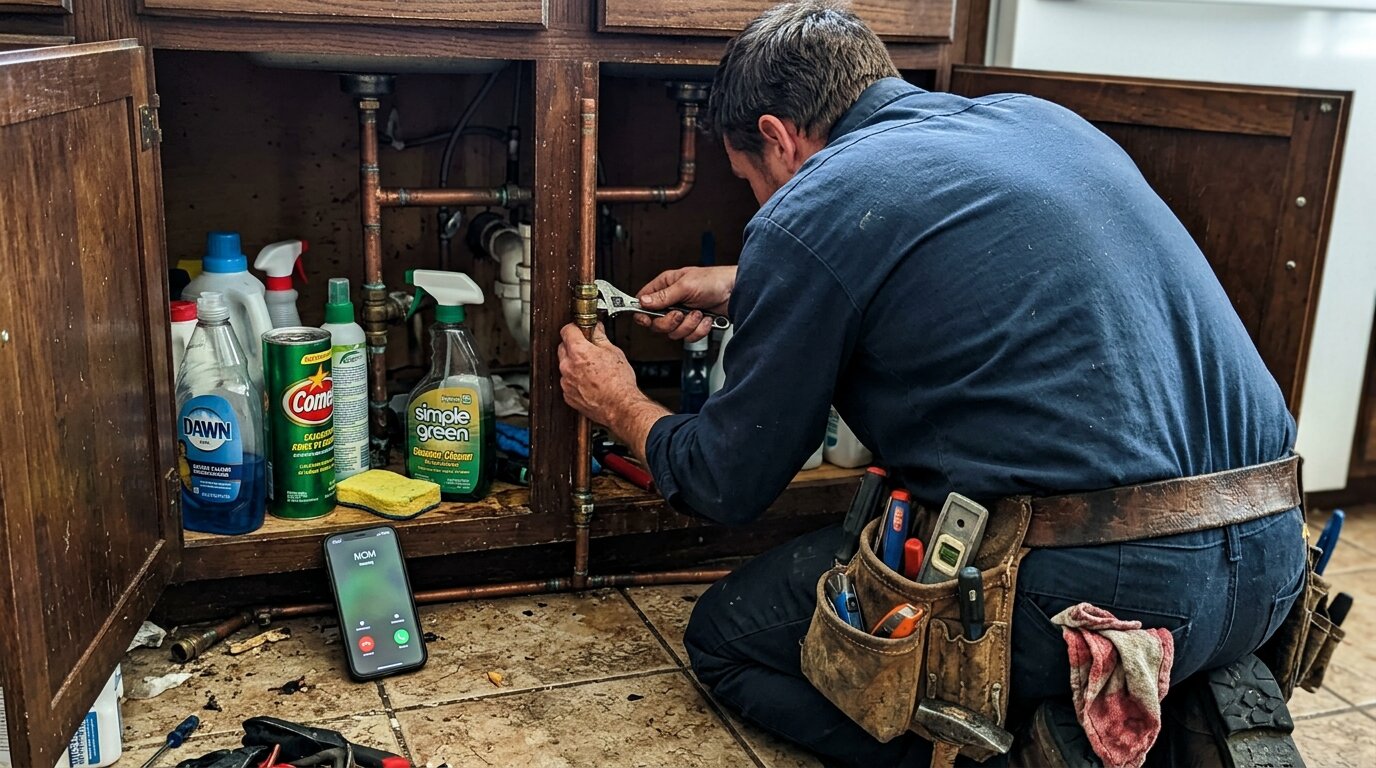
It's 2 PM on a Tuesday in July. A homeowner's AC just quit. It's 95 degrees inside. They call you. You're on a ladder installing a unit at another job site. Your phone rings in your truck. The call goes to voicemail. They call the next HVAC contractor. And the next. Someone answers. You just lost a $4,200 emergency service call.
This happens every day to home services contractors. Across the 1,446,980 business calls in our analysis, urgency keywords like "emergency," "urgent," or "ASAP" rank among the top reasons people call. True emergencies (pipe bursts, power outages, AC failures in extreme heat) are a recurring reason too. Emergency work like that commonly runs around $4,200 per job, significantly higher than routine service calls.
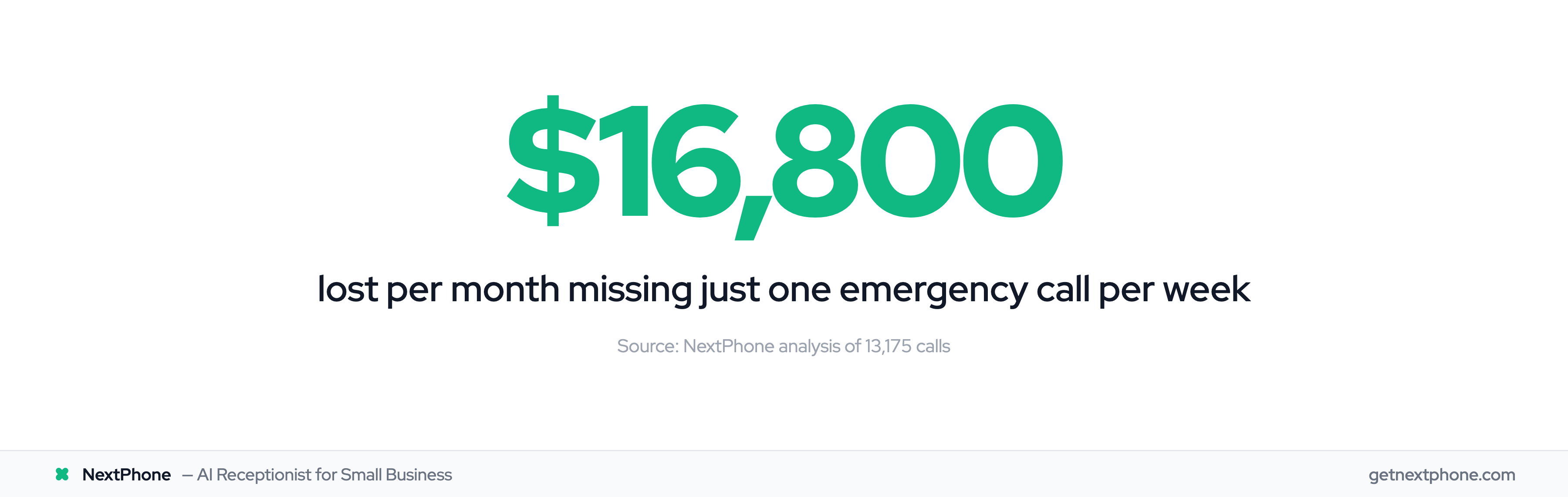
Here's the brutal math: If you're missing just one emergency call per week, that's $16,800 per month in lost revenue. The customer calling about a flooded basement at 8 PM isn't going to wait for your morning callback. They need help now, and they'll keep dialing until someone answers.
Traditional solutions don't cut it. Hiring a receptionist costs $37,000 per year and only covers business hours. Traditional answering services run $500-800 per month for basic call handling with no intelligence. Or you keep doing what you're doing: missing calls and losing jobs.
Intelligent call routing changes this. In this guide, you'll learn how it works, why emergency detection matters, and how small businesses can use it to capture every high-value call without hiring staff.
What Is Intelligent Call Routing?
Intelligent call routing is a system that makes smart decisions about where to send incoming calls based on conversation content, urgency, caller data, time of day, and business rules. Unlike basic call forwarding that sends every call to the same number, or traditional IVR systems that make callers press buttons, intelligent routing does the work for you. A voice AI receptionist handles this routing through natural conversation instead of button pressing.
Beyond Simple Call Forwarding
Basic call forwarding is a blunt tool: "Forward all calls to my cell phone." That works until you're on a job site and can't answer, or you're dealing with an emergency and don't want non-urgent quote requests interrupting.
Traditional IVR systems aren't much better. They make the caller do the work: "Press 1 for emergencies, press 2 for quotes, press 3 for billing." According to Salesforce's State of Service 2024 report, 83% of customers expect immediate response when contacting a company. Making them navigate a phone tree fails that test.
The Intelligence Layer
Intelligent routing adds an AI layer that listens to the actual conversation. It analyzes what the caller is saying (the words they use, the tone, the context) and routes accordingly. The system can detect:
- Urgency keywords (emergency, urgent, ASAP, flooding, burst pipe, no power)
- Call intent (quote request, scheduling, billing question, technical support)
- Caller identity (existing customer vs new lead, VIP status from CRM)
- Location (service area, time zone)
- Time of day (business hours vs after-hours)
Real-Time Decision Making
The routing decision happens during the call, not after. The AI can answer and handle simple questions, transfer to a human mid-conversation for complex issues, send lead data to your CRM, or capture a callback request if you're unavailable.
Research from Anthropic on natural language processing shows modern NLP models achieve 90%+ accuracy in classifying call intent and urgency. That means the system can reliably tell the difference between "I'd like a quote for replacing my water heater" and "My water heater is flooding the basement right now."
How Intelligent Call Routing Works
Understanding the mechanics helps you set up routing rules that actually work for your business.
The Routing Decision Flow
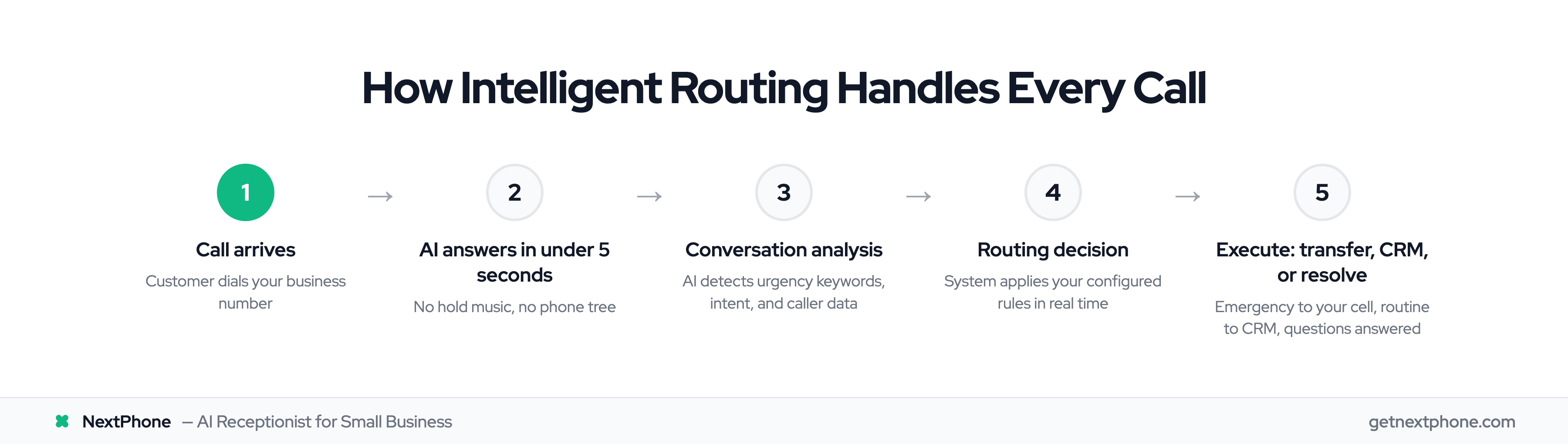
Here's what happens when a call comes in with intelligent routing:
- Call arrives - Customer dials your business number
- AI answers - System picks up in under 5 seconds (humans expect immediate response)
- Conversation analysis - AI listens for keywords, intent, urgency signals
- Decision point - Based on configured rules, system determines next action
- Routing execution - Transfer to human, capture in CRM, schedule appointment, or handle completely
The entire process takes seconds. The caller doesn't wait on hold or navigate menus.
What the AI Analyzes
The system looks at multiple factors. According to Hiya's 2023 State of the Call Report, 35% of US calls are spam or fraud; intelligent routing also filters these out before they waste your time.
- Keywords and phrases: "Emergency," "urgent," "ASAP," "flooded," "burst," "no power," "no heat"
- Conversation context: Caller says "My basement is filling with water" vs "I'd like to schedule a quote"
- Tone and pacing: Rushed speech, stressed tone, repetition signal urgency
- Caller data: Phone number lookup in CRM reveals existing customer, service history, VIP status
- Time factors: Is it 2 PM on a Tuesday or 9 PM on Saturday? Different routing rules apply
- Location: Area code or stated location determines which crew or office handles the call
Routing Actions Available
Once the system makes a decision, it can execute several actions:
- Transfer to human: Live handoff mid-conversation with configurable message ("Transferring you now, please hold")
- Send to CRM: Push lead data via webhook to HubSpot, Salesforce, or any system with an API
- Capture callback: Collect name, number, reason for call, promise specific callback time
- Schedule appointment: Book on calendar if the AI can handle scheduling
- Complete the call: Answer questions, provide information, send follow-up SMS
AI-powered routing reduces average handle time and increases first-call resolution significantly. Research shows 70% of customer inquiries can now be handled by AI without human intervention. Customers get answers faster, and you handle more calls without adding staff.
Emergency vs Routine Call Routing: Why It Matters
This is where intelligent routing pays for itself. The ability to detect and prioritize emergency calls can be worth thousands of dollars per month.
The Data on Call Urgency
Across the 1,446,980 business calls in our analysis, including calls for home services contractors and others, the patterns are clear:
- Urgency keywords rank among the top reasons people call - Words like "emergency," "urgent," "ASAP," "right now"
- True emergencies are a recurring reason people call - Pipe bursts, power outages, no heat in winter, AC failure in extreme heat, active flooding
- Emergency calls are the highest-value work you get - Significantly more valuable than routine service work
- Urgent callers won't wait - They call multiple contractors until someone answers
How AI Detects Emergencies
Modern AI analyzes the full context of the call:
Keyword analysis:
- Direct urgency: "emergency," "urgent," "ASAP," "right now," "immediately"
- Situation-specific: "burst," "flooding," "leaking," "no power," "no heat," "no AC"
- Severity indicators: "water everywhere," "smoke," "sparking," "frozen"
Conversation context:
- Caller says "My pipe burst behind the water heater, there's water everywhere" vs "I think I might need a new water heater soon"
- Tone and pacing: Rushed speech, stressed tone
- Repeated urgency: Caller mentions "as soon as possible" multiple times
Business-specific rules: You configure what counts as an emergency for your industry. For a plumber, "burst pipe" is always an emergency. For an electrician, "no power" is urgent, but "install new outlet" isn't.
Research from Harvard Business Review on emergency triage systems shows that effective triage can reduce response time by 35% and improve customer satisfaction by 40%. A 2025 study on pediatric triage found 78.2% of calls were appropriately triaged; modern AI can match or exceed this accuracy for service businesses. When someone has an actual emergency, getting them help fast matters.
Emergency Routing Logic
Here's how emergency routing works in practice:
During business hours:
- Emergency detected → Immediate transfer to owner or on-call technician
- AI says: "This sounds urgent. Transferring you to our emergency line now, please hold."
- Owner's cell phone rings within 5 seconds
- Caller connected, job booked
After hours:
- Emergency detected → Routes to owner's mobile
- Non-emergency quote request → AI captures details, sends to CRM, promises callback "first thing tomorrow morning"
- Prevents owner burnout from non-urgent 9 PM calls about quotes
Example scenario: Caller at 8:30 PM: "We have no heat and it's 30 degrees outside. Can you help?" AI detects: "no heat" + temperature urgency Action: Transfers to on-call HVAC tech's mobile Result: Tech dispatches, books $3,800 emergency furnace repair
Counter-example: Caller at 8:30 PM: "I'd like to schedule someone to give me a quote on a new furnace." AI detects: Non-urgent, quote request Action: Captures name, phone, details, sends to CRM, promises callback next morning Result: Owner reviews in the morning, calls back, books $6,500 installation
The Revenue Impact
The math is straightforward but sobering.
For a typical contractor getting 42 calls per month:
- Urgent and emergency calls are a recurring share of that volume
- Emergency jobs average $4,200
- If you miss just 1 emergency per week = 4 per month
- Lost revenue: 4 × $4,200 = $16,800 per month
That's $201,600 per year in emergency jobs going to competitors who answered their phones faster.
The brutal reality: Emergency callers call multiple contractors simultaneously. The first one to answer gets the job. If you're on a ladder or under a house when they call, you lose.
6 Types of Intelligent Call Routing
Emergency detection is just one type. Here's how different routing strategies work for small businesses.
1. Location-Based Routing
Routes calls based on where the caller is located or which service area they're in.
How it works:
- System detects caller's area code or asks their location
- Routes to the crew or technician covering that area
- Reduces drive time, faster response for customer
Example: General contractor with crews in Dallas and Fort Worth. Customer calls from a Fort Worth ZIP code. AI routes to the Fort Worth crew lead. That crew arrives 30 minutes faster than if the Dallas crew had taken the call.
Location-based routing reduces customer wait time significantly. For home services, it also reduces your drive time and fuel costs.
2. Time-Based Routing
Different routing rules for business hours vs after-hours, weekends, and holidays.
How it works:
- During 9-5: AI handles all calls, transfers complex ones
- After hours: Emergency calls to owner's cell, everything else to voicemail with callback promise
- Weekends: Reduced crew, different routing rules
Example: After 6 PM, only calls containing emergency keywords route to the owner's mobile. Quote requests go to voicemail with AI saying: "We're closed for the day, but we'll call you back first thing tomorrow morning at 9 AM. Can I get your name and number?"
This prevents owner burnout. You're not getting woken up at 11 PM for someone asking about your hourly rate. But you DO get woken up for the burst pipe that needs immediate attention.
3. Skill-Based Routing
Routes calls to the person with the right expertise to handle the job.
How it works:
- AI determines job type from conversation
- Routes to technician with appropriate skills
- Ensures customer talks to someone who can actually help
Example: HVAC company handles both residential and commercial. Commercial jobs require specific licensing and experience. When caller says "I need service for our office building's HVAC system," AI routes to the commercial team lead, not the residential tech.
Another example: Roofing company. "I have a small leak" goes to any available roofer. "I need a full tear-off and replacement on a 4,000 square foot house" routes to the senior estimator who handles large projects.
4. CRM-Based Routing
Routes based on caller data stored in your CRM system.
How it works:
- AI captures caller's phone number
- Sends HTTP webhook to your CRM (HubSpot, Salesforce, Pipedrive, any system with an API)
- CRM returns customer data: existing vs new, service history, VIP status
- AI routes accordingly
Technical details: The system uses template variables like [caller_number], [customer_id], and [service_history] to populate API requests. According to Stripe's webhook best practices, webhook-based integrations are 4X faster to implement than custom API development.
Example: Caller is an existing customer with $40,000 in service history over 3 years. CRM lookup identifies them as a VIP. AI routes directly to owner instead of standard queue. Owner answers: "Hey John, good to hear from you. What can we help with today?" Personalized service, customer feels valued. Research shows priority routing keeps 28% more top-tier clients and follow-the-sun routing reduces abandoned calls by 45% during off-hours.
Counter-example: New caller, first-time contact. AI captures their info, sends lead to CRM, handles basic questions, and if they need a quote, adds them to the quote follow-up queue.
5. Department Routing
Routes calls to sales, support, billing, or scheduling based on what the caller needs.
How it works:
- AI detects call intent from conversation
- "I want a quote" → sales queue
- "Where's my invoice?" → billing
- "I need to reschedule" → scheduling
- No button pressing required
Example: Caller says: "I got your quote last week and I'd like to move forward." AI detects buying intent, routes to sales team. They close the deal.
This eliminates the traditional IVR problem: "Press 1 for sales, press 2 for support, press 3 for billing." The AI just listens and routes.
6. Failover Routing
What happens when the primary person doesn't answer.
How it works:
- Call rings primary contact (owner's cell)
- If no answer after 20 seconds, routes to secondary (office manager)
- If still no answer, captures callback with specific promise ("We'll call you back within 30 minutes")
- Sends urgent SMS to owner: "Emergency call from [caller], topic: [burst pipe], callback number: [number]"
Example: Emergency call comes in at 7 PM. Rings owner's cell. Owner is at dinner, phone on silent. After 20 seconds, routes to backup on-call tech. Tech answers, handles emergency, books job.
This ensures no call falls through the cracks. According to Software Advice's small business phone system survey, 68% of small businesses cite "missed calls" as their top communication pain point. Failover routing solves this.