"Thank you for calling. Your call is important to us. Please listen carefully as our menu options have changed."
No they haven't. They've been the same for three years.
Your customers know this recording. They've heard it hundreds of times. They're already annoyed before they even reach a menu option.
Traditional auto-attendants served a purpose when the alternative was a busy signal. While McKinsey argues IVR still matters in an AI world, today's auto-attendants are often a customer experience problem you can solve without replacing your entire phone system.
The Auto-Attendant Problem
Auto-attendants do two things: play recordings and route based on button presses.
That's filtering calls.
"Your Call Is Important"
Salesforce research identifies this phrase as the #1 thing consumers don't want to hear when calling customer service. In fact, 88% of customers say the experience a company provides is as important as its product. It's become synonymous with "you're about to wait" rather than "we value you."
Customers know the recording means they're entering a phone tree, not getting help.
Scripted Menus
"For sales, press 1. For service, press 2. For billing, press 3..."
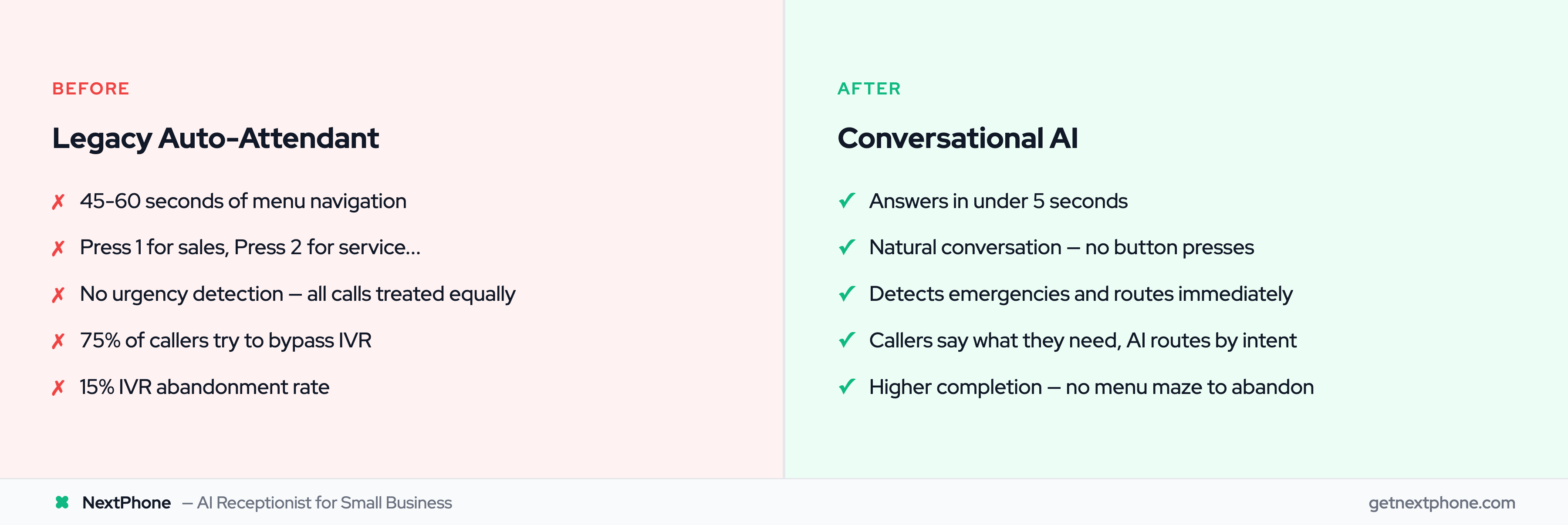
The script never changes. It can't adapt to what callers actually say. 85.8% of Fortune 500 companies still use IVR systems, but that doesn't mean they should stay static. There are better IVR alternatives available now. A customer with a simple question ("Do you service my area?") navigates the same maze as someone with a complex problem.
Directory Dialing
"If you know your party's extension, dial it now. Otherwise, spell the last name using your keypad."
S-M-I-T-H. Which Smith? Hold please.
Nobody enjoys this experience. It exists because old technology required it, not because it's good. 75% of customers actively try to bypass IVR systems when they call.
No Intelligence
A caller saying "This is an emergency" gets the same menu as everyone else. The auto-attendant can't detect urgency, can't adapt to tone, can't recognize that this call is different.
Calls containing urgency language rank among the top reasons people call. Auto-attendants treat them all identically. IVR abandonment rates average 15%, with mobile callers abandoning even more frequently. Many businesses are now replacing IVR with AI to solve exactly this problem.
What Conversational AI Does Differently
Conversational AI replaces the recording with a conversation.
Natural Language Understanding
Caller: "I need to schedule service for my AC."
AI: "I can help with that. Are you available this week or would next week work better?"
No menu. No button presses. The caller states their need; AI responds appropriately.
Context Awareness
AI remembers what the caller just said. If they mention both a scheduling request and a billing question, AI handles both, or routes to the right person after gathering context.
Traditional auto-attendant: Pick one option. Call back for the other.
Urgency Detection
AI identifies language patterns indicating emergencies. "My pipe burst," "I have no heat," "this is urgent": these trigger intelligent call routing to on-call staff rather than a standard menu. For plumbers and HVAC companies, this kind of urgency detection is essential.
No pressing 7 for emergencies. No hoping someone checks voicemail quickly.
Instant Response
AI answers in under 5 seconds. No holding while the auto-attendant plays its full recording. The conversation starts immediately.
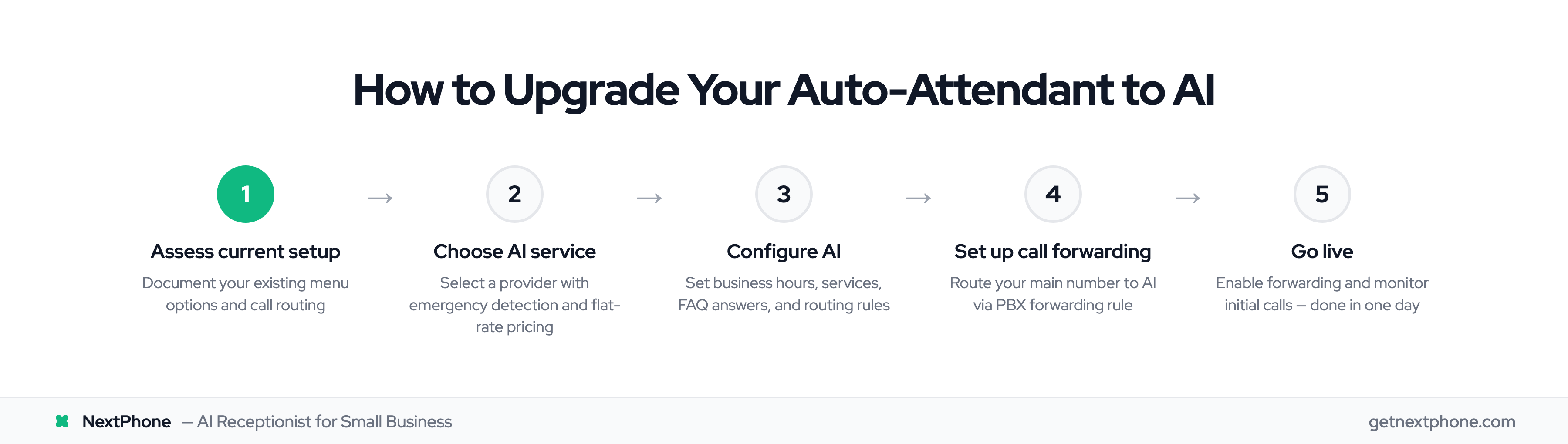
Keep Your PBX Infrastructure
You don't need to replace your phone system to upgrade from auto-attendant to AI. While 62%+ of enterprises have migrated from legacy PBX to cloud, with 28% cost savings and 32% productivity improvement, even those who haven't can still upgrade their auto-attendant.
Call Forwarding Integration
Most PBX systems support call forwarding. Instead of routing incoming calls to your auto-attendant, forward them to AI.
Your existing phones work. Your extensions work. Your internal routing works. Only the customer-facing auto-attendant changes.
Hybrid Approach
Keep auto-attendant for internal calls (extension dialing, internal directories) while routing external customer calls to AI. Best of both worlds.
Gradual Migration
Start with after-hours calls only. Then add overflow. Then add main line. Prove it works before committing fully. Only 40% of organizations have migrated to UCaaS, with 44% having no plans within 3 years, so gradual upgrades make sense.