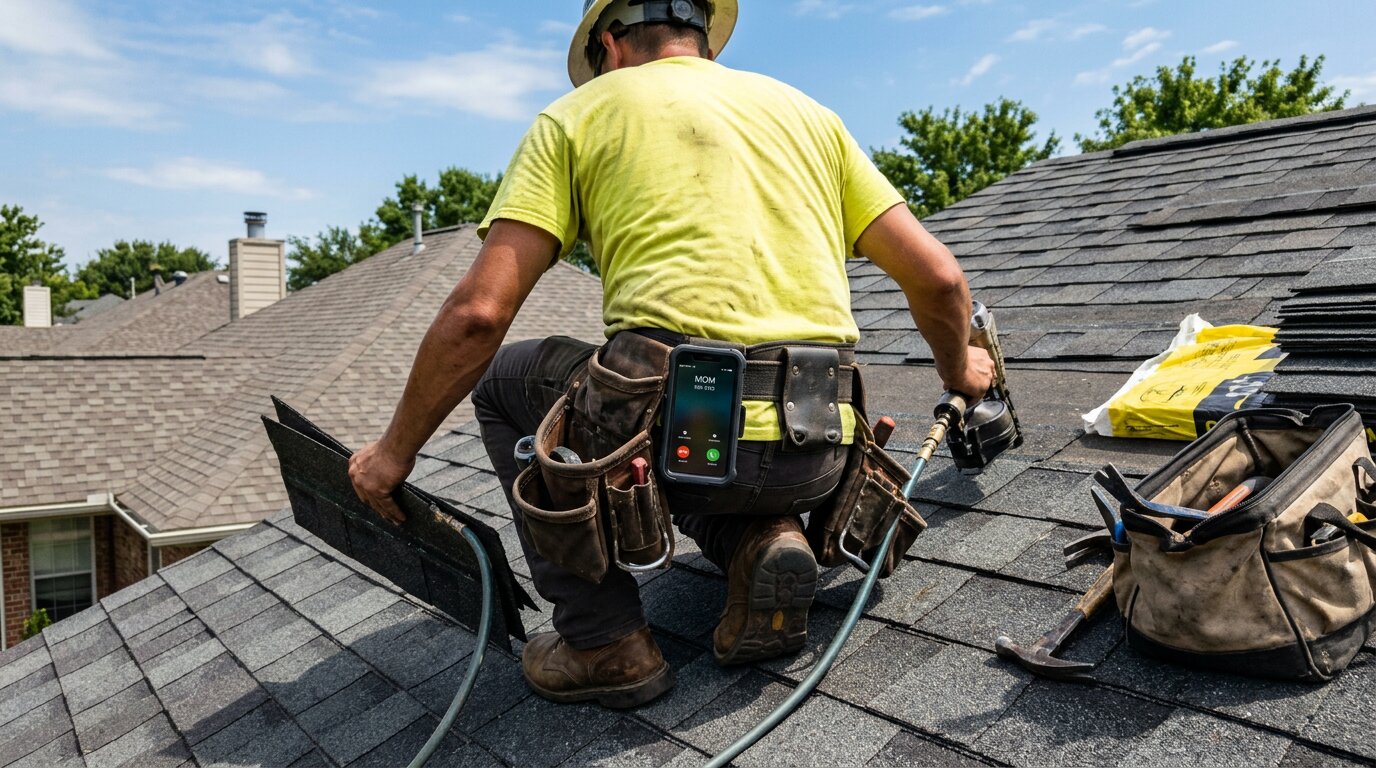
You're on a roof installing shingles. Your phone rings: potential customer calling about an emergency repair. But you can't climb down safely right now. The call goes to voicemail. By the time you check your messages two hours later, they've already booked another contractor. That's a $4,200 job gone.
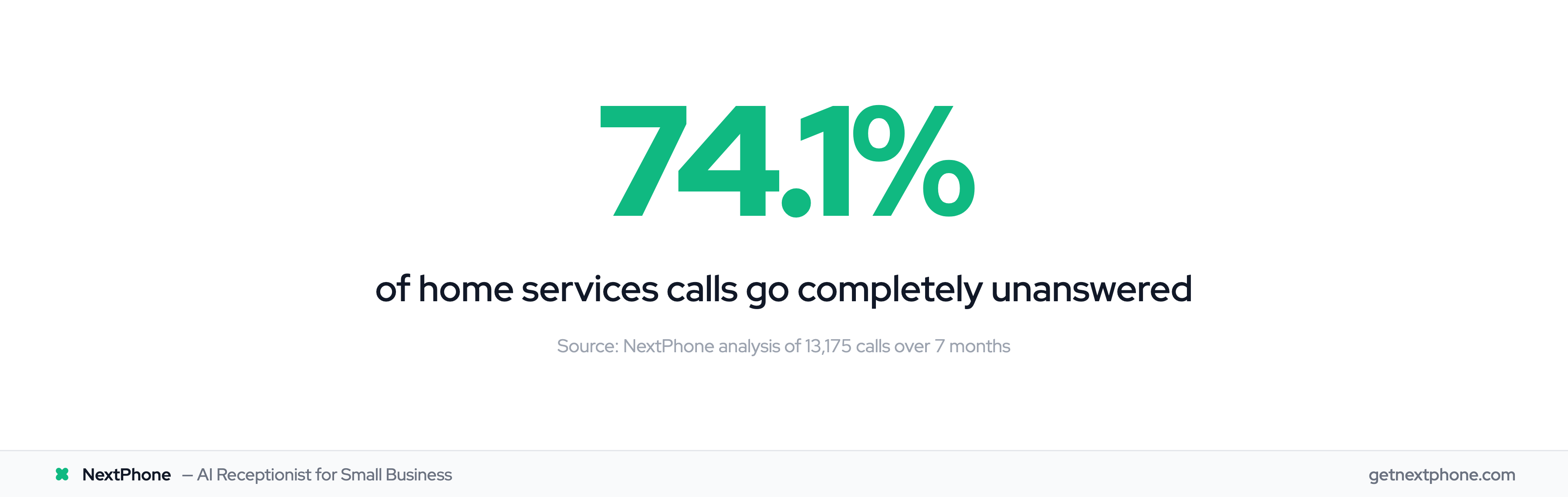
This happens more than you think. Industry research shows 74.1% of calls to home services contractors go completely unanswered. That's three out of every four potential customers calling someone else.
If you're looking to leave RingCentral, you're probably thinking about switching to another VoIP provider. But here's the thing: most solopreneurs and small crews don't actually need another phone system. They need someone to answer their customer calls.
This guide shows you your real migration options, including a simpler (and often cheaper) alternative.
Why Businesses Are Leaving RingCentral
The Price Creep Problem
RingCentral's pricing starts at $20 per user per month with an annual commitment, but the real cost adds up fast. The Advanced plan (which most businesses actually need) costs $25 per user monthly when paid annually, or jumps to $35 per user if you pay month-to-month.
For a 5-person team, that's $125 to $175 per month before regulatory fees. Add the $3-5 per line in regulatory surcharges, and you're looking at $140-200 per month.
Small businesses end up paying for enterprise features they never use: video conferencing rooms for 200 people, advanced analytics dashboards, and team collaboration tools that sit idle while they're out on job sites.
Feature Complexity Overload
RingCentral's platform offers over 500 integrations and countless features. That sounds great until you're the one trying to figure out which menu configures call routing.
Many users report a steep learning curve and a clunky setup process. The interface is built for IT administrators at large companies, not contractors who just need their calls answered while they're under a house fixing a pipe.
Customer Service Nightmares
According to Trustpilot reviews, RingCentral holds a rating of 2.2 out of 5 stars, primarily due to customer complaints regarding service quality and contract terms. Reviews mention "worst customer service," "delayed refund processing," and "terrible response time."
Better Business Bureau data shows that only 14% of 49 complaints filed were resolved. Multiple customers report that "they make it nearly impossible to cancel" and pursue aggressive collections for contract terms with questionable fees.
On PissedConsumer, RingCentral has a 1.4-star rating from 154 reviews. The pattern is clear: pricing frustration, support issues, and contract lock-in concerns drive businesses away.
What RingCentral Actually Offers
To be fair, RingCentral is a solid product built for a different customer than most small businesses.
RingCentral Plans & Pricing
Prices checked against each provider's own pricing page on October 5, 2026. RingCentral, Unitel Voice and Ooma phone plans re-read on their own pricing pages October 8, 2026.
RingCentral offers three main tiers:
- Core Plan: $20 per user/month (annual) or $30 per user/month (monthly): Basic features, 100 toll-free minutes, team messaging, and video meetings
- Advanced Plan: $25 per user/month (annual) or $35 per user/month (monthly): Adds automatic call recording, advanced analytics, and integrations
- AI Customer Engagement Bundle: the third tier on the pricing page, with the AI Receptionist included, 10,000 toll-free minutes and unlimited storage; it shows no price, only "Contact us for pricing"
You can save up to 33% by paying annually. But don't forget the regulatory fees that add another $3-5 per line to your monthly bill.
Core Features You're Paying For
RingCentral provides team messaging, HD video calls, business SMS, auto-attendant, call routing, and integrations with tools like Salesforce and Microsoft 365. They claim 99.999% reliability and maintain a secure cloud platform.
For a larger team with complex communication needs (multiple departments, call centers, international offices), RingCentral delivers solid value. RingCentral holds 20% of the global UCaaS market share, and their packages range from $20-$35/user/month depending on features.
The problem? Most contractors, electricians, plumbers, and small business owners don't need any of that. They need their customer calls answered while they're working. RingCentral doesn't solve that problem.
Do You Actually Need a VoIP System?
What VoIP Systems Actually Solve
VoIP platforms like RingCentral solve team communication problems. Research shows 62%+ of enterprises have migrated from legacy PBX to cloud, with 74% US enterprise cloud PBX adoption and typical results of 28% cost savings and 32% productivity improvement. They give you:
- Internal extensions so employees can call each other
- Video conferencing for remote team meetings
- Team chat and collaboration tools
- Call routing between departments
- Analytics on team call performance
These features make sense if you're managing a call center, coordinating remote sales teams, or running a business with multiple departments.
What Most Small Businesses Actually Need
Here's the reality for most contractors and small business owners: You don't have departments. You don't hold daily video standups. Your two-person crew doesn't need internal extensions to reach each other.
What you actually need is simple: Someone to answer customer calls while you're working.
Industry research shows 74.1% of calls to home services businesses go unanswered. For a typical contractor receiving 42 calls per month, that's 31 missed calls going straight to voicemail. At a 20% conversion rate and $3,500 average job value, you're losing $21,700 per month in revenue.
And here's what makes it worse: approximately one in four callers explicitly asks for a callback. Without a systematic tracking system, most of those callback requests fall through the cracks.
The Real Question: Who Answers Your Customer Calls?
Your phone rings while you're in an attic running electrical wire. While you're on a roof installing shingles. While you're under a sink fixing a leak. While you're driving to the next job. While you're at dinner with your family.
VoIP systems don't fix that. They just give you a fancier way to miss calls.
Your RingCentral Migration Options
Option 1: Switch to Another VoIP Provider
The VoIP market offers plenty of RingCentral alternatives:
- Nextiva: Emerges as the best alternative to RingCentral with similar features, strong reliability, and comparable pricing
- Unitel Voice: Starts at just $9.99/month with basics like business number, voicemail, auto-attendant, and call forwarding
- Ooma Office: Plans start at $24.95 per user per month (Essentials) for a no-frills business phone service
- OpenPhone: Modern interface built for small teams, with shared inboxes and collaboration tools
These are solid options if you genuinely need VoIP features. Comparisons of the top 13 RingCentral alternatives show Nextiva and CloudTalk offer the best cost-capability balance. But they all share the same fundamental limitation: they don't answer your calls when you're working.
Option 2: Switch to an AI Receptionist
This is the category most contractors don't know exists yet.
An AI receptionist isn't trying to replace VoIP feature-for-feature. It solves a completely different problem: answering every customer call 24/7 while you work.
NextPhone answers calls in under 2 seconds, handles routine questions (hours, pricing, services), books appointments, detects emergencies and routes them to your phone immediately, and captures every lead into your CRM.
Despite initial skepticism, customers often prefer the AI receptionist over low-quality human answering services. The pickup is faster, responses are consistent, and it works when traditional services would be closed.
Option 3: Hybrid Approach (Best of Both)
You can keep RingCentral for legitimate team needs and add NextPhone for customer-facing calls.
For example: A general contractor with a 3-person team keeps RingCentral's Core plan ($20/user × 3 = $60/month) for internal extensions and keeps his existing team number. He gets a new NextPhone number ($199/month) for all customer inquiries and puts it on his website, Google Business Profile, and advertising.
Total cost: $259/month for complete team communication plus 24/7 customer call answering. Every customer call gets answered. Team features remain intact.
RingCentral vs NextPhone: Cost Comparison
What You Pay with RingCentral
Let's calculate real costs for a 5-person team:
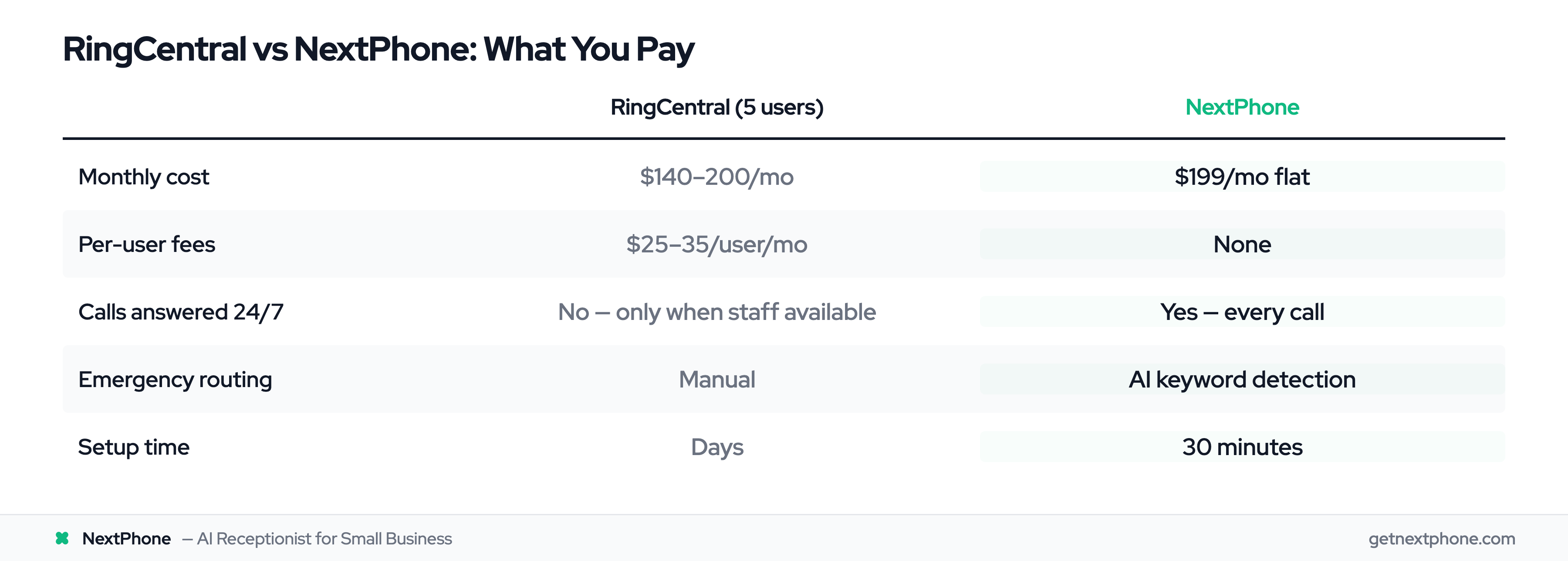
- Annual commitment: $25/user × 5 users = $125/month
- Monthly payment: $35/user × 5 users = $175/month
- Regulatory fees: +$15-25/month (at $3-5 per line) Total: $140-200/month
You're paying up to $200 per month for a phone system that still doesn't answer calls when your team is working on job sites.
What You Pay with NextPhone
NextPhone's flat monthly plans start at $199. Unlimited calls. 24/7 AI answering. No per-user fees. No hidden charges.
The pricing is nearly identical to RingCentral for a small team. But with NextPhone, every single call gets answered.
The Revenue Capture Equation
Here's the math that matters:
A typical contractor receives 42 calls per month. At a 74.1% miss rate, 31 calls go to voicemail. Even if only 20% of those would have converted at an average $3,500 job value, that's:
31 missed calls × 20% conversion = 6.2 jobs captured 6.2 jobs × $3,500 = $21,700 per month in captured revenue
NextPhone pays for itself if it captures ONE job. Everything after that is pure profit recovery.
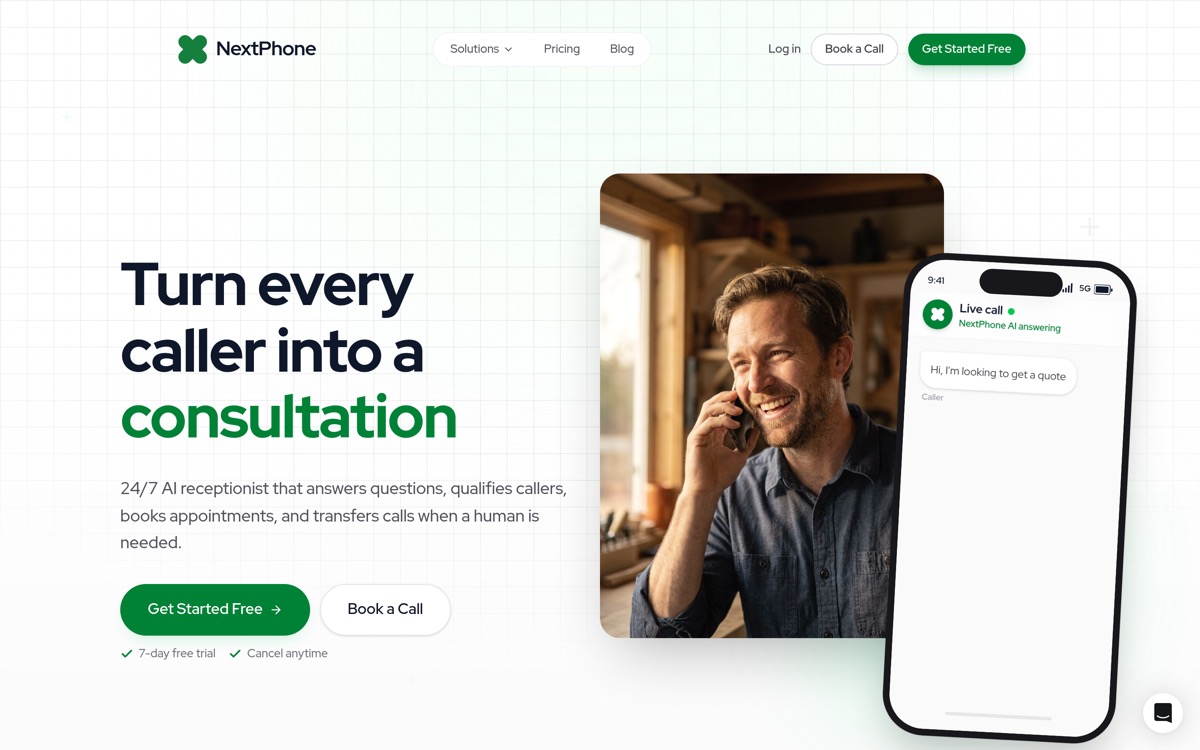
Try NextPhone free for 7 days
AI answering service that answers, qualifies, and books, 24/7.