Your startup uses OpenPhone. You've got a shared sales number, unlimited calling to the US and Canada, and your team can see who's handling which conversations. It's perfect for modern, mobile-first teams.
But here's what happened last Tuesday: Your whole team was heads-down in a product sprint. A potential customer called asking about pricing and timeline. The call rang through your shared OpenPhone number. Nobody picked up. The customer called your competitor. You lost a $4,500 deal without even knowing it happened.
OpenPhone is great for team collaboration. But it can't answer calls when your whole team is unavailable. That's where an AI receptionist comes in, working alongside OpenPhone. 85% of customer service leaders plan to pilot conversational GenAI in 2025; the smart ones are using it to complement their existing systems.
What Makes OpenPhone Popular with Startups
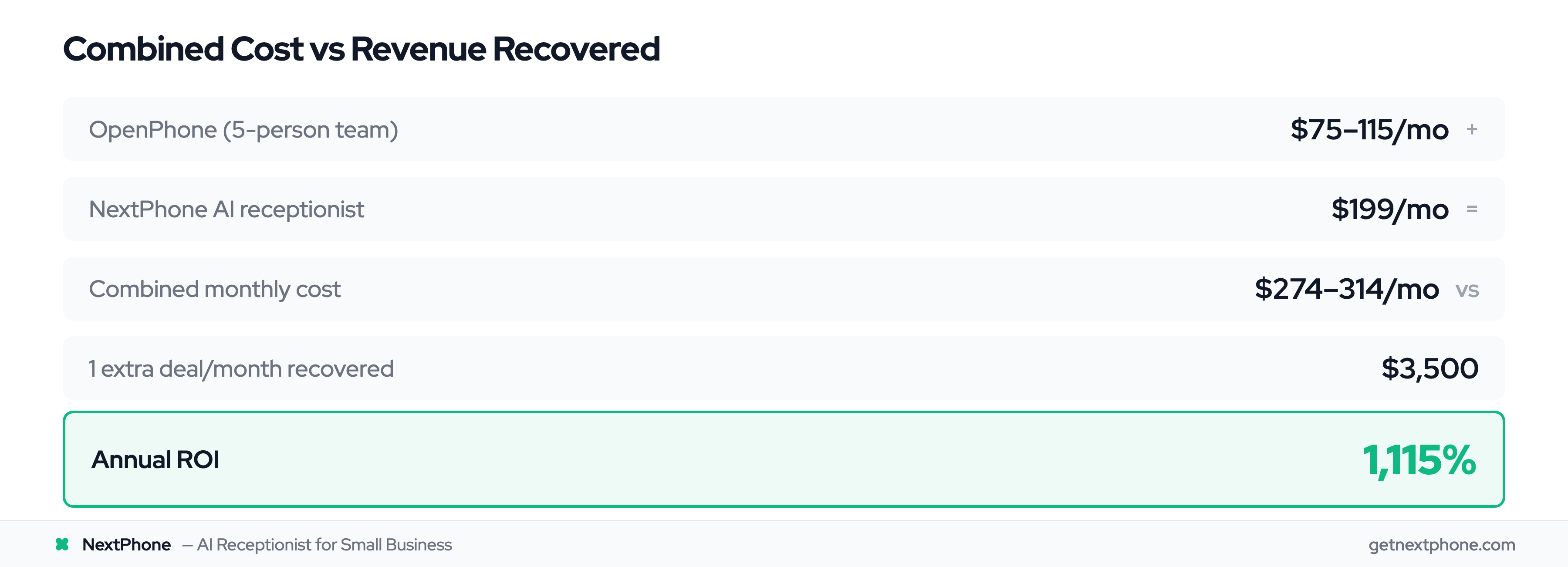
OpenPhone (recently rebranded as "Quo") is one of the most user-friendly business phone systems on the market, averaging 4.8 stars across over 1,100 reviews. Plans start at just $15 per user per month for unlimited calling and texting in the US and Canada.
Mobile-First VoIP Platform
OpenPhone works on Mac, Windows, iOS, Android, and the web. Your team doesn't need desk phones. Everyone uses their existing devices. Calls and texts sync across all platforms, so you can start a conversation on your laptop and finish it on your phone.
Shared Team Numbers
Multiple team members can share a single business phone number. When a customer calls, everyone on the team sees the incoming call. When someone texts your sales line, the whole team can view the conversation and add internal notes. No more "who was supposed to call that lead back?"
Native CRM Integrations
OpenPhone offers native integrations with HubSpot and Salesforce on their Business plan ($23/user/month). Calls and messages automatically log to your CRM. You can also connect to Slack for team notifications and Zapier for broader automation across 7,000+ apps.
For startups already using these tools, OpenPhone slots right into your existing workflow without forcing you to change how you work.
The Call Coverage Problem
Here's the reality: shared phone numbers only work when someone's available to answer.
Why Shared Numbers Still Miss Calls
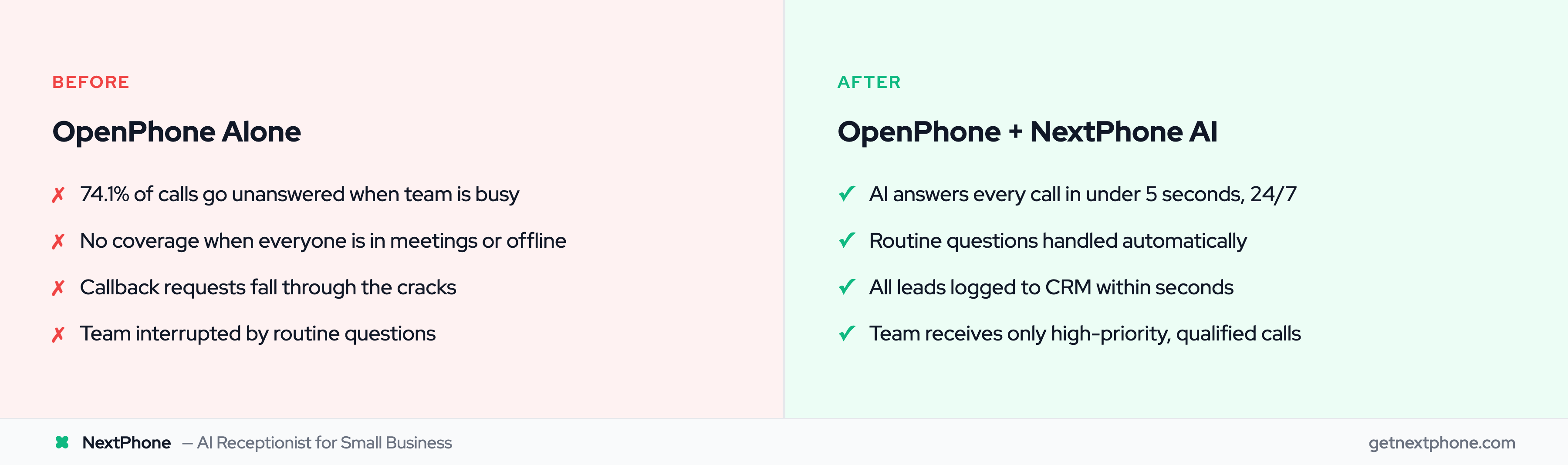
When your whole team is in meetings, focused on building product, or simply offline after 6 PM, all those calls go to voicemail. Shared numbers only distribute the calls your team can already handle.
The Data on Missed Calls
Industry research shows something surprising: 74.1% of calls to home services businesses go completely unanswered. Research from Invoca puts the figure at 62%. The problem is widespread. That's three out of every four potential customers calling someone else.
It gets worse. Approximately one in four callers explicitly asks for a callback: phrases like "please call me back" or "I'll try again later." Without a systematic way to track and follow up, most of these callback requests fall through the cracks.
What This Costs Startups
Let's do the math for a typical small business receiving 42 calls per month:
- 74.1% go unanswered = 31 missed calls per month
- If just 20% would have converted at an average $3,500 project value
- That's $21,700 per month in lost revenue
- Or $260,400 per year
For a startup paying $138/month for a 6-person OpenPhone plan, that's a painful irony. You're paying for a modern phone system and still losing a quarter million in revenue to missed calls.
How NextPhone Complements OpenPhone
NextPhone doesn't replace OpenPhone. It adds an AI receptionist layer that answers every call, then decides what happens next.
AI Receptionist as First Responder
NextPhone answers in under 2 seconds, 24/7. When a call comes in:
- The AI introduces your business naturally
- Asks how it can help
- Handles common questions about hours, pricing, services, and availability
- Collects caller information: name, phone, email, needs, timeline
Your customers get immediate answers. Your team stays focused on building. 65% of businesses are already using AI. You don't have to choose between AI and your existing phone system.
Intelligent Call Routing
Not all calls need to go to your team. The AI routes calls based on intent:
Routine inquiries (hours, pricing, general questions): AI handles completely, logs to CRM, sends follow-up SMS with booking link
Qualified leads (ready to schedule, interested in specific service): AI collects all info, creates detailed CRM record, notifies team via email with transcript
Urgent situations (urgent calls with keywords like "emergency" or "ASAP" rank among the top reasons people call): AI immediately transfers to your OpenPhone team number mid-conversation with context
What NextPhone Handles vs What Goes to Your Team
Think of it as a filter and amplifier:
AI handles autonomously:
- "What are your hours?"
- "How much does [service] cost?"
- "Do you work in [location]?"
- "Can I get a quote?"
- After-hours scheduling requests
AI transfers to your OpenPhone team:
- Technical questions requiring expertise
- Complex pricing discussions
- Urgent customer issues
- Calls where customer explicitly asks for a human
Result: Your team gets only high-value, qualified calls. Everything else is handled automatically and logged to your CRM.
Integration Workflow
Here's exactly how NextPhone and OpenPhone work together:
The Call Flow
- Customer calls your business number (this can be a new NextPhone number or your existing number forwarded)
- NextPhone AI answers in under 2 seconds with your business name and custom greeting
- AI engages in conversation, asking qualifying questions you've configured
- AI decides next step:
- Routine: AI provides answer, collects info, schedules follow-up
- Urgent/Complex: AI transfers call to your OpenPhone team number
- Call ends: AI sends SMS confirmation to customer, emails transcript to team, logs everything to CRM
CRM Sync
NextPhone integrates with the same CRMs OpenPhone uses: HubSpot and Salesforce. Call data flows through webhooks:
- Contact info (name, phone, email)
- Call transcript and recording
- AI-generated summary of needs and timeline
- Tags based on call intent (quote request, support, sales)
- Next steps and follow-up tasks
Everything appears in your CRM within seconds of the call ending, not hours later when someone "gets around to it."
Team Notifications
Your team receives an email notification for every call with:
- Caller's name and phone number (tap to call back via OpenPhone)
- AI-generated summary
- Link to full transcript
- Link to call recording
- Recommended next action
If the AI transferred a call to your OpenPhone number, your team already has the context before they pick up.
This is how modern VoIP integrations should work: seamless data flow with zero manual entry. The VoIP market is projected to reach $102.5B by 2026, and intelligent AI integration is driving much of that growth.