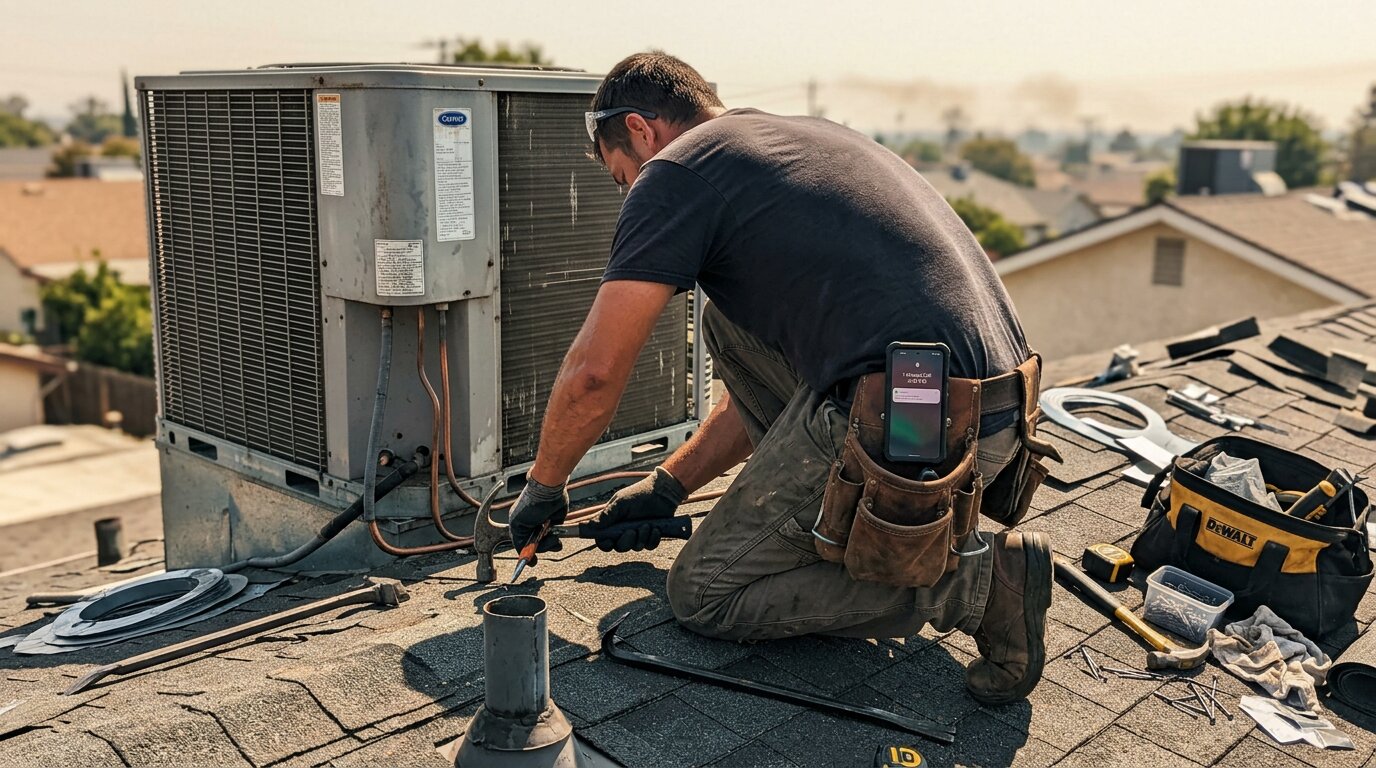
Your phone rings. You're on a roof replacing shingles, and your phone's in the truck below. The customer needs an emergency repair - a leak that's getting worse by the hour. They call once. The call forwards to your Ooma voicemail. They don't leave a message. They call the next roofer. You just lost a $4,200 job.
This happens more than you think. Industry research shows 74.1% of calls to home services contractors go completely unanswered. That's three out of every four potential customers calling someone else.
Ooma Office for Small Business: Popular but Limited
Ooma Office is one of the most popular VoIP phone systems for small businesses - and for good reason. Starting at $19.95 per user per month, it offers call forwarding, a virtual receptionist, mobile app access, and conference calling. Ooma customers save an average of 50% compared to traditional phone systems. That's a solid deal compared to traditional business phone systems that can run $50-100+ per line.
Small contractors, service companies, and local businesses love Ooma because it's affordable and reliable. 90% of businesses that switch to VoIP report improved communication. Plumbers, electricians, HVAC techs, and general contractors use it to manage their business lines without breaking the bank.
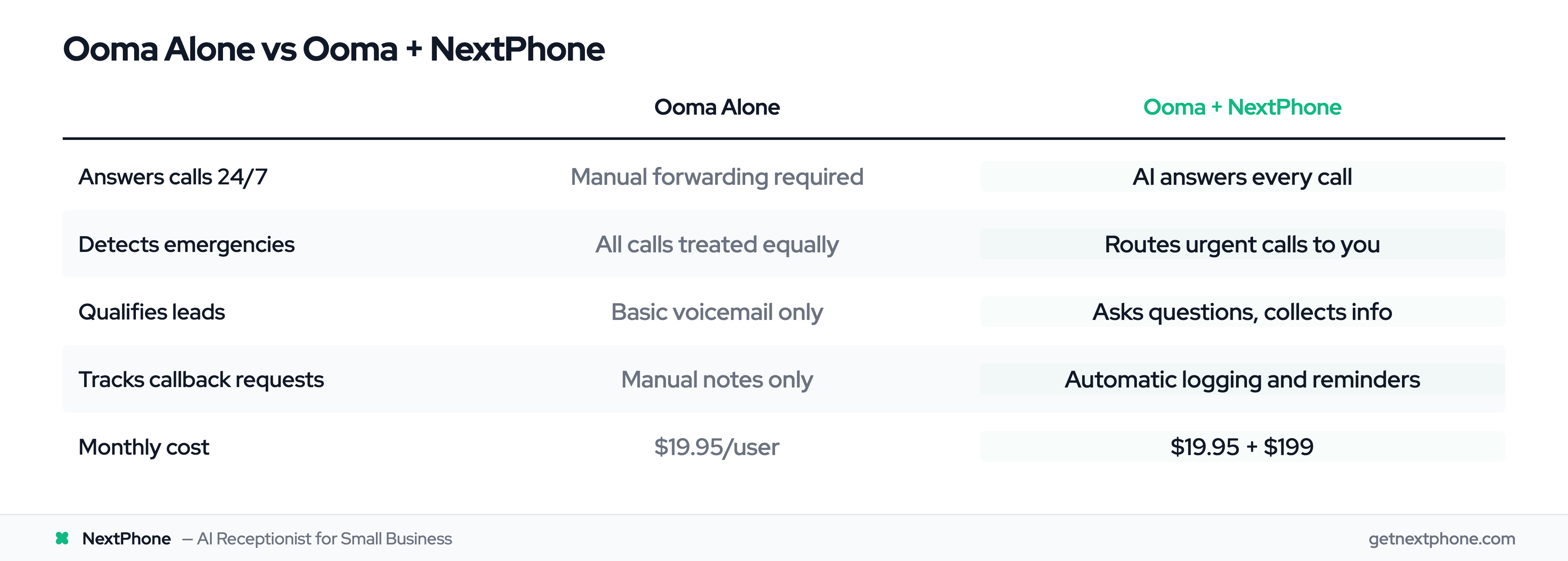
But here's the thing: Ooma can't answer your phone when you're physically working. The virtual receptionist feature is a basic auto-attendant - "Press 1 for sales, press 2 for service." It can't have a real conversation, qualify leads, or tell the difference between a routine question and an emergency.
The Real Cost of Missed Calls for Small Businesses
How Many Calls Actually Go Unanswered?
We've answered more than 2,000,000 business calls. The numbers on the industry side are brutal: research shows 74.1% of calls to home services businesses go completely unanswered.
That's three out of four calls where the customer hung up and called someone else.
Why Contractors Miss Calls
You're not ignoring calls because you don't care. You're missing them because you're working:
- Roofers are on ladders or roofs - can't safely reach for a phone
- Plumbers are under sinks or in crawl spaces - hands are dirty or tools are running
- Electricians are in attics or working with live wires - safety regulations prevent phone use
- HVAC techs are on roofs or inside units - can't hear the phone ring
- General contractors are operating machinery - too loud to hear calls
That's the reality of hands-on work. Your Ooma system forwards calls to your mobile, but you still can't answer if you're 20 feet up a ladder.
The Revenue Impact
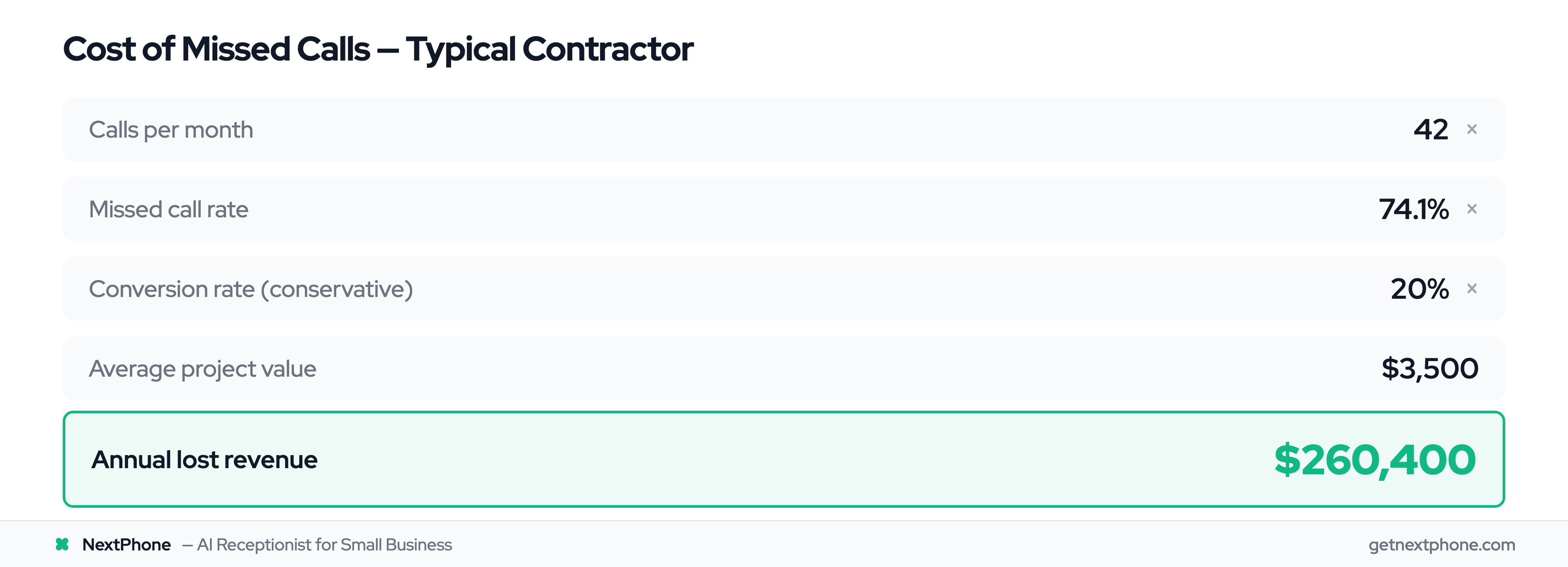
Here's the math for a typical contractor getting 42 calls per month:
- 42 calls/month × 74.1% missed = 31 missed calls every month
- If just 20% would convert at a $3,500 average project value
- That's $21,700 per month in lost revenue
- Annual impact: $260,400 per year
And these aren't all unimportant calls. Approximately one in four callers explicitly asks for a callback, and urgency language like "emergency," "urgent," or "ASAP" ranks among the top reasons people call.
Traditional Ooma Integrations Don't Solve the Core Problem
Call Forwarding to Mobile
Ooma's call forwarding works great - in theory. Calls ring your mobile phone, and you can answer from anywhere.
But if you're on a ladder, under a house, or operating equipment, you still can't answer. The customer hears ringing, then voicemail. Same problem, different device.
CRM Integrations
You can connect Ooma to your CRM through platforms like Zapier. It'll log call data, track numbers, and create records.
But here's what it won't do: answer the call. CRM integration helps with data management, but it doesn't capture the lead in the first place.
The After-Hours Coverage Gap
You can set up manual forwarding schedules for after-hours calls. But that still requires you to be available and able to answer. If you're at dinner, at your kid's soccer game, or just trying to have a life, you're back to the missed call problem.
Ooma's basic virtual receptionist can play a message and take simple inputs. But it can't qualify leads, detect emergencies, or have an actual conversation. Most customers hang up when they get a robotic menu.
The bottom line: traditional integrations automate data logging. They don't solve the fundamental problem of answering calls when you're unavailable.
AI Receptionist: The Modern Integration That Actually Answers Calls
How AI Receptionists Work
Here's what's different about AI receptionist integration: it actually answers the phone and has real conversations.
When a customer calls, the AI picks up in under 5 seconds. It doesn't play a menu. It greets them naturally and asks how it can help - just like a human receptionist would.
The AI is trained on your specific business. It knows your services, pricing, service areas, and hours. It can answer common questions without involving you at all.
Smart Call Routing and Emergency Detection
This is where AI shines compared to basic call forwarding.
The AI analyzes what the caller is saying in real-time. Urgency indicators like "emergency," "urgent," "ASAP," or specific situations like "pipe burst" or "no power" rank among the top reasons people call.
When the AI detects these patterns, it immediately transfers the call to your mobile phone. You get emergency calls right away, while you're still on site and available.
For routine questions - "What are your hours?" "Do you service my area?" "How much for a standard service call?" - the AI answers from its knowledge base. No need to interrupt your work for questions your website already answers.
Callback Tracking and Lead Qualification
Remember that roughly one in four callers who request callbacks? Without a system to track them, most of those callback requests never happen. You forget, you get busy, or you lose the note.
AI receptionists log every callback request automatically. You get the caller's name, number, preferred callback time, and reason for calling - sent to your phone, email, or CRM immediately.
The AI also qualifies leads while it has them on the phone:
- What service do they need?
- What's their timeline? (Today? This week? Next month?)
- What's their budget range?
- Is this an emergency or routine request?
- Are they an existing customer or new lead?
You get qualified lead information, not just "missed call from 555-1234."
24/7 Coverage Without Hiring Staff
The AI never sleeps, never takes lunch breaks, and never calls in sick. It handles after-hours calls, weekend calls, and holiday calls with the same quality as Tuesday at 2 PM.
It can sync with your CRM (HubSpot, Salesforce, ServiceTitan, Jobber), send SMS confirmations to customers, and even book appointments if you connect it to your scheduling system.