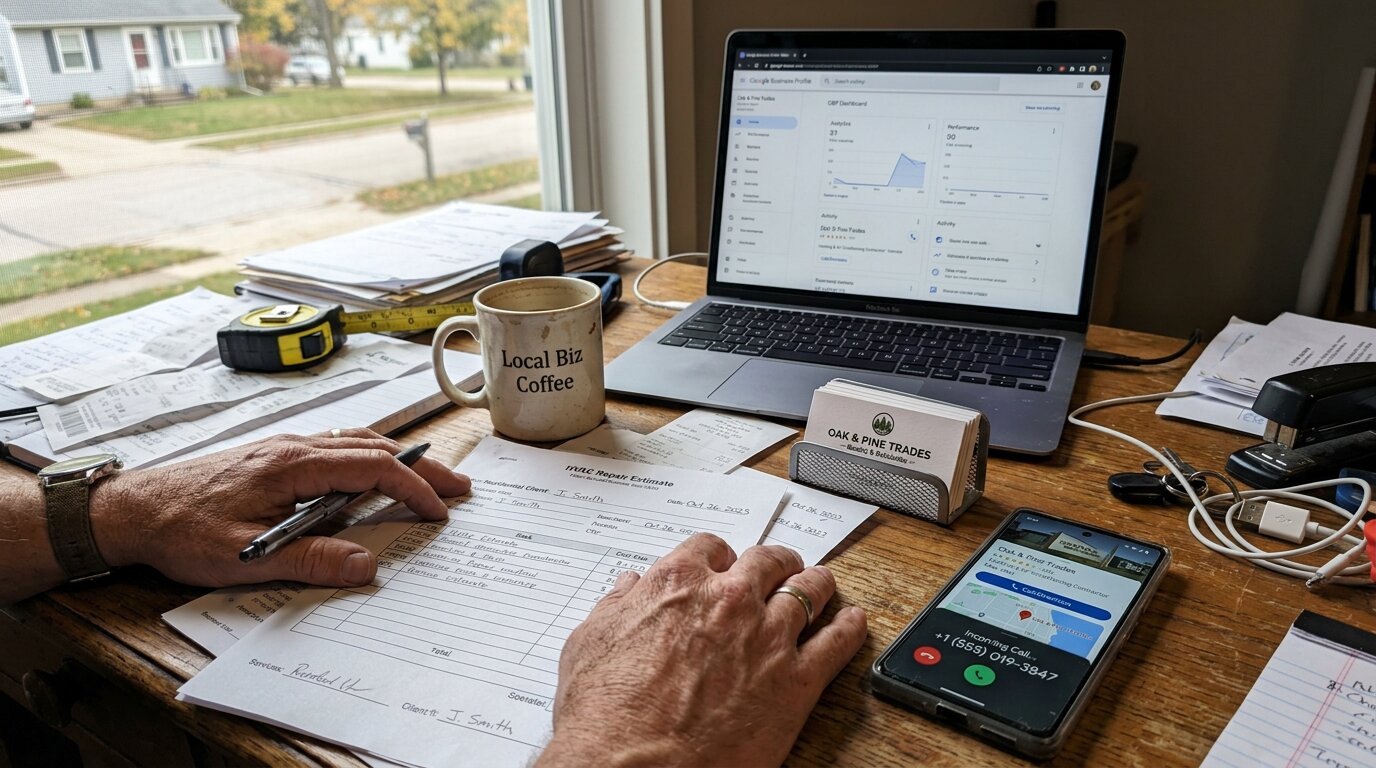
It's 7 PM on a Tuesday. Your phone rings. A homeowner's AC just died in 95-degree heat. They found you on Google. Your listing says "Open until 8 PM." But you're at dinner and don't answer. They call the next contractor. That contractor's AI receptionist answers in 3 seconds, checks their Google Business Profile, and says "We're open for another hour. This sounds urgent. Let me connect you to our on-call tech right now." Job lost. $3,500 gone.
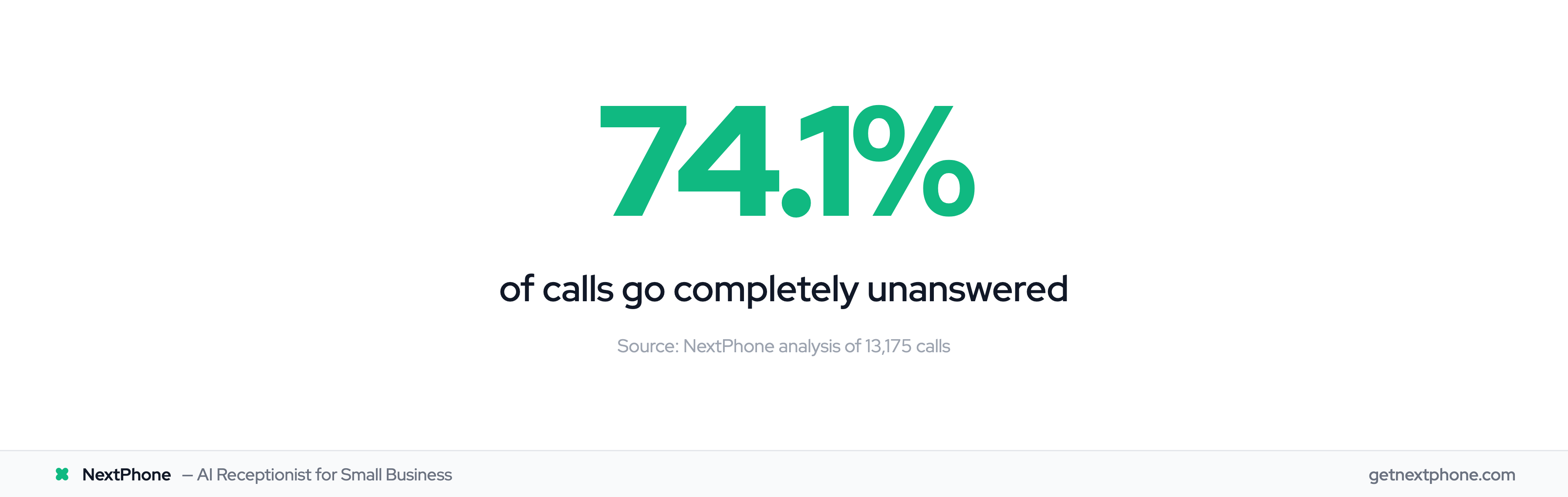
This happens more than you think. Across the 1,446,980 business calls in our analysis, including calls for home services contractors and others, the pattern is consistent: research puts the unanswered rate at 74.1%. Industry research confirms 62% of calls to home services businesses go unanswered. That's three out of every four potential customers calling someone else. Even worse, approximately one in four callers asks for a callback, and most never get one.
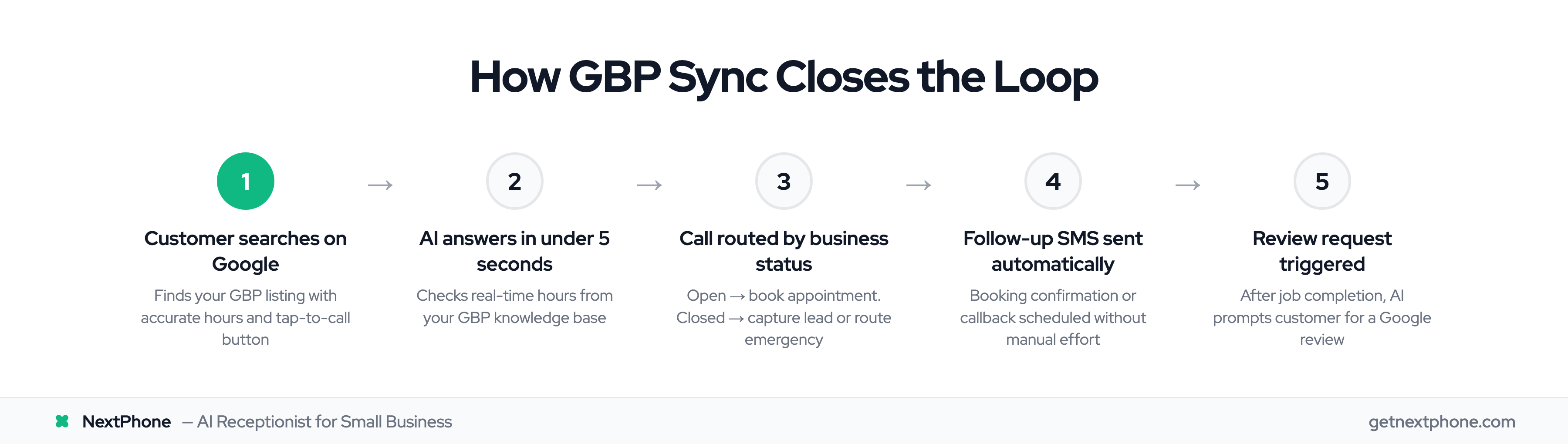
Here's how syncing your Google Business Profile with an AI receptionist solves this problem. 85% of customer service leaders will pilot conversational GenAI in 2025.
The Hidden Cost of Inaccurate Business Information
When Customers Can't Reach You
You're on a roof installing shingles. A potential customer calls. Your phone's in the truck. The call goes to voicemail. They don't leave a message. They call the next roofer whose AI answers immediately.
Industry research shows 74.1% of calls to home services businesses go completely unanswered. For the typical home services contractor receiving 42 calls per month, that's 31 missed opportunities. If just 20% of those calls would have converted at an average project value of $3,500, that's $21,700 per month in lost revenue, or $260,400 per year.
The problem goes beyond job sites: after-hours calls, holiday hours you forgot to update, and customers who can't figure out if you're open right now.
The "Are You Open?" Question Loses Jobs
One of the most common questions customers ask is deceptively simple: "Are you open?"
Our data shows approximately one in four callers asks for a callback. These customers needed to know when you'd be available. Without accurate, accessible hours information, they move on. 42% of SMBs lose $500+ per month to missed calls.
Even more critical: urgent calls with language like "emergency," "urgent," or "ASAP" rank among the top reasons people call. These customers aren't browsing. They need help now and need to know if you can provide it. Missing one emergency call per week costs $16,800 per month in lost revenue, since emergency jobs average $4,200 compared to $3,500 for routine work.
Outdated Information Kills Trust
Here's a sobering statistic: 80% of consumers don't trust businesses that display inconsistent contact details online.
When your Google Business Profile says you're open until 8 PM, but your website says 6 PM, and your voicemail says you're closed for the holidays, customers assume you're disorganized or out of business. They call a competitor whose information is consistent everywhere.
What is Google Business Profile and Why It Matters
Your Digital Storefront
Your Google Business Profile is your business's free listing on Google Search and Maps. When customers search for "emergency plumber Denver" or "roofing contractor near me," your profile is what they see.
It displays your business hours, location, phone number, reviews, photos, services, and a direct "Call" button. For local businesses, it's often the first impression, and sometimes the only impression before a customer decides whether to call you or your competitor.
How GBP Affects Local Search Rankings
Google Business Profile is also a local SEO powerhouse. According to research on local search behavior, 78% of location-based mobile searches lead to an offline purchase within 24 hours. That's customers actively looking to hire someone right now.
Your profile's primary category is the most important local ranking factor. A complete, accurate profile signals to Google that you're a legitimate, active business worth showing to searchers.
The data backs this up: businesses with 100+ photos get 520% more calls than businesses with minimal profiles. Complete profiles get 70% more location visits than incomplete ones.
What Information Customers See
When someone finds your Google Business Profile, they see:
- Business hours - Including special hours for holidays
- Phone number - With a tap-to-call button on mobile
- Reviews and ratings - Your reputation at a glance
- Photos - Your work, your team, your location
- Services - What you offer and pricing (if listed)
- Q&A - Questions other customers have asked
Every piece of information either builds trust or creates doubt. Accurate information converts searchers into callers. Outdated information sends them to competitors.
How Google Business Profile Sync Works
What "Sync" Actually Means
Syncing your Google Business Profile means keeping your business information consistent across all platforms automatically, without logging into five different websites every time your hours change.
The manual approach looks like this: You update your holiday hours on Google Business Profile. Then you log into your website and update it there. Then Facebook. Then Yelp. Then you record a new voicemail greeting. By the time you're done, you've spent 45 minutes and probably forgot one platform.
The automated approach: You update your hours in Google Business Profile once. Your website, AI receptionist, social media, and directory listings update automatically within 24 hours. Done.
Automated Business Hours Updates
Google Business Profile offers several automation features built-in. You can set up automated FAQ responses for up to 10 common questions customers ask through messaging. When someone messages asking "What are your hours?", Google automatically sends your pre-written answer.
But here's where it gets more interesting: the Google Business Profile API allows real-time data pulls for integrations. Instead of static FAQ responses, AI systems can query your current hours during a live phone call and give accurate, context-aware answers.
Most sync tools update every 12-24 hours. Real-time is better, especially for emergency services that change availability based on on-call staff.
FAQ and Messaging Automation
Google's built-in messaging automation is useful for text-based inquiries. You can set questions like:
- "What are your hours?"
- "Do you offer emergency service?"
- "What areas do you serve?"
- "How do I schedule an appointment?"
Customers tap a question, Google sends your pre-written response instantly. No waiting, no typing, no voicemail tag.
The limitation? It only works for Google's messaging feature, not phone calls. And it's limited to 10 questions. For comprehensive automation, you need something that connects to your phone system.
Review Sync and Notifications
Keeping up with Google reviews is critical for both reputation and rankings. Responding to reviews quickly shows you care about customer feedback, and Google's algorithm notices. Businesses that respond to reviews rank higher than those that ignore them.
Automated review notifications alert you the moment a new review appears. Workflow automation can sync across 5,000+ apps, meaning a new Google review can trigger:
- Email notification to your inbox
- Slack message to your team
- SMS to your phone
- Draft AI response for your approval
The key is speed. A review response within 24 hours is good. Within an hour is better. Immediate is best, especially for negative reviews where a quick response can prevent escalation.
AI Receptionist + GBP: Answering Hours Questions Automatically
The "Are You Open?" Problem
"Are you open?" seems like a simple question. But for small businesses, it's surprisingly complex.
You might be open regular hours Monday-Friday, closed weekends, except for emergency calls which go to your cell phone, unless it's a holiday, in which case you're closed unless it's a real emergency like a burst pipe, but not for routine service calls.
Try explaining that in a voicemail greeting.
Our call data shows approximately one in four callers asks for a callback. These customers are trying to figure out when you're available. If they can't get a clear answer, they call someone else.
How AI Pulls Real-Time Hours from GBP
An AI receptionist integrates with your Google Business Profile through the API or by analyzing your knowledge base (which includes your GBP hours). When a customer calls asking "Are you open?", the AI:
- Checks current time against your GBP hours
- Accounts for special hours (holidays, weather closures)
- Provides an accurate, conversational answer
- Takes appropriate action based on status
Example conversation:
Customer: "Hi, are you guys open right now?"
AI: "Yes, we're open until 6 PM today. How can I help you?"
Customer: "My kitchen sink is leaking. Can someone come out today?"
AI: "Let me check our schedule. We have availability at 3 PM or 4:30 PM this afternoon. Which time works better for you?"
The AI knows you're open, has access to your calendar, and books the appointment, all without you picking up the phone.
Call Routing Based on Business Status
Here's where it gets powerful: the AI also routes the call differently based on your business status.
When you're OPEN:
- AI can transfer calls to you immediately
- Book appointments in your calendar
- Answer detailed questions about services
- Qualify leads and collect project details
When you're CLOSED:
- AI explains your hours clearly
- Offers to schedule a callback when you open
- Captures lead information (name, phone, project details)
- Detects urgency and routes emergencies anyway
Example of after-hours emergency handling:
Customer (calling at 10 PM): "My basement is flooding! Is anyone available?"
AI: "We're normally closed at this hour, but we offer 24/7 emergency service for urgent situations like flooding. Let me connect you to our on-call plumber right now."
The AI detected urgency keywords ("flooding"), recognized it as a true emergency (a recurring reason people call), and transferred immediately despite being "closed."
After-Hours vs. Open Hours Behavior
The smartest AI systems adjust their entire approach based on business status pulled from Google Business Profile.
During business hours:
- Friendly, welcoming tone
- Offers to transfer to human immediately
- Assumes customer wants to speak with you
- Books appointments for same-day or next-day
After hours:
- Apologetic but helpful tone
- Explains hours clearly with specific times
- Asks if this is an emergency (routes if yes)
- Offers callback scheduling for next business day
- Captures detailed information so you're prepared
Special hours (holidays):
- Acknowledges the holiday
- Explains modified hours
- Routes emergencies to on-call staff
- Sets expectations for non-urgent calls
A contractor told us: "I used to lose every call that came in after 6 PM. Now my AI explains my hours, asks if it's an emergency, and if not, books them for the next morning. I wake up to 3-4 qualified leads ready to call back."
Review Management and Sentiment Routing
Automated Review Responses
Google reviews directly impact your ranking and conversion rate. Businesses with higher ratings and more reviews get more calls. That's obvious. What's less obvious is that responding to reviews matters almost as much as the rating itself.
AI-powered review management can handle hundreds of reviews at scale, generating personalized responses based on the review content. But generic "Thanks for your review!" responses sound robotic and hurt more than they help.
Better approach: AI drafts a response referencing specific points in the review, and you approve or customize it before posting. Takes 30 seconds instead of 5 minutes, and sounds authentic because you reviewed it.
Sentiment Analysis for Call Handling
Here's a capability most businesses don't know exists: AI can analyze recent Google Business Profile reviews and adjust call handling accordingly.
If your last three reviews complained about slow response times, the AI can proactively address this during new customer calls:
AI: "I want to make sure we get back to you quickly. What's the best number to reach you, and what time works best for a call back?"
The customer hasn't mentioned response time concerns yet, but the AI knows it's been an issue and addresses it upfront. That's turning a weakness into a trust-building moment. 65% of businesses are already using AI for customer interactions like this.
Turning Negative Reviews into Resolution Opportunities
Negative reviews hurt. But they also create an opportunity if you respond fast and fix the problem.
When a negative review appears on your Google Business Profile, an integrated AI system can:
- Notify you immediately (text, email, Slack)
- Flag the customer's account in your CRM
- Adjust call handling if that customer calls back
- Offer immediate escalation to ownership
Example scenario:
Customer leaves 2-star review: "Called three times, never got a call back."
Two days later, that same customer calls again (maybe they're giving you another chance). The AI recognizes their phone number, sees the recent negative review, and says:
AI: "I see we missed your previous calls. I'm really sorry about that. Let me make sure you get immediate help. What's going on with your [service issue]?"
Then it transfers directly to you or your senior technician, bypassing normal routing. You get a heads-up that this is a service recovery situation. The customer feels heard. You get a chance to fix it and potentially turn that 2-star into a 5-star.