
Your sales team uses Aircall during business hours. The CRM integration is great. Your agents click-to-dial through lead lists, and every call logs automatically to Salesforce.
Then a call comes in at 8 PM. A customer needs a quote. It goes to Aircall voicemail. They call the next company. You just lost a $3,500 project.
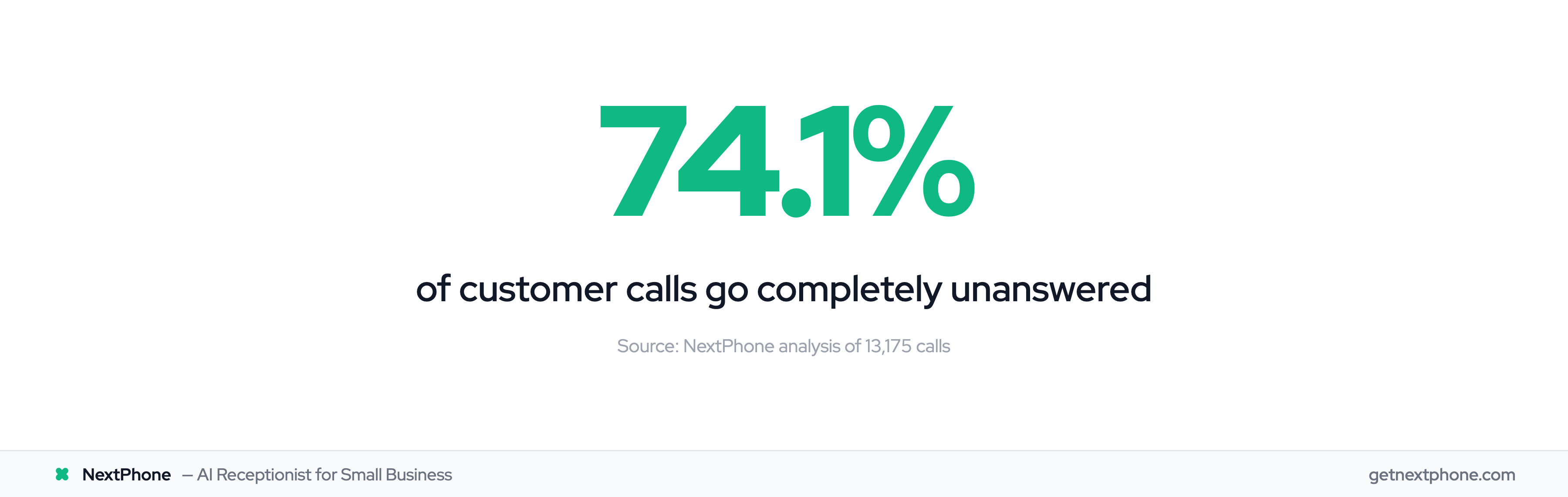
Aircall is excellent for teams who answer calls. But it can't solve the coverage problem—unless you're willing to staff agents around the clock. In our analysis of 130,175 customer calls, 74.1% went completely unanswered—research shows 62% of calls to home services businesses go unanswered. Most of those missed calls happened after hours, on weekends, or during overflow when everyone was busy.
Here's how to fix that gap: Use NextPhone as an AI front-door that handles the first line while routing qualified leads to your Aircall team.
What is Aircall?
Aircall is a cloud-based phone system built for sales and support teams. It integrates with 100+ third-party applications including Salesforce, HubSpot, Pipedrive, Zendesk, and Slack.
The platform offers features like click-to-call, power dialer, call recording, real-time analytics, and automatic CRM data sync. When your sales rep calls a lead from Salesforce, Aircall logs the call details, duration, and outcome without manual entry.
Who Uses Aircall
According to industry research, 61% of Aircall reviews come from midsize businesses with 11 to 200 employees. It's popular with sales teams, IT departments, and customer support teams handling high call volumes.
Common industries include education, financial services, healthcare, and marketing agencies.
Aircall pricing starts at $30/license per month with a minimum of 3 licenses required. That means $90/month is your minimum entry point, and costs scale quickly as you add team members or features.
The Coverage Gap Aircall Users Face
Aircall works great when your agents are available to answer. But what happens during the gaps?
After-Hours and Weekend Calls
Your support team staffs three Aircall agents from 9 AM to 5 PM. After 5 PM? Every call hits voicemail.
In our study of 130,175 calls, we found that 25.4% of callers explicitly requested callbacks. Without a systematic way to handle these requests, most fall through the cracks. Customers get frustrated. You lose deals.
One plumber told us: "I didn't even know I was missing that many calls until I saw the data. I just thought business was slow." He had 76 missed calls in one month—all potential jobs going to competitors.
Spam and Low-Value Calls
Not every call deserves your Aircall agents' time. We found that 7.0% of calls are spam or robocalls. These clog your queue and waste valuable selling time.
Another 40% are routine questions: "What are your hours?" "How much does this cost?" "Do you serve my area?" Your agents can answer these, but it's not the best use of their skills—especially when they're trying to close deals.
The Cost of Staffing Aircall 24/7
Want to cover after-hours with Aircall? You'd need to add agents for night and weekend shifts.
Two additional Aircall seats for evening coverage = $60/month extra. Want weekend coverage too? That's potentially 4-6 more seats to ensure shift coverage, bringing your monthly bill to $180-270 just for after-hours availability.
Most small teams can't justify that expense. So they let calls go to voicemail and hope customers leave detailed messages. Spoiler: They don't.
The AI Front-Door Concept
There's a better approach: Use AI to handle the first line of contact before calls reach your Aircall team.
What is an AI Front-Door?
An AI front-door is an AI receptionist that answers every call—24/7, even when your team is offline. AI can improve customer service productivity by 30-50%. The global VoIP market is valued at $53.87B. The AI handles routine inquiries, filters spam, qualifies leads, and collects information.
When a call needs human attention, the AI routes it to your Aircall agents. When it doesn't, the AI handles it completely: books appointments, takes messages, sends follow-up texts, and logs everything to your CRM.
Think of it like a receptionist at a law office. They answer every call, determine who needs to speak with an attorney, and route accordingly. Most calls get handled at the front desk. The important ones reach the lawyers.
How It Works with Aircall
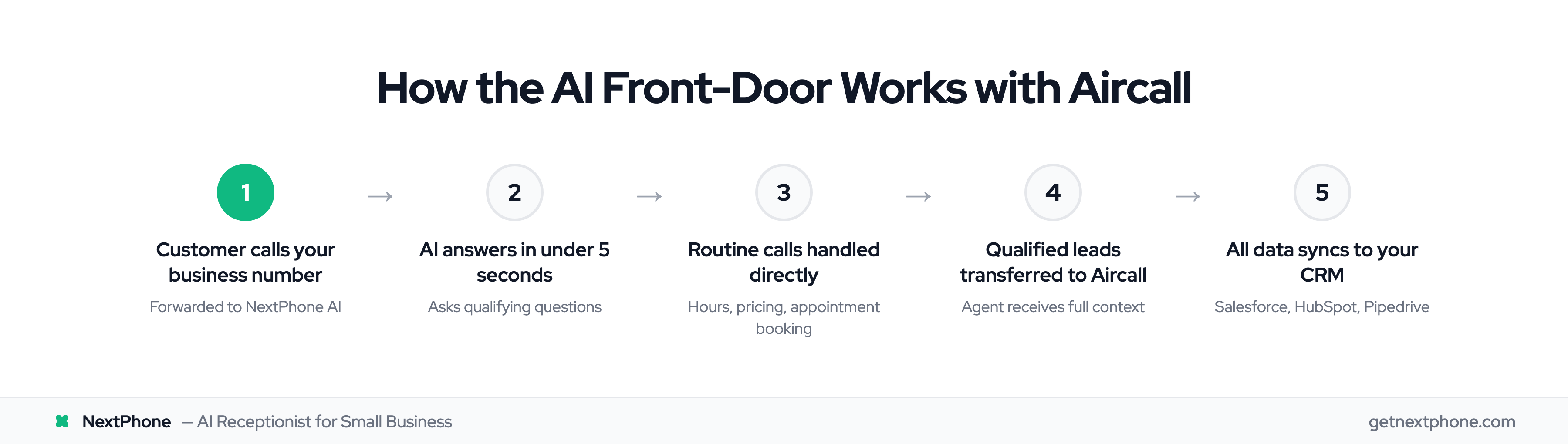
Here's the workflow:
- Customer calls your business number (now forwarded to NextPhone)
- NextPhone AI answers in under 5 seconds
- AI asks qualifying questions: "How can I help you today?"
- Based on the response, AI either:
- Handles it directly (hours, pricing, appointments)
- Collects details and schedules callback
- Transfers immediately to Aircall agent (emergencies, hot leads)
- All data syncs to your CRM automatically
Your Aircall agents only get qualified calls. Everything else is filtered, answered, or scheduled for follow-up.
A customer calls at 9 PM asking about pricing for your service. NextPhone AI answers, provides the quote, asks if they'd like to book a consultation, and schedules an appointment for Tuesday at 10 AM. By morning, your Aircall agent sees the appointment in the calendar, the customer is already qualified, and the call data is in Salesforce.
How NextPhone Complements Aircall
NextPhone doesn't replace Aircall. It makes your Aircall investment more effective by handling what AI does best.
24/7 Coverage Without Extra Aircall Seats
After-hours calls go to NextPhone AI instead of voicemail. The AI answers professionally, handles the inquiry or books a callback, and logs everything.
You get 24/7 coverage for $199/month—less than adding 2-3 Aircall seats and without scheduling headaches.
Spam Filtering and Routine Call Handling
NextPhone automatically detects and filters spam calls. That 7% of junk never reaches your Aircall queue.
For routine questions—hours, pricing, location, basic FAQs—the AI provides instant answers without tying up your agents. In our data, roughly 40% of calls are routine inquiries that AI can handle perfectly.
Your agents spend time on what matters: selling, supporting customers, and closing deals.
Lead Qualification and Data Collection
Before routing a call to Aircall, NextPhone AI collects key information:
- Caller name and contact details
- Reason for calling
- Budget or timeline (if applicable)
- Urgency level
Your Aircall agent picks up the call already knowing the context. The AI has done the qualification work. NextPhone integrates with your CRM via webhooks, so this data syncs automatically to Salesforce, HubSpot, or whatever system you use—just like Aircall does.
Call Routing to Aircall Agents
In our analysis, 15.9% of calls contain urgency language like "emergency," "urgent," or "ASAP." Another 6.2% are true emergencies requiring immediate response.
NextPhone's emergency call routing identifies these calls and transfers directly to your Aircall agents—even after hours if you configure an on-call number.
A contractor uses Aircall from 9-5 for their office team. After 5 PM, NextPhone AI answers inbound calls. If someone says, "My pipe burst, I need help now," the AI immediately transfers to the on-call technician's Aircall number. Routine calls get booked for the next business day.
Comparison: Aircall Alone vs Aircall + NextPhone
| Feature | Aircall Alone | Aircall + NextPhone |
|---|---|---|
| Business hours coverage | — (when staffed) | — (AI + agents) |
| After-hours coverage | ✓ (voicemail only) | — (AI handles) |
| Spam filtering | Limited | — (automatic) |
| Routine call handling | Requires agent | AI handles |
| Lead qualification | Manual | Automatic |
| Emergency routing 24/7 | ✓ (unless staffed) | — (AI routes) |
| Cost for 24/7 coverage | $180-270/mo (6+ seats) | $199/mo (unlimited) |