Your Team Lives in Trello. Your Calls Don't.
You've built the perfect Trello workflow. Every project has a card. Your team knows exactly where things stand. Jobs move smoothly from "New Lead" to "Contacted" to "Quoted" to "Completed." You're not alone: Trello has 50M+ registered users and 1.1M daily active users, making it one of the most popular project management tools.
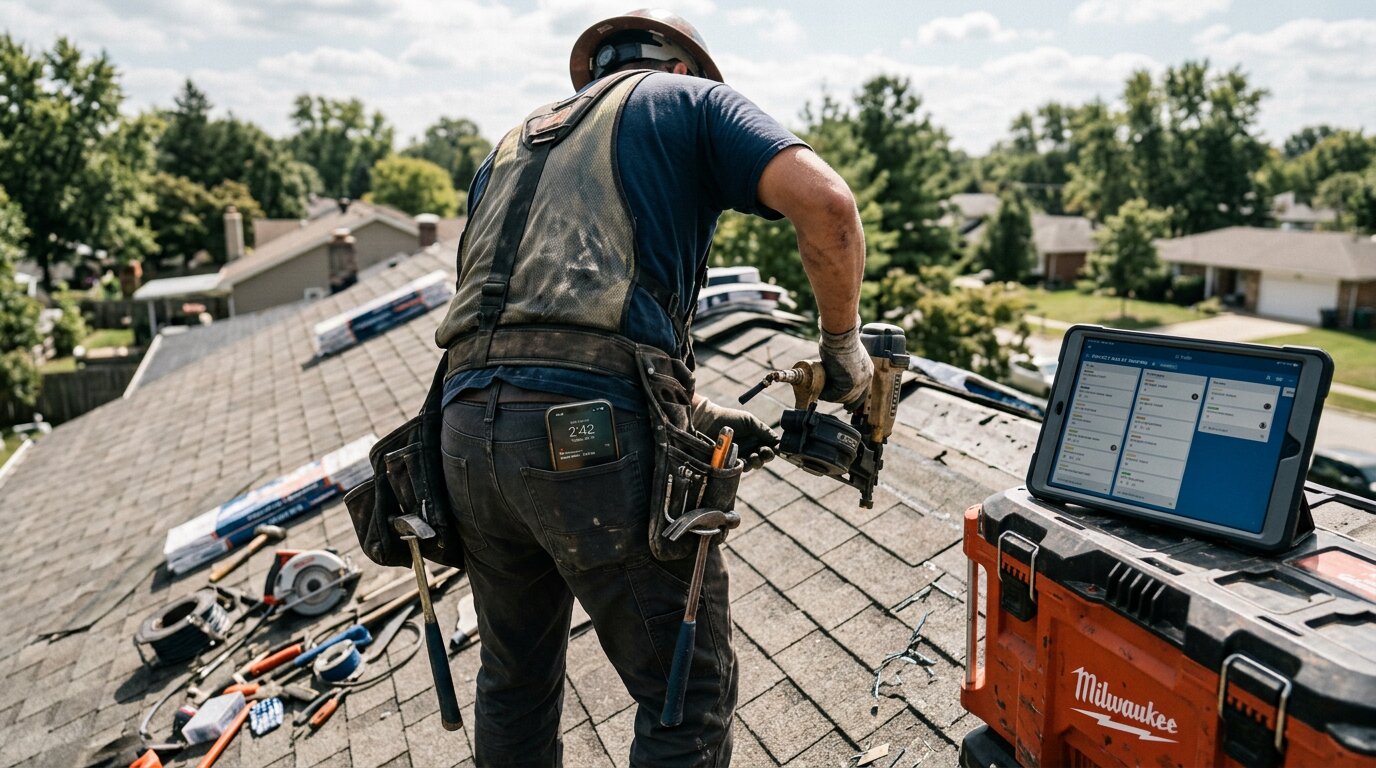
Then your phone rings. You're on a roof installing shingles. The call goes to voicemail. You tell yourself you'll add it to Trello later. You never do.
Industry research on calls to home services contractors found that 74.1% go completely unanswered. That's three out of every four potential customers calling someone else. Even worse, approximately one in four callers explicitly asks for a callback - opportunities that vanish when they're not visually tracked on your board.
What if every call automatically appeared in Trello the moment it ended?
The Problem: Calls Vanish Without Visual Tracking

Manual Entry Never Happens
You know the drill. Customer calls about a kitchen remodel. You're under a sink fixing a leak. The call goes to voicemail. You finish the job, grab lunch, head to the next appointment. By evening, you've completely forgotten about the voicemail.
Even when you remember, creating a Trello card from memory is painful. What was their name again? Did they say it was urgent? What exactly did they need? Without callback tracking, these details vanish.
Manual entry fails because you're busy running a business. You don't have time to transcribe voicemails and populate Trello cards.
Your Team Lives in Trello
Here's the thing: your visual workflow actually works. Your team checks Trello throughout the day. When a card appears, someone takes action. When a card moves to "Needs Quote," your estimator jumps on it.
But calls that never make it to the board might as well not exist. Your dispatcher can't schedule what they can't see. Your sales team can't follow up on leads that aren't tracked. Your entire visual system breaks down when calls bypass it entirely.
The Cost of Invisible Calls
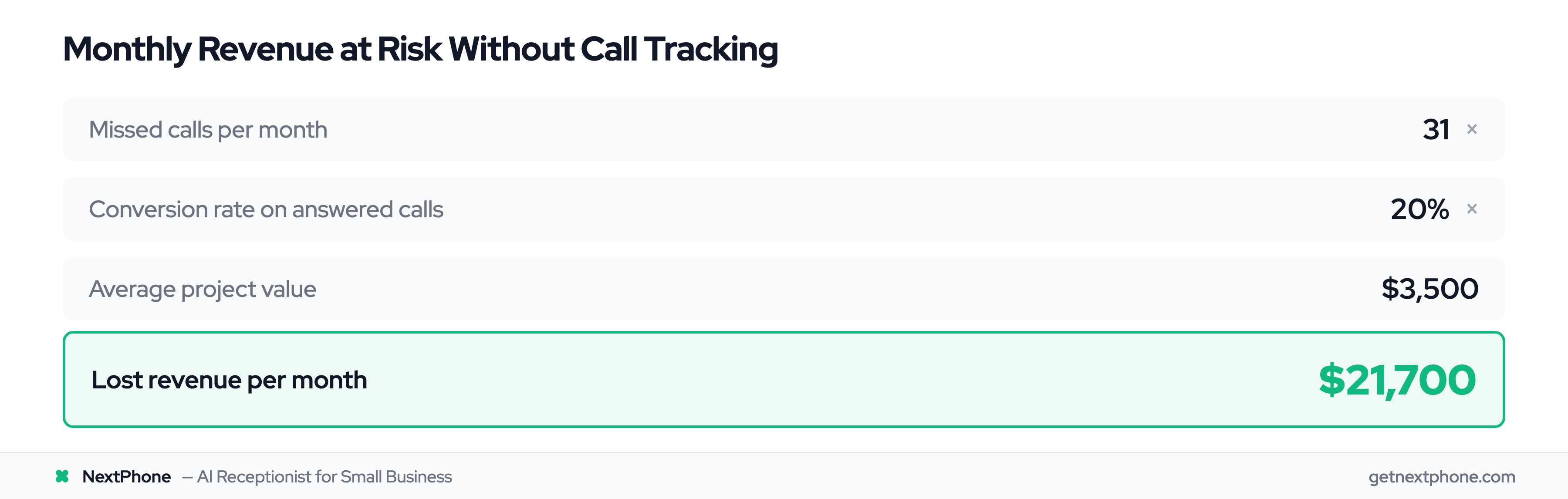
Let's do the math. The average contractor receives 42 calls per month. If 74.1% go unanswered, that's 31 missed opportunities every month.
If just 20% of those calls would've converted at an average project value of $3,500, you're losing $21,700 per month. That's $260,400 per year in revenue that called you first and went somewhere else.
The Solution: Automatic Call-to-Card Creation
How Call-to-Card Automation Works
Instead of calls going to voicemail, an AI receptionist answers every single one. While talking to the caller, the AI collects the information you need: their name, phone number, what they're calling about, whether it's urgent, and when they need help.
The moment the call ends, a webhook fires. Within seconds, a new Trello card appears in whichever list you've designated - usually "New Leads" or "Incoming Calls."
No manual entry. No forgotten voicemails. No lost opportunities.
What Information Gets Captured
Each Trello card includes everything your team needs to take action:
- Card title: Caller name + project type ("Sarah M - Kitchen Remodel")
- Description: AI-generated summary of the conversation
- Labels: Urgency level, call type, service needed
- Due date: Automatically set based on callback requests
- Custom fields: Phone number (click-to-call), email, budget, timeline
- Attachments: Links to call recording and transcript
The AI asks whatever questions matter to your business. Want to know if they're a new customer or returning? The AI asks. Need to know their budget range? The AI collects it. Everything appears on the card, formatted and ready for your team.
The Complete Workflow
Here's what it looks like in practice:
Sarah calls at 9:15 PM asking about a kitchen remodel. Your AI receptionist answers on the second ring (you're watching TV). The AI has a natural conversation: "I'd be happy to help with your kitchen remodel. Can I get your name and best number for a callback?"
Sarah provides her details. The AI asks about timeline, budget, and specific needs. Sarah mentions she's hoping to start in the next two months and is most concerned about cabinet installation.
Call ends at 9:22 PM. By 9:23 PM, a new card appears in your Trello "New Leads" column:
Title: Sarah Martinez - Kitchen Remodel Description: "Called at 9:15 PM inquiring about complete kitchen remodel. Primary concern is cabinet installation. Timeline: 2 months. Budget discussed: $15K-25K range. Prefers email contact." Labels: Estimate Request, New Customer Due Date: Tomorrow (flagged for morning callback) Phone: (555) 123-4567 Email: sarah.martinez@email.com
Your estimator sees it first thing in the morning, clicks the phone number to call, and books the consultation. The card moves to "Contacted," then "Quote Scheduled," then "Won."
Sarah never had to call a competitor.
Benefits: Visual Pipeline Management for Calls
See Your Entire Call Pipeline
75% of teams see value in Trello within 30 days, and 81% stay for its ease of use. When every call creates a card, you can finally see what's really happening with your inbound leads. Your board shows the full picture:
- New Leads: 7 cards (this week's calls)
- Contacted: 4 cards (callbacks completed)
- Quoted: 3 cards (estimates sent)
- Scheduled: 2 cards (jobs booked)
- Completed: 15 cards (this month)
Nothing is invisible. Nothing falls through the cracks. Your team knows exactly what needs attention.
Prioritize Urgent Calls Automatically
In our call data, urgent calls with keywords like "emergency," "urgent," or "ASAP" rank among the top reasons people call. These calls are worth more - emergency jobs average $4,200 compared to $3,500 for routine work.
The AI detects urgency during conversation. Emergency calls automatically get:
- Red "URGENT" labels
- Moved to top of the list
- Due date set to "today"
- Additional notifications (if you want them)
Your team sees at a glance which calls need immediate attention. The homeowner with a burst pipe doesn't wait behind routine estimates. They get contacted first, because the board visually shows the priority.
Team Collaboration Without Chaos
Multiple people can work on the same card. Your receptionist adds follow-up notes. Your estimator attaches the quote. Your scheduler updates the installation date. Everyone sees the same information in real-time.
No more playing phone tag internally. No more "Did anyone call Sarah back?" The card tells the story. When it moves to "Completed," you know the loop is closed.
The ROI of Visual Call Tracking
Here's the real benefit: you capture more opportunities without hiring anyone.
Let's say automation helps you convert just 10% more of those previously missed calls. That's 3 extra jobs per month (31 missed × 10% = 3.1 jobs).
At $3,500 average project value, that's $10,500 in additional monthly revenue. Annually, that's $126,000 in jobs you would've lost to competitors.
Cost of the solution? $199 per month for unlimited AI answering plus Trello integration.
ROI: 5,200%
Even capturing one or two extra jobs per month pays for the system many times over.