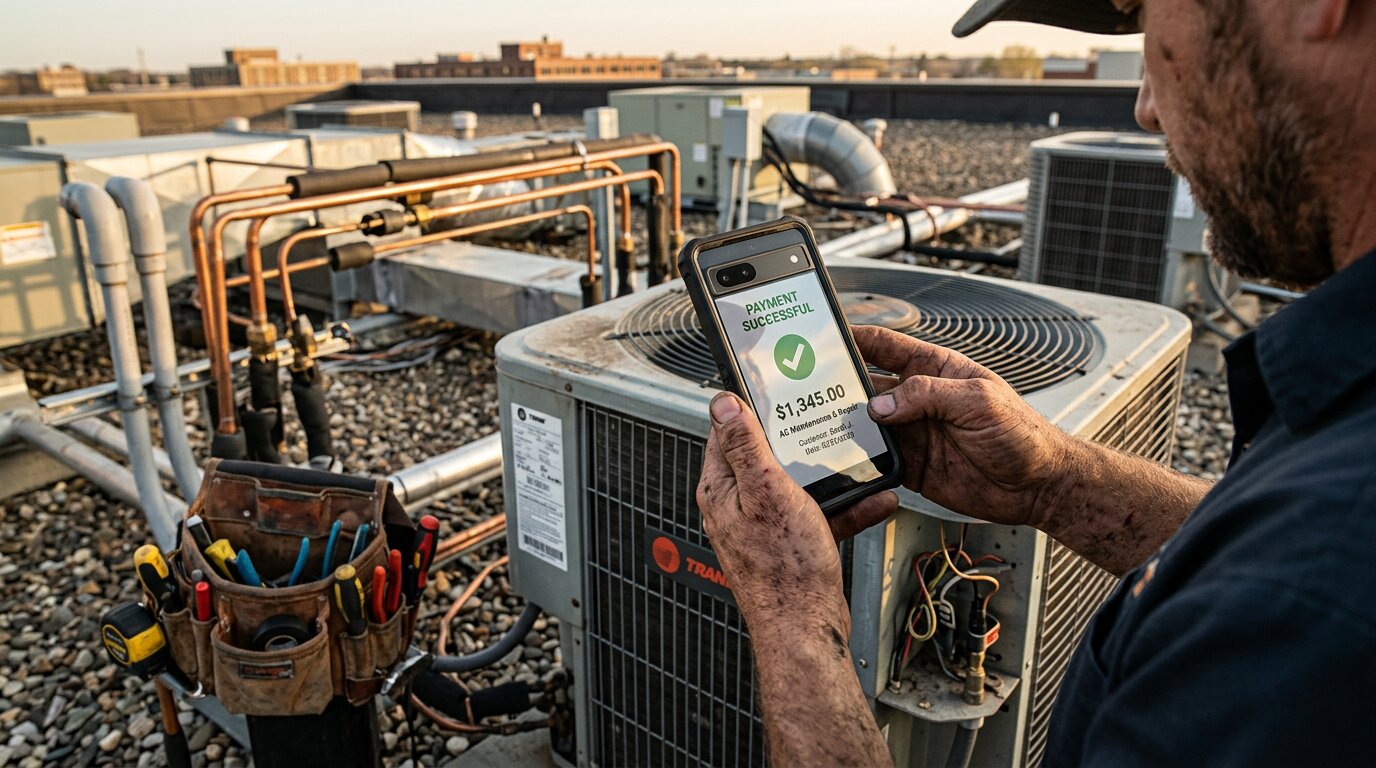
Your phone rings at 9 PM on Saturday. A homeowner's AC just died. It's 95 degrees outside. They're desperate, calling every HVAC contractor they can find. You're at dinner. The call goes to voicemail. Five minutes later, they book with the contractor who answered, and collected a $750 deposit during the call.
You just lost a $3,200 job.
We've answered more than 2,000,000 business calls for home services contractors and others. The data is brutal: industry research shows 74.1% of calls to home services businesses go completely unanswered. For a business receiving 42 calls per month, that's 31 missed calls. At a 20% conversion rate and $3,500 average project value, you're losing $260,400 per year.
Here's what makes it worse: approximately one in four callers asks for a callback. Without a system to collect payment on first contact, most of those callbacks never convert. The customer books someone else, or you forget to call back, or they've already moved on.
Stripe integration for phone systems changes this. Your AI receptionist answers every call, collects booking details, and sends a secure payment link, all while the customer is still engaged. Deposit paid, job secured, revenue locked in. No callbacks needed.
What Is Stripe Integration for Phone Systems?
Stripe: The Payment Processing Foundation
Stripe is a payment processing platform that handles credit cards, ACH transfers, and digital wallets for millions of businesses worldwide. You've probably used it yourself; it powers everything from small ecommerce shops to companies like Amazon and Shopify. Stripe processed $1.4 trillion in total payment volume in 2024 (a 38% year-over-year growth), and half of Fortune 100 companies use Stripe.
What makes Stripe attractive for service businesses? Security (PCI DSS Level 1 certified, the highest standard for handling card data), flexibility (135 currencies and 30+ payment methods), and ease of integration. Stripe handles 500M+ API requests daily with 99.999% uptime; reliability matters when you're collecting payments. Stripe handles all the complex payment infrastructure so you don't have to.
Phone Integration: Beyond Web Checkouts
Most businesses use Stripe for web checkout pages: customers add items to a cart, click "Buy Now," and enter their card details on a website. That works great for ecommerce.
But what about service businesses where customers call to book? That's where phone-based Stripe integration comes in. Instead of sending customers to a website, you collect payment during or immediately after the phone call. The AI receptionist sends a secure payment link via SMS or email. Customer taps the link, enters payment info (or uses Apple Pay), and the deposit is processed in seconds.
How AI Systems Handle Payment Collection
Here's the workflow: A customer calls your business. Your AI receptionist answers in under 5 seconds, gathers booking details (what service they need, when, their contact info), and sends a payment link to their phone via text message.
The customer clicks the link while you're still on the call (or right after hanging up), enters their card information, and completes the payment. Stripe processes it instantly. The booking is auto-confirmed, you get a notification, and your CRM is updated automatically.
No manual invoicing. No waiting for checks. No "I'll pay when you get here" promises that evaporate. Payment secured before you leave for the job.
According to Stripe's guidance on booking systems with payment integration, home services businesses like plumbers, electricians, and cleaning services are increasingly using this approach to schedule appointments and collect deposits or full payments in advance.
Why Payment Collection During Calls Matters
No-Show Prevention: The $2,100/Month Problem
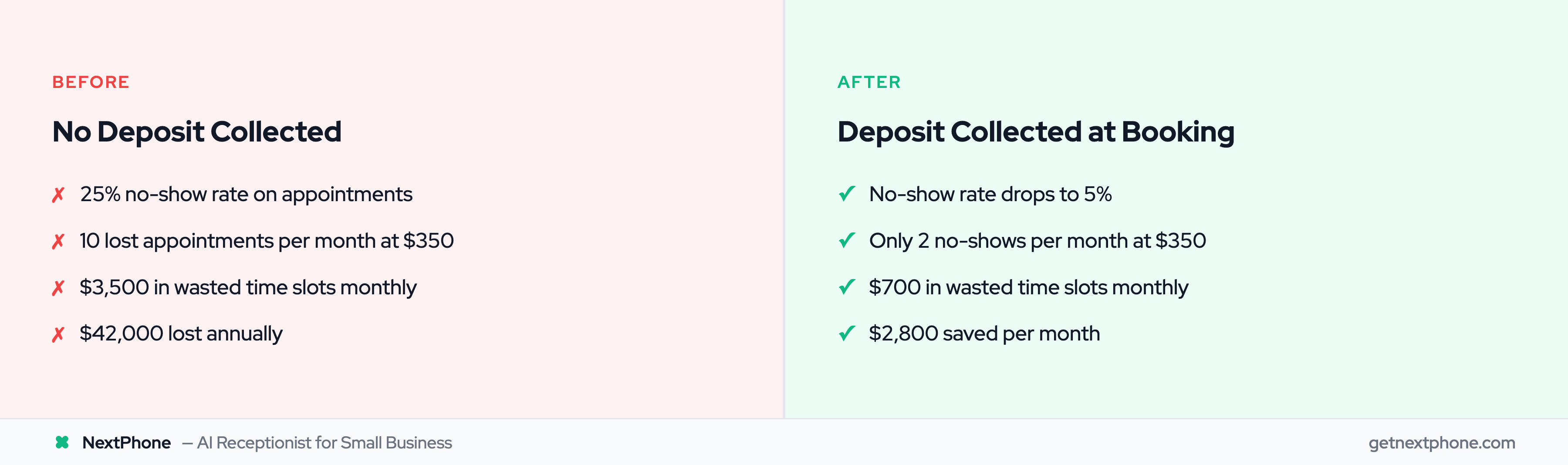
Let's talk about the no-show epidemic. Industry data shows 20-30% of appointments result in no-shows when deposits aren't collected upfront. That's one out of every four or five appointments.
For a contractor booking 40 appointments per month at $350 average value, the math is painful:
- 40 appointments × 25% no-show rate = 10 lost appointments
- 10 no-shows × $350 = $3,500 lost per month
- Annual impact: $42,000 in wasted time slots
Now compare that to businesses that collect deposits during booking calls:
- No-show rate drops to 5% (psychologically, paying creates commitment)
- 40 appointments × 5% = 2 no-shows
- 2 no-shows × $350 = $700 lost per month
- Savings: $2,800 per month or $33,600 per year
The deposit doesn't have to be large; even $50-100 creates skin in the game. Customers who pay upfront show up.
Emergency Job Capture: Speed Wins
In our analysis of the calls we answer, urgency keywords like "emergency," "urgent," or "ASAP" rank among the top reasons people call. Those are the calls where the customer needs help immediately.
Emergency jobs are gold: They average $4,200 in revenue, significantly higher than routine work. But here's the catch: The customer is calling 3-5 contractors, and they're booking the first one who (a) answers and (b) commits to showing up.
Without deposit collection, you're competing purely on speed. "I can be there in 45 minutes" sounds great, but the customer is still calling other contractors to compare. They might book the one who arrives in 30 minutes instead.
With deposit collection during the call, the job is locked in before they dial the next number. "I can be there in 45 minutes. I'm texting you a link to pay your $500 emergency service deposit right now." Thirty seconds later, they've paid. The job is yours.
Callback Elimination: Convert on First Contact
Here's a stat that should concern every service business owner: in our call data, approximately one in four callers asks for a callback. That's a lot of people saying some version of "Can you call me back?"
The problem? Without a system, most of those callbacks never happen. Either you forget, or the customer books someone else before you call back, or they don't answer when you do reach out.
For a business receiving 42 calls per month:
- 11 callback requests per month (roughly one in four of 42)
- 9 callbacks lost (80% of 11)
- At 30% conversion rate: 3 lost jobs per month
- At $3,500 average: $10,500 per month in missed revenue
With payment collection during the initial call, callbacks become unnecessary. "I have you scheduled for Tuesday at 2 PM. I'm sending you a payment link for your $200 deposit right now to lock that in." Customer pays, appointment confirmed, no callback needed.
How Stripe + NextPhone Integration Works
The 60-Second Payment Flow
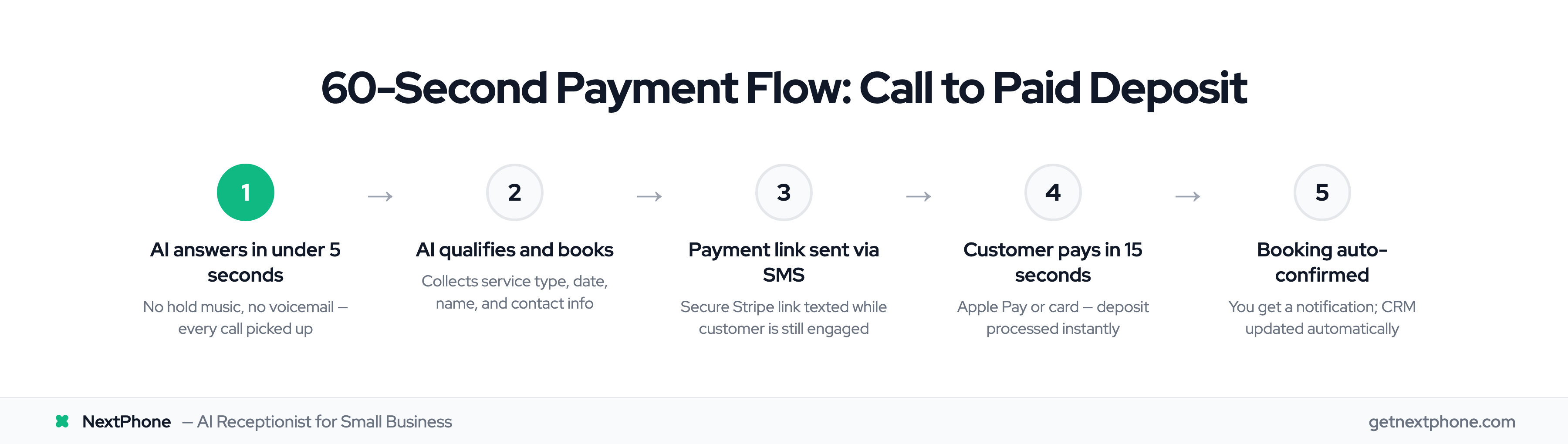
Here's what the customer experiences:
- They call your business (could be 9 PM on Saturday; doesn't matter)
- AI receptionist answers in under 5 seconds (no hold music, no "leave a message")
- AI asks qualifying questions: "What service do you need? When works best for you? What's your name and phone number?"
- AI sends payment link via SMS: "Perfect, I'm texting you a secure link to pay your $500 deposit right now."
- Customer clicks link, enters card details (or taps Apple Pay; takes 15 seconds)
- Payment processes instantly, booking auto-confirms
- You get notification: "Payment received. John Smith booked for Tuesday 2 PM. HVAC repair. $500 deposit paid."
Total elapsed time from call start to paid deposit: 60 seconds.
Meanwhile, you're still on the job site. You didn't touch your phone. The booking happened automatically.
Behind the Scenes: Webhooks and Automation
The technical magic happens through HTTP webhooks. When the AI receptionist collects the customer's information, it triggers a webhook that sends data to Stripe: customer name, phone, email, service needed, deposit amount.
Stripe generates a secure payment link and sends it to the customer. When they complete payment, Stripe sends a webhook back to NextPhone confirming payment received. NextPhone then updates your CRM with the lead details, adds the appointment to your calendar, and sends you a notification.
No manual data entry. No copying information from voicemail to your scheduler. No risk of forgetting to follow up. The entire workflow is automated.
Three Payment Collection Workflows
The beauty of Stripe integration is flexibility. Different jobs need different payment approaches.
Workflow 1: Full Payment Upfront
Best for: Small jobs, service calls, consultations, diagnostic visits
How it works: Customer pays the full amount during the booking call. No balance due, no invoicing later.
Example: $350 HVAC diagnostic visit. Customer calls about weird noise from their furnace. AI books the appointment and collects $350 upfront. Technician shows up, diagnoses the issue, customer already paid. Simple.
Benefit: Zero payment risk, immediate cash flow, no collection hassles later. You show up knowing you're already paid.
Workflow 2: Deposit Now, Balance Later
Best for: Large projects, multi-day jobs, material-heavy work
How it works: Collect 20-50% deposit during the booking call. Customer's card is saved securely as "card on file." You charge the balance before or after completing the work.
Example: $8,000 roof repair. Customer calls about storm damage. AI collects details and sends a payment link for a $2,000 deposit (25%). Customer pays. Two weeks later when the job is done, you charge the remaining $6,000 to the card on file.
Benefit: Secures customer commitment, covers your material costs upfront, dramatically reduces no-shows. The customer has already invested money; they're not backing out.
Workflow 3: Card on File for Staged Billing
Best for: Recurring services, maintenance contracts, ongoing projects with multiple phases
How it works: Collect the customer's card during the initial call. Charge it automatically as services are completed or on a recurring schedule.
Example: Monthly HVAC maintenance contract at $150/month. Customer calls to sign up. AI collects card details. On the 1st of each month, Stripe automatically charges $150. Customer gets a receipt, service gets scheduled, you get paid like clockwork.
Benefit: Automatic recurring revenue. No invoicing overhead. Customer never misses a payment because it's automatic. You can focus on service delivery instead of collections.
Security note: The customer's card is tokenized (encrypted) and stored by Stripe. You never see the full card number. Stripe is PCI DSS Level 1 certified; they handle all the compliance and security responsibility.
Real Use Cases for Home Services Contractors
HVAC: Emergency Repairs That Can't Wait
A customer's air conditioning dies at 9 PM on a 95-degree Saturday in July. They're sweating, frustrated, and calling every HVAC company within 20 miles. They're going to book whoever answers first AND can commit to showing up tonight.
Your AI receptionist answers immediately. "I can have a technician there within 90 minutes. I'm sending you a link to pay the $750 emergency diagnostic and repair deposit right now to lock in that time slot."
Customer pays. Job secured. They stop calling other companies because they've already committed $750.
Without this workflow, the customer calls you, gets voicemail, and books with the next contractor who picks up. You lost a $3,200 emergency repair job.
Plumbing: After-Hours Crisis Calls
It's 2 AM. A pipe bursts in the customer's basement. Water is flooding everywhere. They're panicking, calling plumbers frantically.
Your AI receptionist answers. "I'm dispatching a plumber now. They'll arrive within 45 minutes. I'm texting you a link to pay your $500 emergency service deposit to secure that arrival time."
Customer clicks, pays, feels relief knowing help is confirmed and on the way. They stop calling other plumbers.
Emergency plumbing jobs average around $4,200 in revenue. Capturing just one additional emergency call per month through deposit collection generates $50,400 annually, while competitors are still sleeping through their missed calls.
Electrical: Safety-Critical Work
Customer calls because an outlet is sparking. This is a safety issue; they're not going to wait three days for a callback. They need someone today.
AI answers: "I can schedule you for a same-day visit at 3 PM. I'm sending you a payment link for the $300 service call deposit to hold that appointment."
Customer pays, appointment confirmed, safety issue gets addressed the same day. High-value electrical work secured instead of lost to a faster competitor.
General Contractors: Estimate Deposits
Here's a clever application: Refundable estimate deposits.
Homeowner calls requesting a kitchen remodel estimate. Problem is, estimate-shoppers waste hours of your time getting quotes from 10 contractors with no intention of hiring anyone.
Solution: "I'd be happy to schedule an in-home estimate. We charge a $200 estimate fee, which is fully refundable if you book the project with us."
This qualifies serious leads. People who pay $200 for an estimate are actually considering the project. Time-wasters who just want free quotes hang up.
Contractors using this approach report reducing wasted estimate time by 70% while maintaining the same booking rate (because serious customers don't mind paying a refundable fee).