You've got 23 voicemails waiting. You're on a job site with muddy hands and a buzzing saw. Each voicemail takes 2-3 minutes to listen to. That's 46-69 minutes of your day gone.
Or you could read the transcripts in 5 minutes.
Industry research shows 74.1% of calls to home services contractors go completely unanswered. But when your AI receptionist actually answers those calls, you need a record. For compliance, and to verify the AI did its job, to settle customer disputes, and to save yourself hours every week.
Call recording and transcription turn every conversation into searchable, verifiable text. Here's exactly how it works, where those transcripts go, and how to use them.
Why Call Recording & Transcription Matters
Call recording creates an audio file of the conversation. Transcription turns that audio into searchable text. Together, they give you a permanent, searchable record of every customer interaction. When paired with a voice AI receptionist, you get automatic documentation of every call without lifting a finger.
Turn Voicemail into Searchable Text
Listening to voicemail is a time drain. You can't skim audio. You can't search it. You have to listen to the whole thing, even when the important part is buried 90 seconds in.
Transcripts fix this. You can scan 10 transcripts in the time it takes to listen to one voicemail. Need to find the customer who called about a pipe leak last Tuesday? Type "pipe leak" in your dashboard. Done in 3 seconds.
With searchable transcripts, your call history becomes a knowledge base. Every quote you gave. Every emergency you handled. Every callback you promised. All searchable.
Proof for Disputes and Misunderstandings
Customer disputes happen. They say you quoted $800. You remember saying $1,200. Without a recording, it's your word against theirs.
With a transcript, you pull up the call, search for "quote," and there it is: "The total estimate for this job is $1,200 including parts and labor." Dispute settled.
One avoided legal battle can save $5,000-$20,000 in legal fees. Transcripts pay for themselves the first time you need proof.
Train Staff with Real Call Examples
You hire someone new. They need to learn how to handle pricing questions, emergency calls, and customer objections. You could write a script, or you could show them real transcripts.
"Here's how we handled this emergency call. Here's what we say when someone asks about our rates. Here's how we captured callback details."
Real examples beat generic training every time. New staff get up to speed 50% faster when they can read actual customer conversations.
Track Callbacks and Follow-Ups
Approximately one in four callers explicitly asks for a callback. Without a systematic tracking system, most of these fall through the cracks.
Transcripts prove you captured the details. Customer name? Check. Phone number? Check. Preferred callback time? Check. Reason for the call? Check.
Your AI receptionist asks for this information. The transcript shows it was recorded. No more "I thought I got their number" or "Did they say morning or afternoon?"
How Call Transcription Works
Call transcription uses artificial intelligence to convert speech into text. Here's what happens behind the scenes.
AI-Powered Speech Recognition
When a call comes in, the system captures the audio in real-time. AI analyzes the speech patterns using natural language processing (NLP), the same technology that powers voice assistants like Siri and Alexa.
The AI identifies individual words, understands context, and outputs a text version of the conversation with timestamps. The whole process takes seconds.
Accuracy Rates (What to Expect)
Modern AI transcription systems achieve 85-95% accuracy for routine business calls. That means most words are correct, with occasional errors on names, technical terms, or background noise.
For legal compliance, Rev's guide covers phone call recording laws by state.
What affects accuracy?
- Call quality: Clear audio = better transcription
- Technical terminology: "condenser coil" might become "condenser call" the first time
- Speaker clarity: Mumbling or heavy accents can reduce accuracy
- Background noise: Construction sites are harder than quiet offices
But here's the thing: 85% accuracy is more than enough to understand what the call was about. You're not using this in court transcripts. You're using it to know who called and why.
Continuous Improvement Over Time
The AI learns from each call. If your business uses industry-specific terms ("backflow preventer" for plumbers, "load-bearing wall" for contractors), the AI gets better at recognizing these phrases over time.
This is why your transcripts get more accurate the longer you use the system.
Voicemail Transcription: Read Instead of Listening
Voicemail transcription deserves its own section because it solves one of the biggest daily time drains for small business owners.
The Voicemail Time Drain
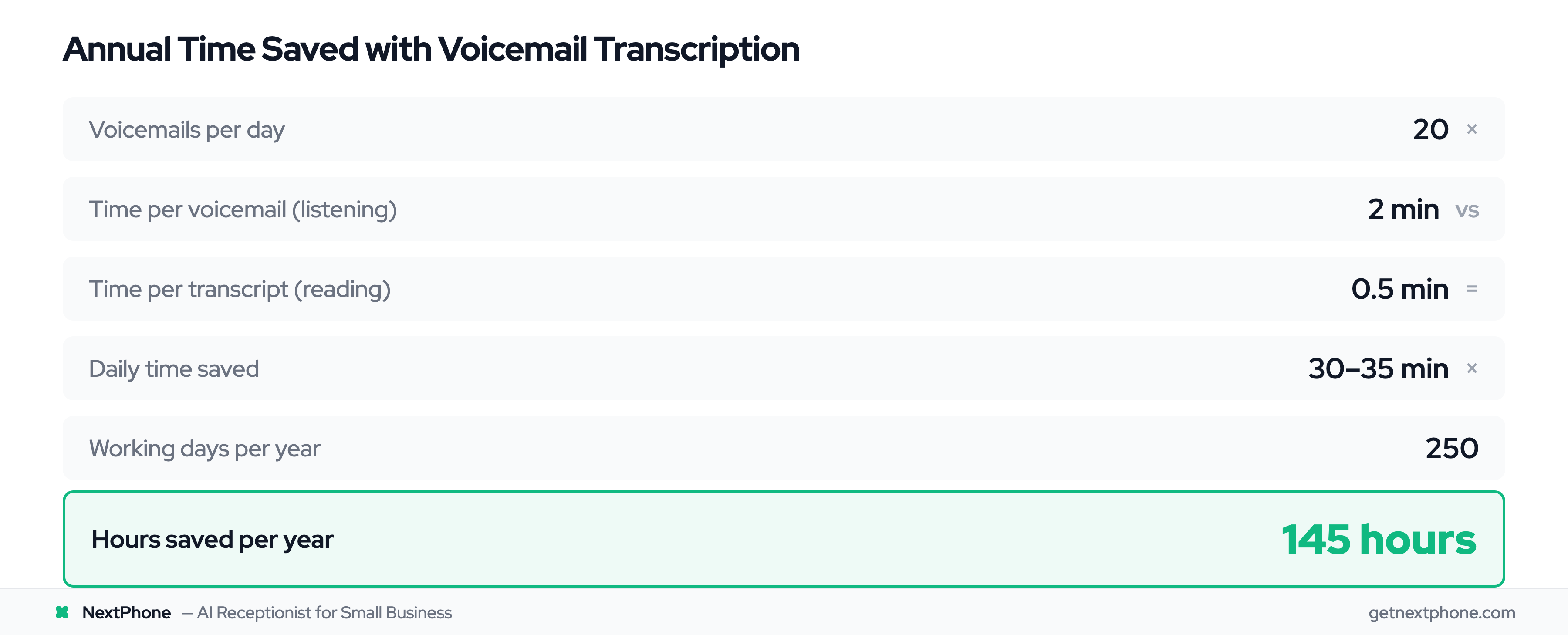
Let's do the math. You get 20 voicemails per day. Each one takes 2 minutes to listen to. That's 40 minutes of your day spent holding a phone to your ear.
With transcription, you read each message in 15-30 seconds. Same 20 messages? 5-10 minutes total.
You just saved 30-35 minutes daily. That's 145 hours per year.
Instant Text Preview
The transcript arrives via email within seconds of the voicemail being left. You see:
- Caller's name and phone number (tap to call back)
- Full text of what they said
- Timestamp
You can decide if it's urgent without listening. Emergency? Call back immediately. Routine question? Delegate to your assistant. Sales pitch? Delete.
A Reddit user in r/smallbusiness said it perfectly: "Tired of listening to 20 voicemails every morning." With transcription, you read them in 5 minutes while drinking your coffee.
Priority Sorting at a Glance
Calls containing urgency keywords like "emergency," "urgent," or "ASAP" rank among the top reasons people call. When you're reading transcripts, these words jump out immediately.
"My AC is out and it's 95 degrees. This is urgent."
You see that in 5 seconds of scanning. No need to listen to the entire 90-second message to find out it's critical.
Contractor on a roof? Can't safely listen to voicemail. But you can glance at your phone and read: "Pipe burst, flooding basement, need help NOW." You know to call back immediately.
Where Transcripts Are Delivered
Transcripts don't just disappear into a database. Here's exactly where you access them.
Email Notifications with Full Transcripts
Within 30 seconds of the call ending, you get an email. It includes:
- Caller's name and phone number (tap the number to call on mobile)
- AI-generated summary of the call
- Link to view the full transcript
- Link to listen to the audio recording
No logging in required. The information comes to you.
You're at lunch. Your phone buzzes. Email shows a customer called about a quote. You read the transcript, see they need an estimate for a bathroom remodel, and forward it to your estimator. Total time: 30 seconds.
Searchable Dashboard Access
Every call transcript lives in your dashboard. You can search by:
- Customer name
- Phone number
- Date range
- Keywords (emergency, quote, callback, etc.)
Example: A customer calls in March saying you promised them a discount. You don't remember. You search their phone number, pull up the March 12 call, and see the exact conversation. You did offer 10% off for repeat customers. Transcript proves it.
Your call history becomes a searchable archive. No more "I think they called in July?" guesswork.
Automatic CRM Integration
If you use a CRM like HubSpot, Salesforce, or Pipedrive, transcripts can sync automatically. The call transcript attaches to the customer's record.
Your sales team sees every conversation without asking you "What did the customer say?" Everything's already logged.
No manual copying. No lost details. The transcript goes from the call directly into your CRM within seconds.
Using Transcripts to Verify AI Receptionist Performance
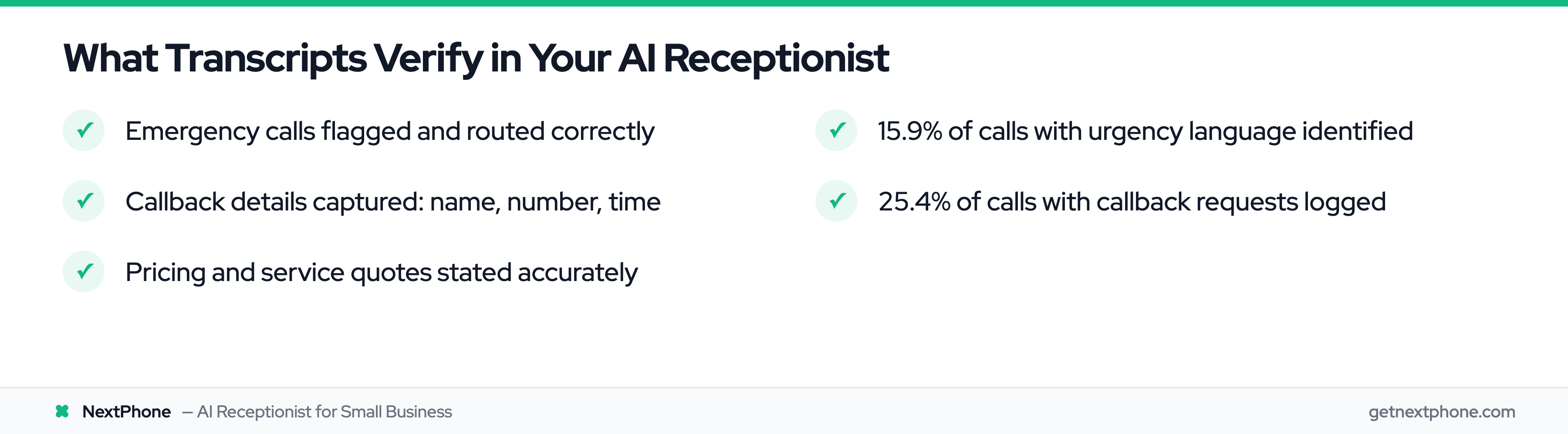
Here's where call recording gets really valuable for AI receptionist users: quality assurance.
Verify Emergency Routing Accuracy
Your AI receptionist is supposed to route emergencies to your cell phone immediately. But how do you know it's working?
Check the transcripts.
Customer says: "My basement is flooding from a burst pipe. I need someone now."
AI responds: "This sounds like an emergency. I'm connecting you to our emergency line right now."
You see in the transcript that the AI correctly identified the urgency and transferred the call. Urgent calls rank among the top reasons people call. Transcripts let you verify your AI flagged and routed these properly.
If the AI missed one? You fix the training.
Confirm Callback Details Were Captured
Approximately one in four callers asks for a callback. Did your AI capture the details correctly?
Pull up the transcript:
- Customer: "Can you have someone call me back tomorrow morning around 10 AM about a quote for new gutters?"
- AI: "I have you down for a callback tomorrow at 10 AM for a gutter quote. Can I get your phone number?"
- Customer: "555-0123"
- AI: "Perfect, we'll call you at 555-0123 tomorrow at 10 AM about the gutter quote."
You can see the AI got the time, the topic, and the phone number. No details lost.
Check Pricing and Service Quotes
Your AI is trained to quote $150/hour for emergency service. Did it say that to the customer?
Search the transcript for "rate" or "price." There it is:
AI: "Our emergency service rate is $150 per hour plus parts."
You know exactly what the customer was told. No surprises when they complain about the invoice.